
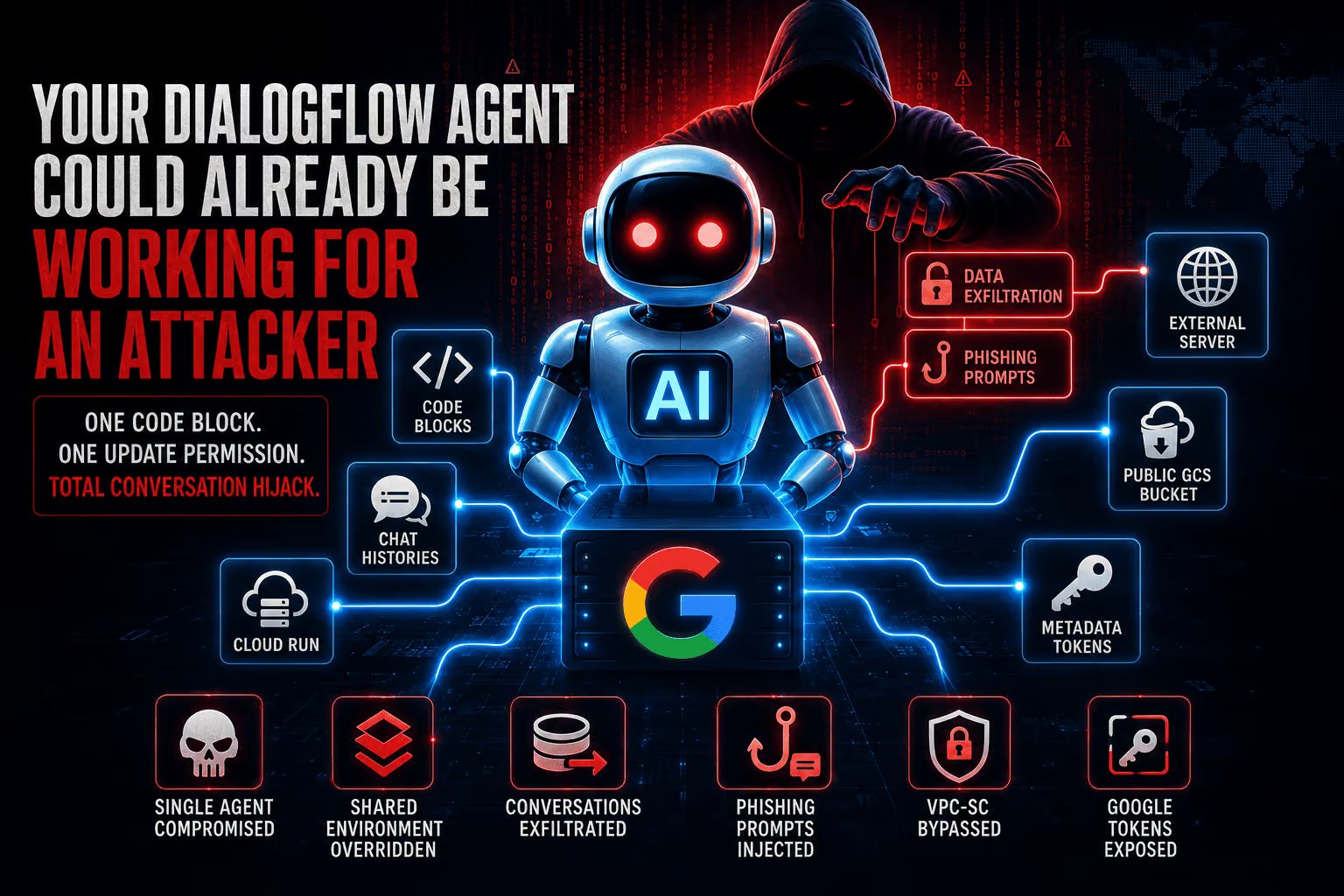
In June 2026, Google resolved a vulnerability in Dialogflow CX that a single authorized user could have used to push malicious Python into every conversational agent in a Google Cloud project. Researchers at Varonis Threat Labs, who named the issue Rogue Agent, traced the weakness to Playbook Code Blocks, a feature that lets developers drop custom Python into a conversation flow. Code Blocks run inside a Google-managed Cloud Run service, and that service is shared across every Dialogflow agent in the same project. A user holding only dialogflow.playbooks.update on one agent could overwrite a file inside that shared container, hijack live conversations, exfiltrate session data, and quietly restore the configuration to hide the change. Google issued an initial fix in April 2026 and closed the issue in June 2026. Varonis stated it had no evidence of exploitation before the patch.
Why this matters for anyone auditing a Dialogflow project
Code Blocks are a sanctioned path for arbitrary Python execution. The convenience of dropping inline code into an agent design carries a real consequence when that code runs in an environment you do not own and cannot see. The Cloud Run service behind Dialogflow ships with a writable file system, outbound internet access enabled by default, and no customer-side network perimeter. Every agent using Code Blocks inside the same Google Cloud project effectively shares that single execution surface.
For a technical SEO audit, the direct overlap is limited, but the pattern matters. Many of the same identity and logging weaknesses that let this issue slip through also surface on production web properties that wire Dialogflow into chat, search, or support flows. Treat this as a checklist item for any client whose site routes user input through a Dialogflow CX agent.
How the exploit chain worked
Varonis enumerated the filesystem inside the Cloud Run container and located code_execution_env.py, the file that runs configured Code Blocks through Python’s exec(). That file was writable. A Code Block configured by an attacker downloaded a modified Python file from an attacker-controlled Google Cloud Storage bucket and replaced the existing execution environment.
Because the user-supplied Code Block is appended to internal code that defines variables such as history (full conversation history) and state (session parameters including the session ID), the injected code ran in the same scope. That gave it direct read access to live conversations without any prompt injection trick. The modified file did three things:
- Intercepted every execution before
exec()was called. - Sent conversation data to an attacker-controlled server.
- Called the internal
respond()function so the agent surfaced attacker-chosen text, including phishing prompts framed as reauthentication requests.
After the overwrite, the attacker reverted the Code Block configuration in the Dialogflow console to make everything look normal. Cloud Logging did not capture the file overwrite or the injected logic, which left the activity invisible to the victim.
Two weaknesses that widened the blast radius
Varonis flagged two related issues that compounded the impact for defenders expecting standard Google Cloud protections to apply.
VPC Service Controls bypass
Dialogflow CX deployments often sit behind VPC Service Controls, which enforce a strict data perimeter. Because Code Blocks execute in a Google-managed Cloud Run service with unrestricted outbound internet, the execution environment sat outside VPC-SC. A plain HTTP request from a Code Block opened a bidirectional channel that crossed the perimeter and could serve as a command-and-control channel.
Credential exposure through the Instance Metadata Service
The same Cloud Run environment exposed the Instance Metadata Service. Querying IMDS returned access tokens tied to a Google-managed service account. The account itself carried low privilege, but its exposure pointed to a structural gap: a code execution surface should not have IMDS visibility at all.
What to audit in your own project
Even with the patch in place, several practical checks belong on every Dialogflow CX review. Varonis and Google both recommend going back through past playbook activity, not just forward-looking changes.
- Review Dialogflow API audit logs for prior successful playbook update events. Filter on
Playbook.Createor similar write methods and the relevant method names for Code Block edits. - Check for rare API access by a specific user, unusual source IP addresses, and atypical access times tied to playbook changes.
- Run a Cloud Logging query for failed requests and read
protoPayload.status.messagefor Dialogflow Code Block exceptions. Repeated failures tied to a single principal can indicate probing. - Open every Playbook in every agent and confirm that each Code Block matches an approved snippet. Anything that calls
requests,urllib,subprocess, or references an external Google Cloud Storage bucket deserves a closer look. - Confirm that VPC Service Controls are still in place and review whether any agent design assumes outbound internet from a Code Block. If so, document the data flow explicitly.
- Search for any prior reference to IMDS lookups in Code Block output or logs. Even a single successful metadata request from a Playbook is worth investigating.
Timeline and disclosure
Varonis first reported the issue to Google in November 2025. Google released an initial security update in April 2026 and fully resolved the vulnerability in June 2026. Any organization running Dialogflow CX agents with Playbook Code Blocks was potentially in scope before the fix shipped. Varonis stated it had not seen exploitation in the wild before the patch.
The broader pattern for AI-powered properties
Rogue Agent is the third AI-focused finding from Varonis in recent months, following Reprompt in Microsoft Copilot Personal and SearchLeak in Microsoft Copilot Enterprise. The common thread across all three is shared execution infrastructure, writable files inside managed runtimes, and perimeter controls that the AI layer quietly bypasses. For anyone running a site or app that leans on a managed AI service, the audit question is the same: where does user-supplied code actually run, who can write to that surface, and what does the logging capture?
Dialogflow CX is now patched, but the controls that would have caught the attack earlier are still optional. Treating a managed AI service as an opaque black box is no longer a defensible default, especially when chat output reaches end users through a website you own.
FAQ
What was the Rogue Agent vulnerability in Dialogflow CX?
Rogue Agent was a flaw in Dialogflow CX disclosed by Varonis Threat Labs. A user with dialogflow.playbooks.update on one agent could overwrite a writable file inside the Google-managed Cloud Run environment shared by all agents in a project, gaining the ability to intercept conversations, exfiltrate session data, and rewrite agent responses. Google patched the issue in June 2026.
Did anyone exploit Rogue Agent before Google patched it?
Varonis stated it was not aware of any exploitation in the wild before the patch shipped in June 2026. The original report to Google was filed in November 2025, with an initial security update in April 2026.
What should I audit after the Dialogflow CX patch?
Review Dialogflow API audit logs for playbook update events, look for unusual users, IPs, and times, query Cloud Logging for Code Block exceptions, and manually inspect every Code Block in every agent for unapproved snippets. Also confirm VPC Service Controls coverage and check whether any past activity touched the Instance Metadata Service.