Category: Google Updates

  • Google Testing Continue Button After Human Verification On Search Results

    Google Testing Continue Button After Human Verification On Search Results

    Google is testing a new human verification step on search results where a “Continue” button starts grayed out and only turns blue after a few seconds, once the request is verified. The test is part of a broader set of anti-scraping measures Google has been rolling out, adding a friction layer that does not require a sign-in.

    What the new test looks like

    The experience is straightforward: a searcher reaches a results page and sees a Continue button that cannot be clicked right away. The button stays disabled for a few seconds, then becomes active once Google finishes its check. The delay is the verification itself, using a brief waiting period rather than a challenge or credential. A screenshot of the behavior circulated on X with a note that the button was gray before turning blue, a signal that the system was actively confirming the request rather than just loading.

    How it fits with earlier anti-scraping tests

    This Continue button is the latest in a string of Google experiments aimed at keeping bots away from search results. In early August, Google was testing a flow that required searchers to sign in to keep seeing results. That approach added a strong gate, but it also forced every human user through an account login. The Continue button test removes the account requirement and replaces it with a short automatic check, which is easier for real users to pass and harder for simple scrapers to mimic.

    Beyond sign-in and the new Continue prompt, Google has also been leaning on goto redirects and the long-standing CAPTCHA system. Each method attacks a different part of the scraping pipeline: redirects break naive URL harvesters, sign-in forces a persistent identity, CAPTCHAs test interactive behavior, and the timed Continue button tests whether a client behaves like a patient human versus a fast automated loop.

    Where the test has been spotted

    The Continue button test has shown up in English search sessions and in other languages. One screenshot from a private browsing session in French captured the same gating pattern on a third page of Google results, with the caption suggesting Google is pushing its anti-scraping work into more markets and more parts of the results experience, not just the first page.

    What it means for searchers and scrapers

    For regular users, the effect is a short pause before the next click. The button being unavailable for a few seconds is the cost of the check, and once the verification window closes, the search continues normally. For automated tools, the timed gate is a new obstacle: a script that grabs a results page the instant it loads will either miss the active button or trigger the same verification path, reducing the value of any single request.

    Google has not announced a timeline for rolling the Continue button out broadly, and the test is limited in scope. Other parts of the anti-scraping stack, including the sign-in requirement and goto redirects, also remain in testing rather than general release. For anyone tracking how Google is hardening its search surface, the Continue button is the clearest signal yet that the company is willing to add small amounts of friction to keep human users in front of bots.

    FAQ

    What is the Google Continue button test?

    It is a test that shows a grayed-out Continue button on the search results page. The button becomes clickable after a few seconds, once Google completes a human verification check on the request.

    Do users have to sign in to pass the new check?

    No. The Continue button test does not require signing in. It replaces the sign-in step tested earlier with a short timed check that runs automatically.

    What other anti-scraping methods is Google testing?

    Google is testing several approaches at once, including a sign-in requirement to view results, goto redirects, and traditional CAPTCHAs, alongside the new Continue button prompt.


    This article summarizes reporting from seroundtable.com.

  • Google AI Mode Adds Link Carousels for Developing Topics

    Google AI Mode Adds Link Carousels for Developing Topics

    Google has rolled out link carousels for developing topics inside AI Mode, giving users a row of source pages directly beneath the AI generated answer. The feature mirrors what arrived in AI Overviews earlier in 2026 and adds another channel for publishers to be cited when a story is still unfolding.

    Link carousels were first released for top stories and developing topics inside AI Overviews back in June 2026. The AI Mode version places a scrolling row of web page links inside the AI Mode response, so readers can tap out to original coverage instead of staying only inside the AI summary.

    What the new carousels look like in AI Mode

    A screen capture shared publicly shows the carousel sitting at the bottom of an AI Mode answer. Each card represents a separate source page that Google has linked to the query. The aim stated by Google is to make it easy to connect with original coverage and a range of perspectives from the AI Mode response itself.

    The carousel is not a replacement for inline citations within the AI answer. It is an additional surface, one that places competing links next to each other and gives a query like a breaking news event a wider strip of outlets than the model would normally name in prose.

    Why this matters for publishers and SEOs

    Any publisher whose page ranks for a developing topic now has a second path into a Google AI surface. The first path is being named inline inside an AI Overview or AI Mode answer. The second is appearing as a card in a carousel that accompanies that answer.

    For news outlets, recipe sites, product reviewers and any niche publisher, this widens the set of queries where a page can surface on Google’s AI layer. The developer documentation and product team at Google have not stated whether carousel placement uses a separate ranking signal from the inline citations.

    Pushback from publishers

    Not every publisher sees the carousel as progress. A public reply from a recipe publisher showed an AI Mode result for the query baked apples recipe inspired taste, in which the publisher’s own link was pushed below an AI generated recipe that confidently borrowed the site’s name and style. The complaint framed AI search as being used to directly replace publishers rather than cite them.

    That critique is not new, but the carousel sharpens it. When an AI Mode answer rewrites a publisher’s content and the publisher’s own link is one card among several, the reader often has little reason to click through. The carousel creates a citation, and the worry is that the citation does not always convert into a visit.

    SEOScanPro (https://seoscanpro.ai) tracks how a site shows up across AI search surfaces, and an audit can show whether a page is being named inline, placed in a carousel card, or skipped entirely for the queries that matter.

    What is different about AI Mode versus AI Overviews

    AI Overviews appear as blocks inside the regular Google Search results page, above or below the traditional blue links. AI Mode is a dedicated conversational tab in Google Search that lets users ask follow up questions and refine the topic across turns. The developing topics carousel has now landed in both surfaces, which means a single query can surface a publisher’s page twice on the same results layout, once inline and once as a carousel card.

    For tracking, this doubles the number of AI surfaces to monitor. Publishers who only watch AI Overviews will now miss the AI Mode carousel placements, and vice versa.

    FAQ

    What are Google AI Mode link carousels for developing topics?

    They are rows of clickable web page cards that Google places inside AI Mode answers when a query relates to a news event or story that is still unfolding. The cards point to original coverage and outside sources.

    When did Google add link carousels to AI Mode?

    Google confirmed the AI Mode rollout in late August 2026, after first shipping link carousels inside AI Overviews back in June 2026.

    Do link carousels give publishers more traffic from AI search?

    The carousels create a visible citation path, but publishers have publicly argued that an AI generated answer can satisfy the reader before a click happens, which limits how much traffic the carousel card actually sends.

    Try the AI visibility report

    SEOScanPro, which includes the AI visibility report

    The AI visibility report runs a full technical audit of a site and shows the measured result behind every check. Open the AI visibility report.


    This article summarizes reporting from seroundtable.com.

  • Google Tests Blue More Link In Shopping Product Results

    Google Tests Blue More Link In Shopping Product Results

    Google is testing a blue highlighted More link inside shopping product grids in Google Search, giving shoppers a clearer signal that additional retailers sell the same item. The change turns a plain text link into a prominent button style element so visitors can quickly tell when a product is stocked by more than the sellers already shown on screen.

    The experiment was first spotted in the wild and shared online with a screenshot. In the standard layout, the link reads simply as "& more" in plain text, which blends into the rest of the product card. In this new version, the word More sits inside a blue background, drawing the eye and signaling that tapping or clicking expands the list of available retailers.

    What the test actually looks like

    The blue More link appears within the product grid that Google shows for shopping related searches. Normally, when several retailers stock the same item, the listing shows the phrase "& more" in the same neutral styling as the rest of the result. The new treatment uses a blue background color behind the word More, which makes it look more like a button and far easier to spot at a glance.

    Free product listings, which appear when a merchant supplies product data through supported feeds, are the listings that usually carry the More text. Highlighting it in blue is a small design move that changes how visible that extra inventory cue is for shoppers scanning a grid of products.

    Why a blue highlight matters for product grids

    Shopping grids are dense. Each card carries an image, a title, a price, a retailer name, and often shipping or stock details. A plain "more" string competes with all of that for attention. Giving it a colored background acts as a visual anchor that says there is more inventory to see if the shopper wants it.

    For retailers, the practical effect is that shoppers are more likely to notice when multiple sellers carry the same product. For shoppers, it means faster scanning and a clearer sense of choice without having to parse every card in detail.

    Is the test live for everyone

    At the time the test was first shared, the blue More link could not be reproduced by others running standard searches. That is typical for Google interface experiments: they roll out to a slice of users, often tied to factors such as device type, region, or search session, and Google does not announce them. The screenshot serves as a snapshot of one possible direction, not a confirmed rollout.

    Google runs these visual tests constantly across Search. Some, like colored favicons in mobile results or new ad label treatments, ship widely. Others never leave the testing phase. The only reliable way to know whether this blue More treatment has reached your audience is to run shopping related searches yourself and watch the product grids.

    What to watch next

    Three signals are worth tracking if you sell products through Google:

    • Whether the blue More link appears in your own shopping searches and on which devices.
    • Whether clicks on the More link change as the visual treatment becomes more noticeable.
    • Whether Google extends the same colored button style to other call to action elements inside product cards, such as price comparison or store pickup options.

    For teams that need to track how their products and listings surface across different search layouts, a comprehensive audit of a site’s search appearance can show which result types and visual treatments are currently active. Rank tracking that checks positions frequently helps catch visual or layout changes the moment they appear for the queries a business cares about.

    FAQ

    What is the blue More link Google is testing in shopping results?

    It is an experiment that adds a blue background color to the More link inside product grids in Google Search, so shoppers can more easily see that additional retailers carry the same item.

    How is the new blue More link different from the normal version?

    The normal version shows the text "& more" in plain styling that matches the rest of the product card. The test version highlights the word More with a blue background, making it stand out like a button.

    Is the blue More link test available to everyone?

    It could not be reproduced at the time it was first spotted, which suggests it is limited to a small group of users as part of a Google interface experiment and is not yet a confirmed rollout.


    This article summarizes reporting from seroundtable.com.

  • Google Confirms ‘Goto URL’ Redirects in Search Result Links

    Google Confirms ‘Goto URL’ Redirects in Search Result Links

    Google has confirmed publicly that it deploys intermediate “Goto URL” redirects on some links in its search results, adding an extra step between the search page and the destination site. The redirects have shown up in click logs and server-side analytics, and the confirmation helps explain why some tools record a different landing URL than the one a user clicks.

    What Are ‘Goto URL’ Redirects?

    A ‘Goto URL’ redirect is a small hop that sits between the link shown in a Google search result and the final page a user opens. Instead of sending a click straight to the destination URL, the link first points to a Google-controlled address that records the visit and then forwards the user along. The destination site still loads normally; what changes is the path the click takes to get there.

    Site owners first noticed the pattern in raw server logs and in traffic reports from analytics platforms. The referrer or the intermediate URL in those records did not match the search result that was supposedly clicked, which made it harder to attribute visits back to specific pages or queries.

    Why Google Adds the Redirect

    The redirect gives Google a controlled point to record the click before handing the visitor off to the publisher. That intermediate step lets Google measure engagement, enforce policy on certain link types, and route traffic in ways that a plain anchor link would not allow. It also gives Google a place to intervene if a destination page turns out to be malicious, returns an error, or violates product guidelines.

    For publishers, the practical effect is that the URL a user actually lands on can differ from the URL that appears in the search result. Server-side logs show the ‘Goto URL’ hop, while user-facing analytics may show the final page. That gap is one reason why click counts in different tools do not always line up.

    What Site Owners Should Watch For

    Publishers who rely on accurate click attribution should review how their analytics setup records visits from Google Search. Tools that read only the final URL will not show the redirect; tools that read the raw request will see the intermediate ‘Goto URL’ address instead. Knowing which view a report uses is the first step to interpreting the numbers correctly.

    Search performance in Google Search Console is not affected by the redirect in the same way. Search Console reports page-level impressions and clicks from Google’s own index, not the intermediate hop, so totals there continue to reflect what Google itself measured.

    How to Audit Your Own Search Traffic

    Start by pulling a sample of raw server logs for traffic that arrived from Google and look for a ‘Goto URL’ string in the request path. If those entries are present, cross-reference the count against clicks reported in Google Search Console for the same page and date range. A meaningful gap between the two is a signal that the redirect is in play and that your client-side analytics may be undercounting or overcounting depending on how they parse the URL.

    A full technical audit will also catch redirect chains, slow response codes, and other issues that can erode crawl budget and click-through. SEOScanPro runs a complete technical audit of a site and shows the measured result behind every check.

    FAQ

    What is a Google ‘Goto URL’ redirect?

    A ‘Goto URL’ redirect is an intermediate hop that Google inserts between a search result link and the destination page. The click first goes to a Google-controlled address that records the visit, then forwards the user to the publisher’s site.

    Does the ‘Goto URL’ redirect change how clicks are counted?

    The redirect gives Google a controlled point to record the click before the visitor reaches the publisher, which can make raw server logs show a different URL than the one displayed in the search result. Google Search Console reports clicks from Google’s own index and is not affected in the same way.

    How can site owners detect ‘Goto URL’ redirects in their traffic?

    Site owners can review raw server logs for traffic arriving from Google and look for a ‘Goto URL’ string in the request path, then compare that count against the clicks reported in Google Search Console for the same page and date range.

    Try the Search Console analytics view

    SEOScanPro, which includes the Search Console analytics view

    The Search Console analytics view runs a full technical audit of a site and shows the measured result behind every check. Open the Search Console analytics view.


    This article summarizes reporting from searchengineland.com.

  • Google Search Console Adds Multimodal Search Filter to Performance Report

    Google Search Console Adds Multimodal Search Filter to Performance Report

    Google Search Console now splits web performance data into two search types, giving site owners a separate view of how often their pages show up when people search with images. The new filter, called Multimodal, exposes traffic from Google Lens, Circle to Search on Android, image uploads to Google Search, and the Chrome right-click Search this image option, all of which were either uncounted or buried inside the general web results before.

    The rollout gives properties that depend on image discovery a way to measure impressions and clicks that were effectively invisible in the performance report until now. Because these searches rely on an image rather than typed words, the query dimension is not available when this filter is selected, which limits keyword-level analysis but opens a clear window into visual search demand.

    What the Multimodal search type actually tracks

    When a property owner opens the Performance report and selects the search type filter, the Web option now shows two choices: Text-based and Multimodal. Google defines Web-multimodal as tracking search results triggered by a query that uses an image, photo, or screenshot. Text-only queries continue to be tracked as Web text-based.

    This split covers four real entry points into Google Search:

    • Google Lens, including searches started from a smartphone camera
    • Circle to Search on Android
    • Image uploads to Google Search
    • The Chrome right-click Search this image feature

    The data includes impressions and clicks for the pages that surfaced through these surfaces. It does not include the underlying image, so a property owner can see how often a page appeared but not which photo a user submitted.

    Why this data is new and not a relabel

    Before this change, multimodal impressions were not counted in the Web totals at all. The performance report now shows new data rather than repackaging existing rows, which means properties that relied on the old Web filter may see corresponding shifts in their historical impression and click counts once the new search type is available. A handful of site owners noticed drops in Web impressions starting on the 10th of the month that lined up with the introduction of the filter, and Google confirmed that those counts were not part of the previous report.

    How to use the new filter in the Performance report

    The filter sits at the top of the Performance report alongside the existing date range and search type controls. Selecting Multimodal under Web changes the entire report to image-driven search activity for the chosen date range. The Export button still works, so the filtered numbers can be pulled into a spreadsheet or analytics tool for deeper review.

    Because image-based searches do not produce typed query strings, the queries dimension is unavailable in this view. The pages and countries dimensions remain visible, which gives a practical way to see which URLs are being surfaced through visual discovery and where those users are located.

    What still does not have query or click data

    The same limitation that applies to the Generative AI performance report still applies here. Multimodal searches do not expose the underlying text query, and clicks are reported at the page level rather than the query level. For owners of image-heavy sites, the value is in the impression counts for pages rather than in any keyword breakdown.

    Where the rollout stands

    The Multimodal search type is rolling out globally in Search Console. Google indicated the integration started the day the filter was announced, and a property will begin to show Multimodal data once it starts receiving traffic from any of the four supported surfaces. Visibility into which images triggered a result is not part of the report, and the change does not affect how text-based searches are counted.

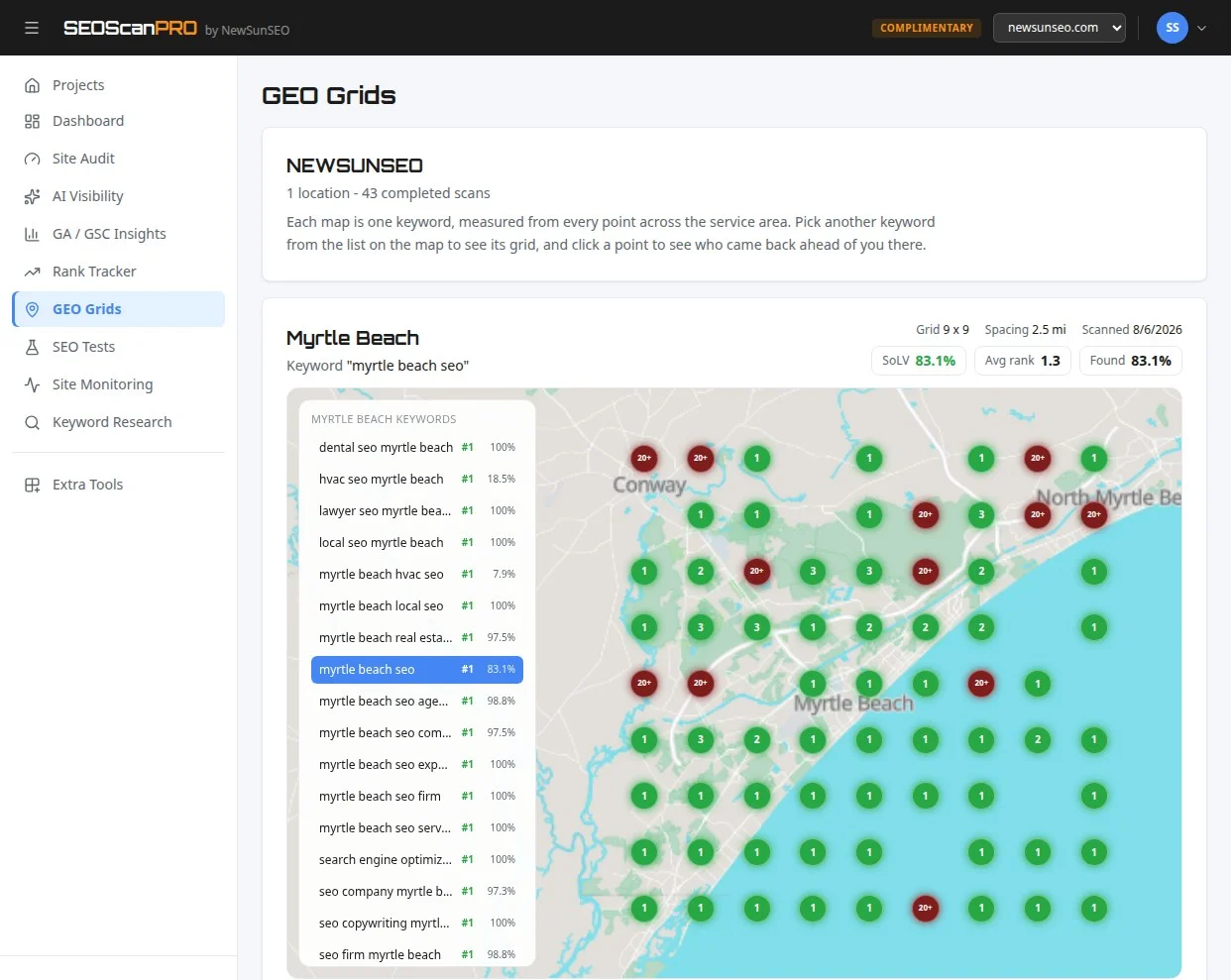
    For a broader view of how a site performs across a service area, including where it appears in local search results, rank position mapped across locations is what a geo grid report shows, and SEOScanPro’s GEO Grids do this.

    FAQ

    What does the Multimodal filter in Search Console measure?

    It measures impressions and clicks for web results triggered by queries that use an image, photo, or screenshot, including traffic from Google Lens, Circle to Search on Android, image uploads to Google Search, and the Chrome right-click Search this image option.

    Is this data new, or was it already inside the Web filter?

    The data is new. Google confirmed that multimodal impressions were not previously counted in the Web totals, so historical numbers may shift once the new search type is available in a property.

    Why is the queries dimension missing for multimodal searches?

    Multimodal searches mostly use images instead of text, so specific query strings are not available for this traffic. The pages and countries dimensions still work in the filtered report.

    Related coverage

    Try the geo grid tool

    A SEOScanPro geo grid showing local rank by location

    The geo grid tool runs a full technical audit of a site and shows the measured result behind every check. Open the geo grid tool.


    This article summarizes reporting from seroundtable.com.

  • Google AI Overview Links Now Route Users Into AI Mode Instead of Web Pages

    Google AI Overview Links Now Route Users Into AI Mode Instead of Web Pages

    Google is testing a change in AI Overviews where normal-looking links can pull searchers deeper into an AI experience rather than sending them to a publisher’s page. The change, spotted in late September 2026, keeps users inside Google’s conversational interface for a follow-up query instead of handing them off to the web result behind the link.

    The anchor links sit at the bottom of an AI Overview answer and look like standard citations. When clicked, they launch a follow-up question inside AI Mode rather than opening the underlying website. The behavior means a searcher who expected to read a source page gets another generated answer instead.

    What the AI Overview links actually do

    The links appear in the typical position where AI Overviews show source attributions and related queries. A mouse cursor hovering over them reveals the difference: these are not links to third-party domains. They are prompts that carry the conversation forward within Google’s AI Mode.

    A screen recording of the behavior shows two anchor links near the bottom of an AI Overview. Clicking either one triggers a fresh AI Mode response built around the question represented by the link text. The destination is not a web page, a publisher’s article, or a traditional search results page.

    Why the change matters for search traffic

    AI Overviews already generate a complete answer above the organic listings. Citation links within those answers have been one of the remaining paths for a searcher to leave the AI surface and visit the site that supplied the information. When those links instead open another AI conversation, the pathway from answer to publisher shortens further.

    The test fits a pattern Google has been building toward: keeping more of the search journey inside its own AI surfaces. A searcher who lands on an AI Overview, clicks a follow-up link, and receives another generated answer has taken two steps without visiting a single web page.

    What searchers and site owners should watch

    The behavior appears to be an early test rather than a global rollout. The linking pattern shows up in select AI Overview answers, with the anchor links styled identically to ordinary source links. For site owners, the practical effect is that some clicks that previously reached a domain may now flow into more AI Mode sessions instead.

    For searchers, the change makes the answer trail feel more conversational. A follow-up question is answered in place, with no tab switch and no wait for a separate page to load. The trade-off is a layer of generated answers between the reader and the underlying source material.

    Monitoring where AI Overview links actually point has become part of tracking how visible a site remains in AI-driven search. SEOScanPro’s AI visibility tracking shows whether an AI agent can read and use a site, which matters more as Google routes additional follow-up activity through AI Mode.

    What this means for the search results page

    The test continues the migration of search features into AI surfaces. AI Overviews already occupy the top of many results pages. AI Mode sits alongside traditional search as a separate, fully conversational experience. Links that bridge the two, carrying the user from an overview into a deeper AI session, blur the line between a hybrid results page and a pure chat product.

    If the test expands, publishers may see fewer referred visits from AI Overview citations while searchers see more generated follow-up answers in a single session. Google has not yet confirmed the test or stated how widely these links appear.

    FAQ

    Are Google AI Overview links now going to AI Mode instead of websites?

    Google is testing anchor links inside AI Overviews that open follow-up questions in AI Mode instead of taking users to the underlying web page. The links look like normal source links but keep the user inside Google’s AI experience.

    Where do these AI Mode links appear in AI Overviews?

    The links appear at the bottom of an AI Overview answer, in the area where source citations and related questions are typically shown. Clicking them launches a follow-up AI Mode query rather than opening a third-party domain.

    Will this change affect traffic from Google to publisher websites?

    If the test expands, some clicks that previously reached publisher sites through AI Overview citations could instead open more AI Mode answers. The behavior removes a step where a searcher would otherwise leave Google’s AI surface to visit a web page.

    Try the AI visibility report

    SEOScanPro, which includes the AI visibility report

    The AI visibility report runs a full technical audit of a site and shows the measured result behind every check. Open the AI visibility report.


    This article summarizes reporting from seroundtable.com.

  • Google Says EU DMA Changes Led to the Worst Search Quality Drop It Has Seen

    Google Says EU DMA Changes Led to the Worst Search Quality Drop It Has Seen

    Readers who rely on Google’s results inside the European Union are now navigating the steepest drop in search result quality that the company has recorded since the current measurement approach began. New data shared by Google ties that decline directly to changes made to comply with the European Union’s Digital Markets Act.

    What changed in EU search results

    Google has been running a series of experiments to meet its obligations under the Digital Markets Act, the EU regulation that forces large platforms to open up choice for users. Under those tests, Google has been surfacing results from rival vertical search engines and has been allowing those competitors to appear alongside, or in place of, its own specialized results such as flights, hotels, shopping and local listings.

    The trade-off, Google argues, is visible quality. The company says the EU versions of its search results now show the largest amount of low-quality, unredacted content it has ever observed in any of its markets.

    Why Google says the results are worse

    Vertical search engines and aggregators that are now being elevated inside Google’s EU results vary widely in how they source, verify and present information. Some pull data from user reviews, third-party feeds or loosely moderated databases. Others specialize in narrow commercial niches where accuracy matters more than breadth. When these sources are placed into the same result page as Google’s own systems, which blend ranking signals, spam detection and policy enforcement, the overall mix shifts.

    Google has framed the issue as a direct consequence of regulatory design rather than a choice by the company. The Digital Markets Act, in Google’s reading, leaves less room for the company to filter or rank down lower-quality sources, because doing so risks favoring its own properties over rivals.

    How the company measured the drop

    Google has used internal search quality evaluation processes, the kind its engineers run continuously across all markets, to compare the content surfacing inside the EU against the same queries in regions where DMA-style obligations do not apply. The output of those evaluations, according to Google, shows EU results producing more unredacted, lower-quality content than any other region it tracks.

    What this means for users and businesses

    For users searching in the EU, the practical effect is a result page that contains a higher share of content from sources that may not meet the bar Google’s own ranking systems would otherwise apply. For businesses that depend on Google’s organic traffic, the implication is that the competitive field inside EU results has widened, with more vertical players and aggregators able to occupy positions that Google’s own properties would previously have held.

    The wider question the data raises is whether the DMA’s competition goals and the quality goals that search engines are designed to serve can be balanced without one eroding the other. Google has made clear, through this report, where it believes the current balance sits.

    FAQ

    What is the Digital Markets Act?

    The Digital Markets Act is an EU regulation that requires large online platforms, known as gatekeepers, to follow rules that promote competition and user choice, including how they display results from rival services.

    How has Google changed EU search results under the DMA?

    Google has run experiments that include results from rival vertical search engines and has given those services placement alongside or instead of its own specialized results in categories such as flights, hotels, shopping and local.

    What is Google measuring when it talks about search quality?

    Google runs ongoing internal search quality evaluations across regions and compares the amount of low-quality, unredacted content surfacing in EU results against other markets, and reports that the EU shows the highest level it has ever recorded.


    This article summarizes reporting from searchengineland.com.

  • Google Page Experience Docs Add CrUX Ad Metrics

    Google Page Experience Docs Add CrUX Ad Metrics

    Site owners evaluating page experience now have new Chrome-reported metrics for understanding how ads affect real users. Google updated its page experience help document on September 22, 2026 to include experimental CrUX ad metrics, which measure ad count, ad density, and the resources ads consume.

    The new line appears in the ‘Page experience resources’ section of the document. It reads: ‘CrUX ad metrics: These experimental CrUX metrics from Chrome can help you understand your site’s ad count, ad density, and ad weight metrics. They provide insight into real users’ ad experiences on your site, as seen and reported by Chrome.’

    Google has not stated that these metrics are a direct ranking signal for search. The clarification from Google was direct: the metrics were included because they are available as tools to help evaluate the state of a site. Not everything is a direct search ranking factor, and having metrics can make it easier to discuss and work on site experience regardless of whether it falls under SEO.

    What Does Each New CrUX Ad Metric Measure?

    Four distinct measurements are now documented. Each captures a different aspect of how ads impact the real-world browsing experience.

    • Ad Count: The average number of ads in the viewport.
    • Ad Density: The average fraction of the viewport area occupied by ads.
    • Ad Weight (Network Usage): The resources consumed by ads measured in bytes.
    • Ad Weight (CPU Usage): The resources consumed by ads measured in milliseconds.

    These metrics come from CrUX, the Chrome User Experience Report, which collects data from real Chrome users who have opted in. Because they reflect actual browsing sessions rather than lab simulations, they show what people encounter on a live site.

    Why Page Experience Metrics Cause Confusion

    The addition arrives amid ongoing debate about how much page experience and Core Web Vitals influence search rankings. Google’s statements on the subject have shifted over time. At one point the company said it did not confirm page experience or Core Web Vitals as direct ranking factors. Later, Core Web Vitals were confirmed as a ranking factor.

    The confusion traces back to changes made about a year ago to the helpful content guidance and page experience documentation. Google later clarified that page experience is a ranking signal but not a ranking system. Signals are used by other systems, while systems are the mechanisms that actually determine rankings. Google has also removed the page experience report from Search Console, adding to the uncertainty for site owners trying to interpret what matters.

    The key takeaway for the new ad metrics is that they are diagnostic tools, not ranking levers. A site with poor ad experiences may still benefit from reviewing these numbers, because they provide a shared language for identifying and fixing problems.

    How Site Owners Can Use These Metrics

    The value of the CrUX ad metrics lies in measurement rather than direct ranking impact. A publisher can see how many ads appear in a typical viewport, how much of the screen they cover, and whether they drain network or CPU resources. That data can guide decisions about ad placement, lazy loading, or reducing heavy ad scripts.

    These measurements align with the broader principle that improving a website is not only about ranking factors. Metrics make problems visible and measurable, which enables concrete work on site quality. Where ad weight is high, performance work becomes a matter of reducing bytes and milliseconds rather than guessing.

    FAQ

    Are the CrUX ad metrics a Google ranking factor?

    No. Google did not state that the CrUX ad metrics are a direct ranking signal for search. They were added to the page experience documentation because they are available metrics to help evaluate the state of a site.

    What do the new CrUX ad metrics measure?

    They measure four things: the average number of ads in the viewport, the average fraction of the viewport occupied by ads, the resources consumed by ads measured in bytes, and the resources consumed by ads measured in milliseconds.

    Where can I find the CrUX ad metrics in Google’s documentation?

    The metrics appear in the ‘Page experience resources’ section of the page experience in Google Search results help document.

    Try the site audit tool

    The SEOScanPro site audit report

    The site audit tool runs a full technical audit of a site and shows the measured result behind every check. Open the site audit tool.


    This article summarizes reporting from seroundtable.com.
  • Google Merchant Center AI Performance Report Gains Search Intent, Terms, and Attributes

    Google Merchant Center AI Performance Report Gains Search Intent, Terms, and Attributes

    Google Merchant Center AI Performance Insights now break down AI Search intent, AI Search terms, and AI attributes, giving merchants three new lenses on how their listings appear inside Google’s AI-powered results. The additions, spotted on the live report interface, build on a dashboard that first launched in July and has been expanding to more regions through early September.

    What is new in the AI Performance Insights report

    The AI Performance Insights report inside Google Merchant Center now includes three new reporting sections that look at how product data performs in AI-driven searches. The update was spotted in the live interface and screenshotted on X, where the observer confirmed the dashboard now groups its metrics under AI Search intent, AI Search terms, and AI attributes.

    Google revised its supporting help page for the report at the same time, publishing numerous changes that walk through the new sections and what each one measures.

    What each new section measures

    AI Search intent

    The AI Search intent section shows how products match customer AI searches. In practice, this is a view of whether the products a merchant is submitting line up with the queries that Google’s AI surfaces are running for shoppers.

    AI Search terms

    The AI Search terms section recommends improving visibility by including popular terms in product descriptions for items that already appear in AI searches. In other words, the report looks at which products are being picked up by AI results, then points to the wording that could be added to descriptions to push that visibility further.

    AI Attributes

    The AI Attributes section recommends increasing visibility by adding missing attributes to products that show up in AI searches. Where the terms section is about language, this section is about structured data: the colour, size, material, or category fields a product feed is missing, and that AI surfaces look at when deciding which products to return.

    What the changes mean for merchants

    Read together, the three additions shift the report from a single performance summary into a diagnostic tool. Merchants can see the gap between what AI search surfaces are looking for and what their product feed actually supplies, then close it with better copy or better attributes.

    For product feeds that already appear in AI results, the terms and attributes views point to the next step: more coverage and more relevance, rather than chasing entry into AI results in the first place.

    Where the report is available

    The AI Performance Insights report launched in July, and Google has been rolling it out to more regions since the start of September. The new intent, terms, and attributes sections are part of that same surface, so merchants who only recently gained access to the report should expect to see the additional sections appear as the wider rollout progresses.

    FAQ

    What is Google Merchant Center AI Performance Insights?

    AI Performance Insights is a Google Merchant Center report that looks at how products perform in Google’s AI-powered search results. It launched in July 2026 and has been expanding to more regions since early September, with new sections for AI Search intent, AI Search terms, and AI attributes added in September.

    What do the new AI Search intent, terms, and attributes sections show?

    AI Search intent shows how products match customer AI searches. AI Search terms recommends popular terms to add to product descriptions for items already appearing in AI searches. AI Attributes recommends missing attributes to add to those same products to increase their visibility.

    Why does the AI Performance Insights report matter for merchants?

    The report turns AI search visibility into something measurable and actionable. Instead of guessing why a product does or does not appear in AI results, merchants can see the intent behind the queries, the terms AI surfaces respond to, and the attributes still missing from the feed, and act on each one.

    Try the site audit tool

    The SEOScanPro site audit report

    The site audit tool runs a full technical audit of a site and shows the measured result behind every check. Open the site audit tool.


    This article summarizes reporting from seroundtable.com.

  • Google Search Ranking Volatility Heats Up This Morning – September 15th

    Google Search Ranking Volatility Heats Up This Morning – September 15th

    SEO teams get an early read on a possible Google update when Search rankings shift hard across regions, and that signal is flashing on the morning of September 15, 2026. Chatter inside the SEO community spiked within hours, multiple rank-tracking tools jumped in unison, and site owners are watching traffic and conversions swing on a 4 PM cutoff that has now repeated for two days running.

    What follows is a plain breakdown of what SEOs are reporting, what the volatility tools are plotting, and the patterns that make this event look like the opening of a confirmed Google ranking update rather than routine noise.

    What SEOs are seeing across Google Search

    Reports from SEOs and site owners describe the same picture: large keyword sets reshuffling, sudden drops in Google traffic around 4 PM the prior day, and Discover traffic turning soft again on the morning of September 15. UK results are drawing the loudest complaints, with several respondents calling them “poor,” “crazy,” and “chaotic” since Saturday night.

    Common themes inside the chatter:

    • Mass ranking movements in UK Google Search results, not limited to a single niche or vertical.
    • Page 1 reportedly showing more spam and irrelevant AI Overview answers than usual.
    • New keyword sets replacing older ones, with pages that used to rank now buried and previously unseen pages taking their slots.
    • Google organic traffic and Google Ads conversions both cutting off at 4 PM the previous day, then staying weak into September 15.
    • Discover feed turning chaotic again after a brief weekend recovery.
    • Top Stories surfacing news articles more than two months old, an unusual recycling pattern in a single niche.
    • AI Overviews pulling in content that multiple SEOs describe as irrelevant.

    One respondent summed up the scale by noting that a reshuffle of this size, where an entirely new keyword set replaces the old one, only happens on large Google updates.

    What the volatility tools are showing

    Rank-tracking dashboards that measure day-over-day movement in Google Search results are lighting up at the same time as the community chatter. Several of the well-known SERP volatility indices posted higher scores on September 15 than they had in the prior week, which is consistent with the early hours of a ranking update before the broader signal fully lands.

    The aggregate volatility reading on the morning of September 15 climbed sharply after a quieter stretch around September 12 and 13, echoing the same pattern SEOs described in WebmasterWorld threads. Not every tool reacted in lockstep, which is normal during the first hours of a possible update; some indices tend to lag the chatter because they sample on a fixed schedule.

    The tracked tools include AccuRanker, Algoroo, AWR, CognitiveSEO, DataForSEO, Mangools, Mozcast, SEMRush, Serpstat, SimilarWeb, Sistrix, Wincher, Wireboard, and Zutrix, all plotted on a single shared timeline. Aggregate lines pulled from those feeds are the cleanest early indicator, since they smooth out the noise that any single tool can introduce.

    Where this fits in the September pattern

    This is not the first swing of the month. SEOs also reported weirdness in Google Search rankings between September 4 and September 12, with multiple short bursts of movement rather than one clean event. The September 15 spike looks like the sharpest of those bursts so far and lines up with what trackers describe as the start of a new update wave.

    Two useful framings for site owners and SEOs right now:

    • Short, repeated volatility bursts across two weeks point to iterative ranking changes rather than a single sweeping algorithm. That pattern usually favors sites with stable technical health and steady content signals.
    • A 4 PM cutoff that hits organic and paid traffic at the same moment suggests a system-wide ranking or quality adjustment, not a per-site penalty, since ads and organic results shifted together.

    What to do while rankings are in motion

    The first 48 hours of a volatility spike are the worst time to draw conclusions about any single page. Rankings often overshoot in both directions, AI Overview inclusions can churn without warning, and the same keyword can return three different page-1 sets in a single morning.

    A short checklist that holds up across volatile windows:

    • Hold ranking changes for 3 to 5 days before rewriting titles, pruning content, or disavowing links. The September 15 spike will likely settle into a clearer shape by the end of the week.
    • Watch Search Console daily rather than third-party rank trackers, since Search Console reflects clicks and impressions on the actual Google Search results page rather than sampled SERP scrapes.
    • Separate AI Overview movement from classic blue-link movement when triaging. AI Overviews pull from a different retrieval pass and can change independently of the underlying organic rankings.
    • For sites hit by the 4 PM traffic cutoff, check that the drop is uniform across countries and devices before treating it as a site-specific issue. The chatter pattern is global, not isolated.
    • Track which pages have held position across September 4, 9, and 15. Those are the templates to scale, since they survived three separate volatility bursts.

    Rank position across a service area is what a geo grid report shows, and SEOScanPro’s GEO Grids plot this kind of regional volatility directly on a map, so a site can see which towns and suburbs moved and which stayed steady through the September swings.

    How to read the chatter versus the tools

    Chatter and trackers tend to disagree for the first few hours, then converge. SEOs posting in WebmasterWorld usually feel movement first because they watch their own dashboards all day; the public volatility indices sample results on a schedule and update on a delay. When both light up at the same time, as they did on the morning of September 15, the signal is usually real and usually points to a Google ranking update rather than a localized bug.

    Three signals worth weighting most during this kind of spike:

    • The aggregate line on multi-tool charts, since it cancels out the bias of any single provider.
    • Reports of new keyword sets replacing old ones, because that pattern shows up when ranking models, not just individual results, have shifted.
    • A shared cutoff time across organic and paid traffic, which points to a system-level change in how Google surfaces results and ads.

    FAQ

    Is there a Google update on September 15, 2026?

    Google has not confirmed an update as of the morning of September 15, 2026. SEO chatter spiked, multiple rank-tracking tools posted higher volatility scores, and site owners reported mass ranking movements, which together look like the opening of a Google ranking update. Confirmation usually follows a few days later if at all.

    Why are UK Google Search results so volatile right now?

    Multiple SEOs reported that UK Google Search results look “poor” and “crazy” starting Saturday night, with mass keyword reshuffles, more spam on page 1, and irrelevant AI Overview answers. The UK is showing the loudest signal in the chatter, but similar movement is being reported in other regions.

    What should I do if my Google traffic dropped on September 15?

    Hold off on major site changes for 3 to 5 days while the volatility settles. Check Google Search Console for the actual click and impression pattern, separate AI Overview movement from classic blue-link movement, and confirm the drop is uniform across countries and devices before treating it as a site-specific issue.

    Try the geo grid tool

    A SEOScanPro geo grid showing local rank by location

    The geo grid tool runs a full technical audit of a site and shows the measured result behind every check. Open the geo grid tool.


    This article summarizes reporting from seroundtable.com.

  • Google Search Console Crawl Stats Missing September 15th Data

    Google Search Console Crawl Stats Missing September 15th Data

    What happened with Crawl Stats on September 15th

    Webmasters checking Google Search Console on September 20, 2026 found that the Crawl Stats report is missing an entire day of data for September 15th. The gap appears across every Search Console profile, so it is not isolated to a single site. It also shows up regardless of which time zone the account uses, though some accounts may see it shifted to September 16th depending on local settings.

    This is the same kind of reporting gap that has hit Crawl Stats several times before. Google has restored the missing data in each prior case, typically within days, by backfilling the report once its systems catch up.

    The important thing for site owners is that the missing day has nothing to do with their site. Crawling itself continued normally during that window. The gap is in the reporting layer inside Search Console, not in how Googlebot visited pages.

    Why site owners do not need to worry

    A missing day in Crawl Stats can look alarming at first because the report is where publishers watch how often Google requests pages from their site. A flat line in the chart makes it easy to assume crawling stopped. In cases like this one, that assumption is wrong. The chart is empty because the data pipeline failed to record the day’s activity, not because Googlebot stopped visiting. Once Google restores the missing slice, the chart returns to its normal shape, and any analysis built on top of it can resume as usual.

    Crawl Stats also pulls in data from the older Search Console and from richer logs of fetches, kilobytes downloaded, response times, and the purpose of each request (such as discovery, refresh, or follow-up). Because all of those numbers rely on the same daily aggregator, a single missed day affects every chart in the report at once, which is what makes the gap so visible.

    Is this the first time Crawl Stats has dropped a day

    No. Search Console has lost entire days from Crawl Stats on multiple occasions. The same pattern has been reported in earlier months, including November 2021, February 2022, May 2022, and October 2025. Each time, the missing day reappeared shortly after. The September 15th gap lines up with that history: a reporting-side outage on a single date, with no impact on actual crawling.

    For site owners who depend on Crawl Stats for capacity planning, server log comparisons, or trend reports, the practical move is simple. Note the missing date, hold off on weekly or monthly summaries that include it, and rerun the analysis once Google restores the data so the totals are accurate.

    What Crawl Stats actually shows

    Crawl Stats is the Search Console report that tracks how often Google requests URLs on a property over the past 90 days. It breaks activity down by file type, by response code, and by the day the requests happened. The report also surfaces the underlying reasons Google asked for each URL, which can help a publisher see whether Google is refreshing known pages, chasing new pages, or re-checking after a redirect or canonical change.

    Because the chart is shared across every property in a Search Console account, a single missed day looks the same for sites small and large, in every vertical, and in every region. That uniformity is a strong signal that the issue lives inside Google reporting, not at the site level.

    FAQ

    Which date is missing from Google Search Console Crawl Stats?

    September 15th is missing from the Crawl Stats report. Some accounts in different time zones may see the gap land on September 16th instead.

    Does the missing Crawl Stats day mean Google stopped crawling my site?

    No. The gap is in Search Console reporting, not in Google’s crawling. Googlebot continued to request pages as usual; the day’s activity simply did not land in the report.

    Has Crawl Stats lost a day of data before?

    Yes. Similar single-day gaps have appeared in earlier months, including November 2021, February 2022, May 2022, and October 2025. Google has backfilled each prior gap.

    Related coverage

    Try the Search Console analytics view

    SEOScanPro, which includes the Search Console analytics view

    The Search Console analytics view runs a full technical audit of a site and shows the measured result behind every check. Open the Search Console analytics view.


    This article summarizes reporting from seroundtable.com.

  • Google Tests Sending Product Listings Straight to the Merchant Site

    Google Tests Sending Product Listings Straight to the Merchant Site

    Retailers stand to get shoppers on their own product page in a single click: Google is testing a version of its Search product listings that links directly to the merchant or retailer website. In the current experiment, clicking a free product grid listing sends the shopper straight to the retailer’s product page instead of opening the side panel that displays the product with multiple retailers. Google began the test in the core web search results after trying the same behavior inside Google Shopping earlier.

    What is Google changing in the product listings?

    Product and shopping results that appear inside Google Search currently open an overlay when clicked. That side panel shows more details about the product along with several retailers that sell it. The test replaces that step: a click on a free product grid listing now loads the retailer’s product page directly, skipping the overlay experience with multiple retailers.

    The change was described this way by the person who spotted it: clicking product grid free listing results takes you directly to the product page instead of displaying the product overlay with multiple retailers.

    How does this differ from the current experience?

    Today, a shopper who clicks a listing sees the product overlay first. That panel keeps the shopper on Google, presents product details, and lists competing retailers side by side before the shopper chooses where to go. Under the test, that intermediate panel is removed for free product grid listings, and the click resolves as a direct visit to the merchant’s page for that item.

    For a retailer, the difference is where the click lands. The overlay routes attention through a comparison view that surfaces rivals. A direct link places the shopper on the retailer’s own product page from the start.

    Where has Google tried this before?

    This is not the first place Google has experimented with direct linking. Google tested the same behavior within Google Shopping in June before extending the trial to the core web search results. Running it in core Search reaches a wider set of queries than the Shopping surface alone.

    What should retailers watch for?

    Because this is a test, the behavior may appear for some shoppers and not others, and Google can change or roll it back at any time. Retailers who rely on free product listings can monitor how their Search clicks resolve and whether shoppers are arriving on product pages directly rather than through the overlay. Tracking landing pages and referral patterns for product listing traffic will show whether the direct-link behavior is reaching a given store.

    FAQ

    What is Google testing with product listings in Search?

    Google is testing linking product and shopping results in Google Search directly to the merchant or retailer website, so a click on a free product grid listing loads the retailer’s product page instead of opening the side panel that shows the product with multiple retailers.

    What does the current side panel show?

    When a shopper clicks a product result today, Google opens an overlay with more details about the product and a list of multiple retailers that sell it, keeping the shopper on Google before they choose where to go.

    Has Google tried direct linking before this test?

    Yes. Google tested the same direct-linking behavior within Google Shopping in June and is now testing it in the core web search results.


    This article summarizes reporting from seroundtable.com.

  • How to Add a Google Search Profile Badge to Your Website

    How to Add a Google Search Profile Badge to Your Website

    You can now add a Google Search profile badge to your website, giving visitors a one-click way to follow your content directly from your own pages. The badge is part of the new Search profiles features Google rolled out, and it extends your reach so people who land on your site can subscribe to your updates across Google Search. To use it, you first need to claim your Search profile.

    What is the Search profile badge?

    The badge is a button you place on your website that lets users and searchers follow you. Google’s help document frames it this way: "After you’ve claimed your Search profile, you can encourage your audience to find your content from across the web by adding a Search profile badge to your website." Once a visitor follows you through the badge, your content becomes easier for them to find again inside Google Search.

    How do you add the badge to your site?

    Adding the badge starts with claiming your Search profile. After the profile is claimed, Google provides official assets and a code snippet you paste into your website to display the button. From there, visitors can click the badge to follow you.

    What are the brand guidelines for the badge?

    Google lists a set of best practices to keep the badge accessible and recognizable:

    • Keep touch targets accessible. Maintain a clickable target of at least 48 by 48 dp on Android and 44 by 44 px on iOS and web.
    • Preserve logo integrity. When using Google’s official assets, do not stretch, distort, rotate, or alter the colors of the "Super G" icon or the Search profile button.
    • Do not mix monochrome and colorful badges. If you use monochrome for all icons, use the monochrome "G" icon to match.
    • Maintain badge clarity. If you want to show the Search profile badge and the Preferred Sources badge together, use the higher-emphasis Search profile button with the label so the two are distinct. Do not use the "Super G" icon for the Search profile when it is paired with the Preferred Sources badge.

    How does it relate to Preferred Sources and Tailor your feed?

    The Search profile badge sits alongside two related Google features: Preferred Sources and Tailor your feed. Preferred Sources has its own badge, which is why Google’s guidelines address how to display both without confusing readers. If you plan to use the Search profile badge and the Preferred Sources badge side by side, the label on the Search profile button keeps them clearly separated.

    Why the badge matters for publishers

    The badge turns your existing website traffic into followers. Every visitor who already reads your content gets a direct path to follow you, which helps your work resurface for them across Google Search. Because the button lives on your own pages, you control where it appears and how prominently you feature it.

    FAQ

    What do I need before adding a Search profile badge?

    You need to claim your Search profile first. Google’s help document states that after you have claimed your Search profile, you can add the badge to your website to encourage your audience to find your content across the web.

    What size should the badge’s clickable area be?

    Google recommends keeping the clickable target at least 48 by 48 dp on Android and 44 by 44 px on iOS and web to keep touch targets accessible.

    Can I show the Search profile badge and the Preferred Sources badge together?

    Yes. Google advises using the higher-emphasis Search profile button with its label so it stays distinct from the Preferred Sources badge, and it says not to use the "Super G" icon for the Search profile when pairing it with the Preferred Sources badge.

    Related coverage


    This article summarizes reporting from seroundtable.com.

  • Google Now Auto-Expands AI Overviews for Some Searches

    Google Now Auto-Expands AI Overviews for Some Searches

    Knowing how Google now lays out its results pages helps you plan where your links land and how people reach them. For some searches, Google automatically expands its AI Overview at the top of the page, showing a full AI-generated answer followed by an "Ask anything" box and then the standard list of links. When this expansion happens, the usual list of blue links sits much farther down the page and can require a lot of scrolling to reach.

    What changed in Google’s AI Overviews?

    Previously, an AI Overview appeared as a partial response with a "Show more" button you could click to read the rest. With the automatic expansion, that step disappears for some queries. The page opens with the complete AI Overview already unfurled, an "Ask anything" box directly beneath it, and the organic link results below that.

    The effect on the layout is a longer path to the traditional results. The AI answer and the follow-up box occupy the top of the screen, so the ranked links begin lower than they would when only a snippet of the Overview is shown.

    Which queries trigger the automatic expansion?

    Google has not published clear criteria for when the auto-expanding AI Overview appears. The behavior has been inconsistent in testing: the same query can produce a fully expanded Overview in one search and only the initial response with a "Show more" button in another, and results vary across browsers.

    One query that has triggered the expanded Overview more reliably than others is "what is the best game on switch 2," though even that has not been consistent from search to search.

    What does Google say about the change?

    Google describes the expansion as a dynamic experience tied to the topic. According to a Google statement, "For some queries, AI Overviews may dynamically expand for topics where our systems determine it’s most useful for people," and the company says its research shows that with this dynamic experience users find Search more helpful and engage deeper in follow-up exploration.

    Google also says it accounts for readers who are already moving down the page: "If users have already begun scrolling to view content below the AI Overview, we cancel expansion so that the user doesn’t lose their reading position." In other words, the expansion is meant to hold off once someone has started reading past the Overview.

    What this means for your search visibility

    The layout shift matters for anyone who depends on organic clicks. When the AI Overview expands automatically, the ranked links start lower on the page, so the visibility gained from a strong position can depend on how far a reader scrolls past the AI answer and the "Ask anything" box. Because the expansion is applied selectively and inconsistently, the top-of-page experience for a given query can differ from one visit to the next. Watching how your priority queries render, both with and without the expanded Overview, gives you a clearer read on where your results actually appear.

    FAQ

    What is an auto-expanding AI Overview on Google?

    It is an AI Overview that opens fully at the top of the results page for some queries, instead of showing a partial response with a "Show more" button. The page displays the complete AI answer, then an "Ask anything" box, then the list of links.

    Does the AI Overview always expand automatically?

    No. Google applies the expansion to some queries and the behavior is inconsistent, appearing in one search and not another and varying across browsers. Google says it cancels the expansion if a user has already started scrolling below the Overview.

    How does the expansion affect where links appear?

    When the AI Overview expands automatically, the standard list of links moves much farther down the page, sitting below the full AI answer and the "Ask anything" box, which can require more scrolling to reach.


    This article summarizes reporting from theverge.com.

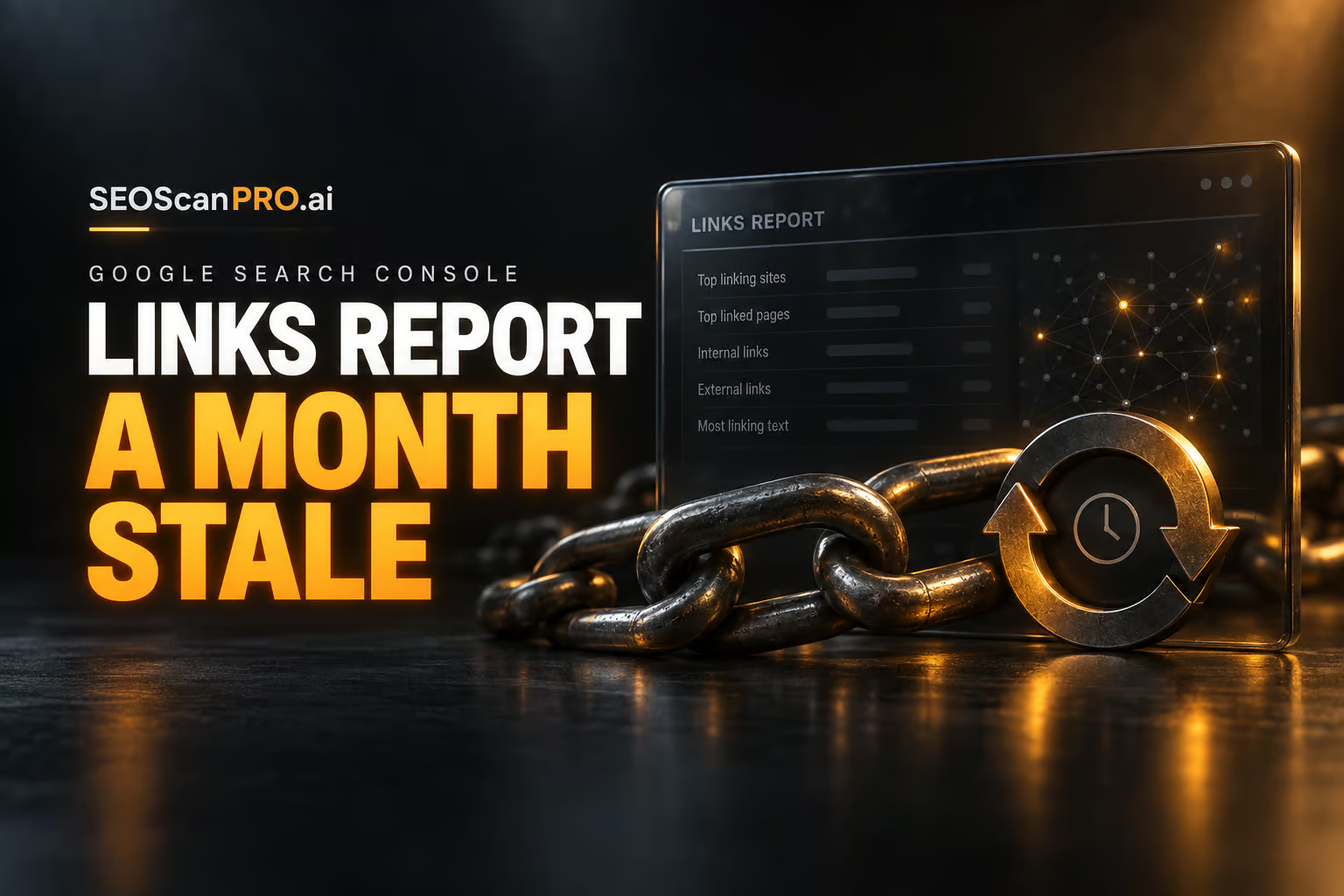
  • Google Search Console Links Report Goes a Month Without a Fresh Update

    Google Search Console Links Report Goes a Month Without a Fresh Update

    The external links report inside Google Search Console has gone a full month without refreshing its data, with the last update landing on or around August 8, 2026. The delay means anyone using the report to audit backlinks, spot new referring domains, or verify disavow progress is currently looking at information that is at least four weeks old.

    What changed in the links report

    The report, which lists external links pointing to a site along with the most-linked pages and top linking domains, has not been refreshed since roughly August 8. Anyone opening the report today sees the same set of links that were visible a month ago, with no indication of when the next refresh will land. Google does not currently put a data timestamp on the links report, so the staleness only becomes obvious when a site owner compares today’s view against older screenshots.

    Why this delay matters for site owners

    Search Console is the primary free tool most SEOs use to monitor a site’s backlink profile at scale. A fresh links report helps with three everyday tasks: catching sudden spikes in new referring domains, spotting potentially spammy links that need review, and confirming whether previously seen links have dropped off. When the report freezes for a month, none of those signals arrive on schedule, and decisions about link cleanup or outreach get pushed back until Google catches up.

    How often the report usually updates

    Historically, the external links report tends to refresh every couple of weeks, which is already slower than other Search Console surfaces such as the performance report, the page indexing report, or the crawl stats report, all of which have had their own delays over the past year. A full month without an update is on the slower end of that pattern and is now drawing attention from SEOs who track the report’s refresh cadence.

    What would make this easier

    Adding a data date to the links report would remove the guesswork. With a visible “data as of” stamp, site owners would know at a glance how stale the numbers are and could plan audits around the next expected refresh. Until that lands, the only workaround is to screenshot the report periodically so the freshness can be checked manually.

    What to do while the report is paused

    If backlink monitoring is time sensitive, a few practical steps help bridge the gap:

    • Capture a screenshot of the current links report and top linking domains so you have a baseline dated for today.
    • Cross-check the most important referring domains through a separate backlink tool to confirm whether anything major has changed.
    • Hold off on disavow file updates that depend on spotting fresh spam until the report refreshes.
    • Recheck the report weekly so you notice the moment new data lands.

    FAQ

    When was the Google Search Console links report last updated?

    The links report was last refreshed with fresh data on or around August 8, 2026, meaning it had not been updated for a full month as of September 8, 2026.

    Does the links report show a data date?

    No. Google does not currently display a timestamp on the external links report, so users have to track the last update manually to know how old the data is.

    How often does the links report normally refresh?

    The links report typically refreshes every couple of weeks, though the exact cadence varies and the current gap of about a month is longer than the usual interval.

    Related coverage


    This article summarizes reporting from seroundtable.com.