

How to Use SEOScanPro

Everything the tool measures, in the order you will actually meet it: run a scan, understand the number it gives you, fix what it points at, then watch the things that move slowly. Each step ends with something to go and look at in your own account.

1. Run your first audit

A scan reads the page the way a search engine and an AI assistant read it: it fetches the URL you give it, follows what that page declares about itself, and checks the technical signals underneath. It runs more than 85 checks across 17 areas, and it audits whatever URL you hand it, not just a homepage.

You do not need to connect anything to run one. Google Search Console and Analytics add your own traffic numbers later, but the audit itself works on a site you have never touched before, which is why it also works on a competitor.

Go and look: Site Audit, then Run audit. Give it the exact page you care about, not just the domain.

2. Read your result

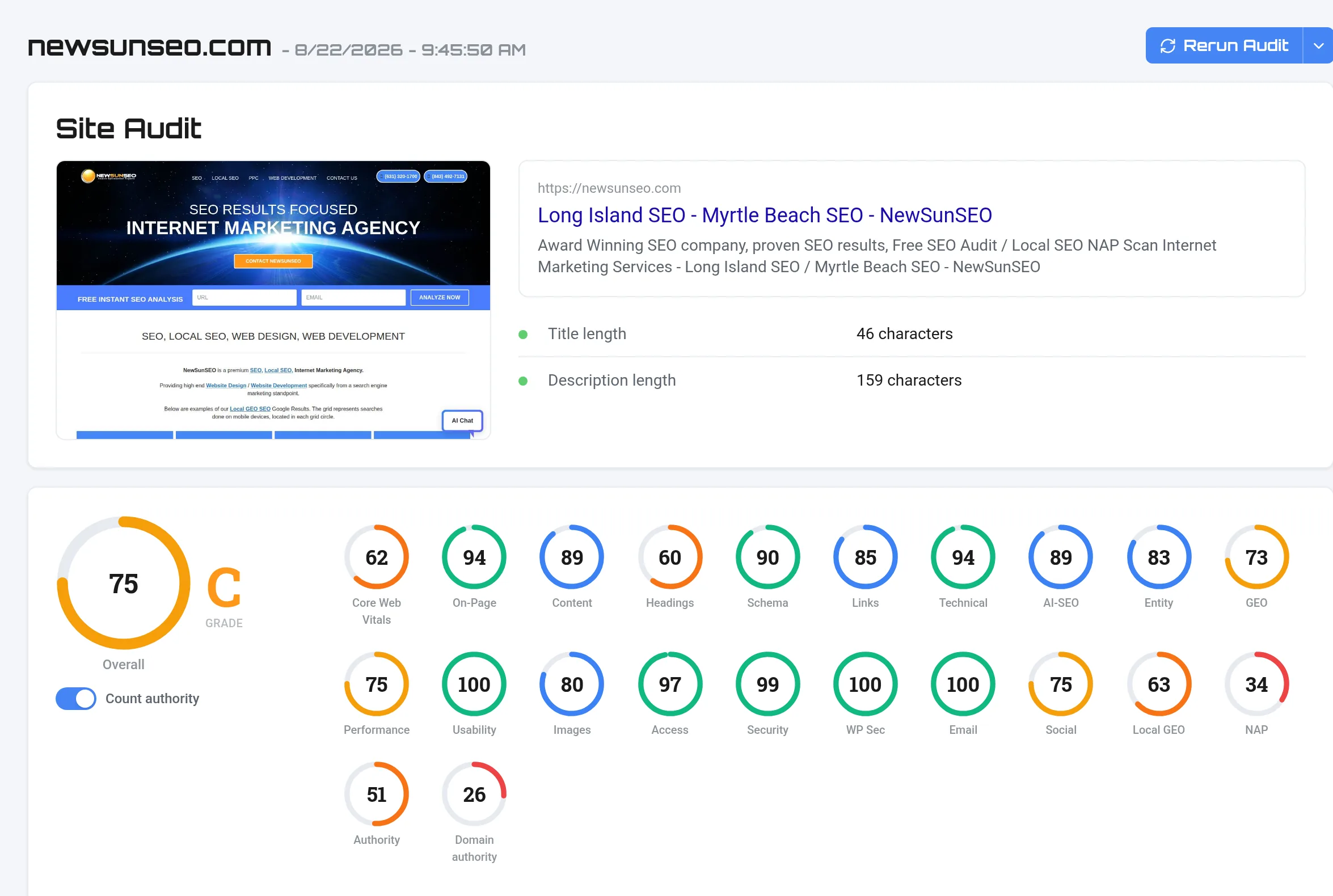
The big ring is one overall score. The rings beside it are the areas that produced it, and those are the ones worth reading, because an overall number tells you how you are doing without telling you what to do.

A dash is not a zero. A dash means we did not measure that area for this site, and the tooltip says why. A zero is a real finding. That distinction matters most on the two listing rings, which stay dashed until there is listing data for the site.

  • Overall the weighted result of everything below it. Useful for tracking direction over time, not for deciding what to fix today.
  • Technical, On-Page, Headings, Schema how the page is built and described. These are usually the fastest to fix and the quickest to show a change.
  • Performance how fast it loads for a real visitor. Slow pages lose people before any ranking matters.
  • AI-SEO and Entity whether an AI assistant can tell what the page is and who publishes it.
  • Local GEO and NAP how visible you are across a service area, and whether your business details agree across directories. Both read from listing data, so both show a dash until a grid or a citation audit exists for the site.

Go and look: Site Audit History. Two runs of the same site side by side say more than any single score.

3. Fix what it flags

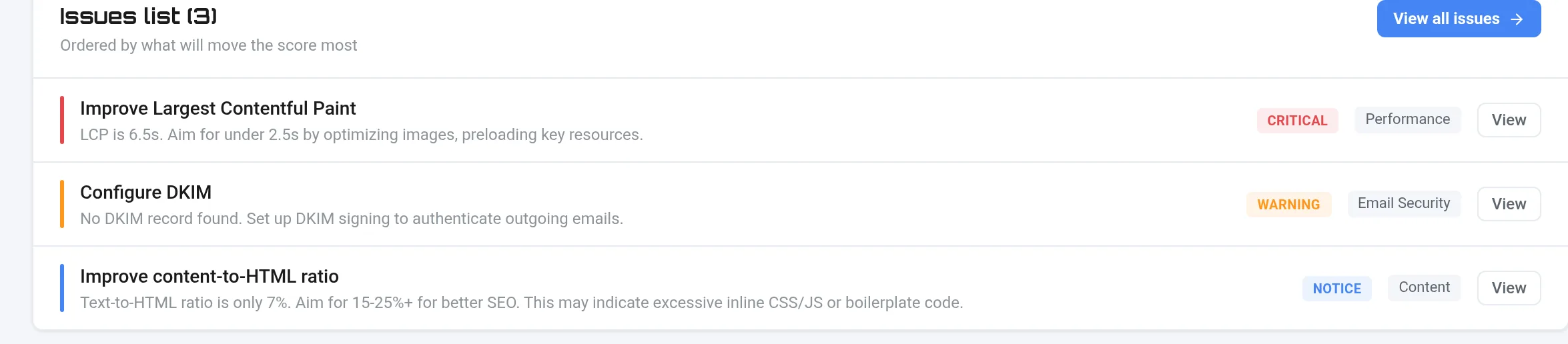
The issues list is ordered by what will move the score most, so working top down is the fastest route. Each finding names the measured value, not a grade, because the value is what you change.

Most first audits surface the same small set: a slow largest element on the page, headings that skip a level or repeat, missing or thin structured data, and images sent at far larger dimensions than they are displayed. None of those need a redesign.

Go and look: The issues list on your report. Start at the top and stop when you run out of critical items.

4. Set up your GEO grid

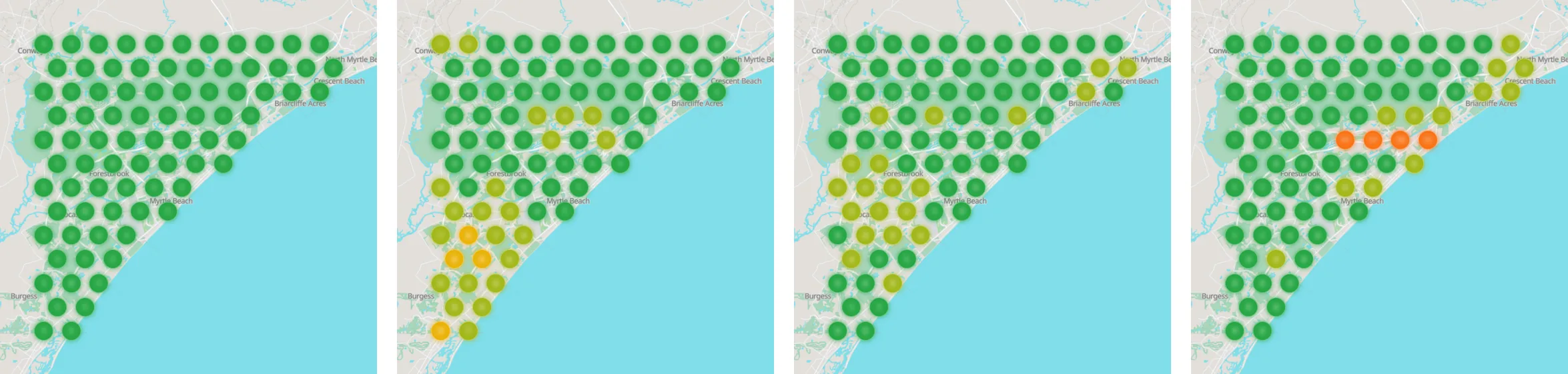
Local rank is not one number. You rank differently three streets away than you do outside your own door, and a single position in a report hides that completely. A grid checks the same search from many points across your service area and shows you the map.

Share of Local Voice is the summary figure the grid produces, and it is the number behind the Local GEO ring on your dashboard. It moves when your visibility across the whole area moves, not when one lucky position changes.

Go and look: GEO Grids. Pick the phrase a customer would actually type, not your business name.

5. Track rank over time

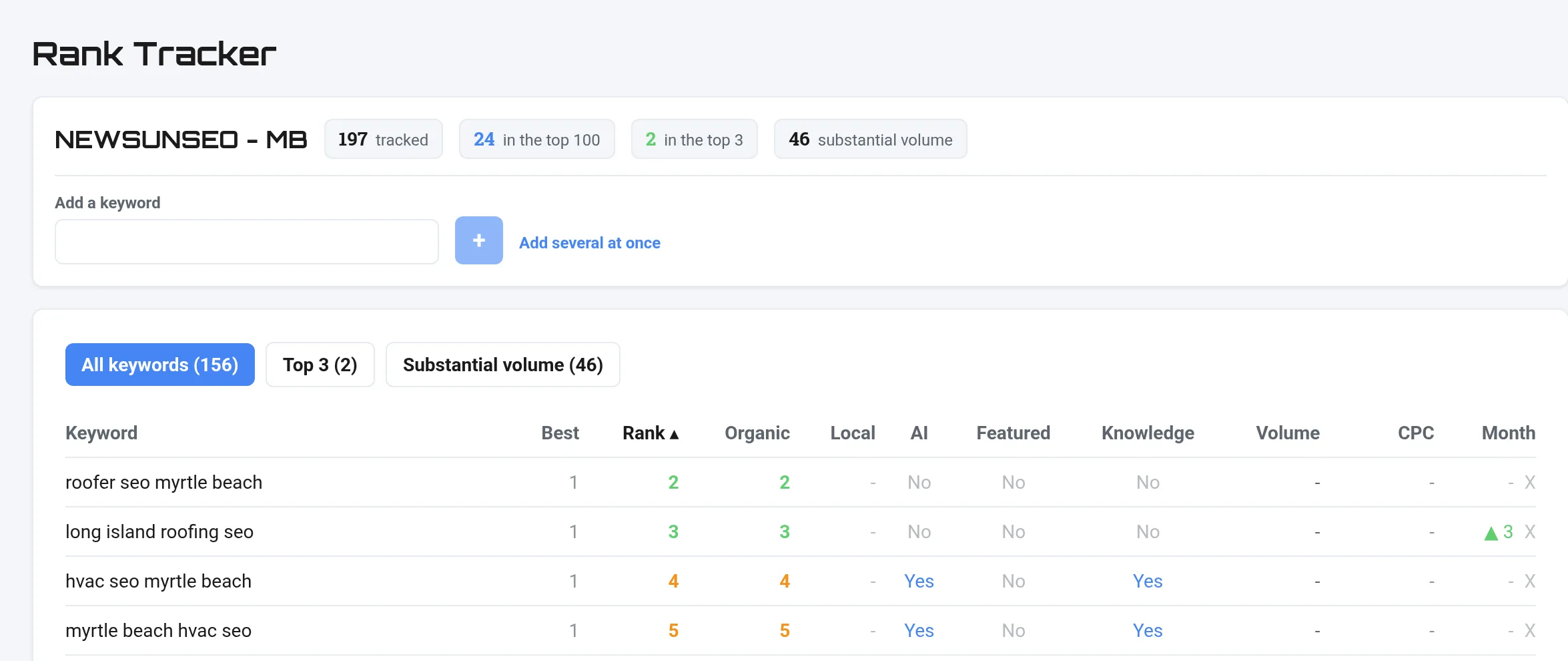
Positions move on their own. A keyword drifting a place or two between checks is normal and is not a signal worth acting on. What is worth acting on is a direction that holds across several checks, or a fall that coincides with something you changed.

This is why the history matters more than any single reading, and why the rankings digest only writes to you when something actually moved. A quiet week stays quiet rather than arriving with nothing in it.

Go and look: Rank Tracker, then set your digest to Daily, Weekly or Monthly on the Account page.

6. Watch AI visibility

Being cited by an AI assistant is not the same as ranking. An assistant answers in its own words and names a handful of sources, so the question is whether it can identify your business clearly enough to name you at all.

That depends on things you control: whether your pages declare what they are in structured data, whether the same business details appear consistently wherever you are listed, and whether your content answers the question in the words people ask it.

Go and look: AI Visibility, and the Entity ring on your audit. Entity is the one that says whether you are identifiable.

Already know your industry? Here is your first 90 days.

The same audit matters differently depending on what the site is for. A dispatch business lives or dies on whether it appears across a service area; a portfolio site is judged on how fast its images load. These four groups cover most local businesses, and each one starts in a different place.

Emergency and dispatch trades

Roofing, electricians, plumbing, pest control

  • A GEO grid per suburb you actually serve, because coverage is the whole business
  • Page speed, since an urgent search rarely waits for a slow page
  • Opening hours that match reality everywhere they are published
  • Expect seasonal and storm driven spikes, and read them as weather rather than as SEO

The full guide for this group is being written. The steps above apply today.

Professional services

Law, dental, veterinary, accountancy

  • Trust signals first: credentials, named people, real addresses
  • Structured data that identifies the practice and the practitioners
  • One page per practice area or procedure, rather than one page listing all of them
  • Reviews, and whether the details attached to them match your listings

The full guide for this group is being written. The steps above apply today.

Showroom and portfolio

Flooring, landscaping, kitchens, building

  • Image weight, which is usually the largest single drag on Core Web Vitals here
  • A page per product type or material, so each can be found on its own terms
  • Seasonality in demand, planned for rather than reacted to
  • Schema on products and projects so the work is machine readable

The full guide for this group is being written. The steps above apply today.

Two-audience sites

Real estate, property management, nonprofits

  • Separate the two journeys: buyers and sellers, tenants and owners, donors and recipients
  • Watch for thin auto generated pages, common where listings are fed in automatically
  • Make sure the site says clearly which audience each section is for
  • Check that the automated pages carry real content rather than a template and a photo

The full guide for this group is being written. The steps above apply today.

Start with your own site

Every step on this page reads from one scan. Run it on the site you care about and work down the list.

Run a free audit