Category: Site Audits

  • What Cursor Origin Means for Site Owners Auditing AI-Generated Code Repositories

    What Cursor Origin Means for Site Owners Auditing AI-Generated Code Repositories

    On June 16, 2026, at its Compile keynote, Cursor introduced Origin, a git-compatible forge designed for AI agents rather than human typists. The benchmark that drew attention was 22.6 commits per second sustained inside a single repository, with concurrent agents cloning, branching, committing, rebasing, reviewing, and remediating CI failures through a REST API and the Model Context Protocol (MCP). For anyone who audits the technical foundations of a website, that single number reframes the conversation about what a clean repository history will look like over the next 18 months.

    Why does 22.6 commits per second matter for a website audit?

    Most technical SEO and code-quality audits assume a commit cadence shaped by humans: a handful of merges per day, traceable authorship, reviewable diffs. Origin’s demo removes that assumption. A single repo sustained more than 22 commits per second, generated by agents working through MCP-native controls, with an embedded AI resolver queuing and auto-resolving merge conflicts before tests re-run. The commits still land in git, but the trail now includes auto-resolved conflicts, agent-authored fixups, and parallel branches that a traditional forge would have serialized.

    For an auditor, that changes what “good” looks like. A linear, human-readable history becomes less common. Instead, expect denser trees with mixed authorship, more squash merges driven by an agentic review layer, and CI runs triggered by the forge itself rather than by a developer clicking a button. Audit checklists that score repo hygiene on commit count, author diversity, or branch longevity will need recalibration.

    What changed in the underlying architecture?

    Standard forges treat AI assistants as features bolted onto a human-shaped pipeline. Origin’s design starts from a different premise: the primary contributor is as likely to be an agent as a person. Three architectural choices drive the throughput.

    • Parallelized operations. Where sequential forges serialize clone, branch, and merge operations, Origin runs them concurrently and uses an embedded AI resolver to settle conflicts before checks fire.
    • MCP-native control plane. A REST API plus the Model Context Protocol lets agents trigger repository operations directly, with no human in the loop for routine branch, commit, rebase, and remediation tasks.
    • Agentic review layer. The forge inspects diffs and surfaces only the changes that need a human reviewer, which keeps review queues from drowning in noise when commit volume spikes.

    The result is a forge that can absorb the bursty, multi-agent workload that tools like Copilot-style assistants already produce, only at much higher rates.

    How does this connect to the broader Cursor lineup?

    Origin shipped alongside two other Cursor reveals worth tracking. The first is Cursor iOS, a beta mobile app for AI-assisted editing, which extends the agent surface area beyond the IDE. The second is a frontier model pre-trained from scratch on more than 100,000 GPUs in collaboration with SpaceX. That compute footprint signals the kind of infrastructure a forge like Origin consumes in production, and it underlines why pricing details for Origin remain undisclosed; early indications point to plans tied to agent-scale compute rather than per-seat licensing.

    Origin is currently invitation-only, with general availability targeted for fall 2026. Cursor has also said the MCP agentic APIs will be open-sourced, with a reference implementation published for other forge operators to adapt.

    What should you audit differently once agent-authored commits become routine?

    If your site or product depends on code pushed through a forge, prepare for a new class of repository artifacts. Three areas deserve attention now, before Origin or its successors become standard.

    • Commit attribution. Agent-authored commits still need identifiable authorship so audit trails, license compliance, and accountability reviews survive. Confirm your git hooks and CI policies still resolve an author identity rather than a generic bot account.
    • Merge-conflict resolution provenance. When an embedded AI resolver settles conflicts automatically, the resolution logic itself becomes part of the change history. Capture which resolver version ran against a given merge, since “the AI fixed it” is not a useful audit answer six months later.
    • Review surface area. An agentic review layer filters diffs down to the changes a human should see, which is good for focus but risky for coverage. Sample-test that critical files (security middleware, schema migrations, canonical-tag handlers, robots.txt generators) still reach a human reviewer rather than being auto-approved.

    For SEO-specific code, that third point is the most consequential. Schema markup, redirect rules, hreflang output, and structured-data templates all live in the repo, and all are places where a confident agent can silently break a site’s search visibility. Build a short list of files that must always reach a named reviewer, regardless of what the agentic review layer filters.

    How fast is the industry actually adopting agent-authored code?

    The benchmark only matters because the workload already exists. GitHub’s Octoverse 2024 survey of 2,000 developers found 92% were already using AI coding tools daily or weekly. That was two years before Origin’s demo, and well before MCP-based agent workflows reached production maturity. The question for an auditor is no longer whether AI-assisted commits will dominate a repo, but how soon, and whether the forge, CI, and review tooling in place can attribute, justify, and trace those commits.

    When will Origin be generally available, and what will it cost?

    Origin is in invitation-only preview as of June 18, 2026, with general availability planned for autumn 2026. Cursor has not published pricing. Public signals suggest a model tied to agent-scale compute rather than per-user seats, which is a meaningful shift from how GitHub or GitLab have traditionally been licensed and budgeted. Teams evaluating Origin should plan procurement conversations around compute consumption, not headcount.

    FAQ

    What is Cursor Origin?

    Origin is a git-compatible forge announced at Cursor’s Compile keynote on June 16, 2026. It exposes repository operations through a REST API and the Model Context Protocol so AI agents can clone, branch, commit, rebase, review, and resolve CI failures programmatically. It is currently in invitation-only preview with general availability planned for fall 2026.

    How fast did Origin process commits during the demo?

    The keynote demonstration sustained 22.6 commits per second inside a single repository, with concurrent agents generating changes and an embedded AI resolver handling merge conflicts before tests re-ran.

    What should a technical audit change when AI agents commit code directly?

    Audit checklists should verify that agent-authored commits carry identifiable authorship, that auto-resolved merge conflicts record which resolver version produced them, and that critical files (security middleware, schema migrations, canonicalization logic, structured-data templates) still reach a human reviewer rather than being silently auto-approved by an agentic review layer.

    Related coverage

  • Agentic AI Is Booking and Buying for Users: What Site Owners Need to Audit

    Agentic AI Is Booking and Buying for Users: What Site Owners Need to Audit

    Agentic AI assistants can now book restaurant tables, purchase concert tickets, and schedule medical appointments from inside a chat or search interface, with the user never opening a business website. As of late 2025, 72% of organizations had adopted AI in at least one business function, and agentic workflows were the fastest-growing category in McKinsey Digital’s 2025 survey. For site owners, the question is no longer whether AI reads your pages, but whether an agent can transact against them.

    If your booking, inventory, and payment endpoints are not machine-readable, an AI agent will skip you and route the customer to a competitor whose data it can parse. That makes this an audit problem first and a marketing problem second.

    Why the funnel just got compressed

    The classic search funnel, click, browse, fill a form, confirm, assumed a human drove every step. Agentic systems collapse those stages into a single conversation. A model interprets a goal, decomposes it into actions, calls external services, and finalizes payment before a browser ever renders your checkout page.

    That changes what “winning a search result” means. Ranking first still matters for traditional clicks, but in agent-mediated queries the agent picks the provider whose endpoints respond cleanly to a structured request. Sites whose transactional data is locked behind an opaque front-end form get filtered out before the user sees them.

    Which transactions are already agent-handled?

    Across the major agent platforms, the same categories keep surfacing: restaurant reservations, appointment scheduling, ticket purchases, supply reorders, and travel coordination. OpenAI’s documentation describes function calling as a way for the model to “intelligently choose to output a JSON object containing arguments to call those functions,” which is the mechanism behind booking and checkout flows. Google’s AI Overviews and Gemini-driven interfaces offer comparable action capabilities, often paired with browser automation when no native API exists.

    Per Google’s Q1 2026 earnings call, more than 20% of Google Search queries in early 2026 triggered an AI-generated interactive result with embedded “book now” or “buy” buttons in the overview panel. That is no longer an edge case.

    What to audit on your own site

    Run these checks in this order. Each one answers a single question: can an external agent hit my endpoints and finish a transaction without scraping my HTML?

    1. Confirm your booking or checkout system exposes a real API

    Log into whatever tool handles your reservations, inventory, or payments and look for REST endpoints, webhooks, or a documented developer surface. Calendly, Acuity, Square Appointments, Shopify, and similar platforms publish these, but most business owners never turn them on. If your only interface is a form on a logged-in page, an agent has no structured path in.

    2. Check your Schema.org action markup

    View source on your booking, product, and reservation pages and confirm you are emitting BookAction, OrderAction, ReserveAction, or PayAction markup alongside the more common Product and LocalBusiness types. The ActionSchema working group, backed by Google, Microsoft, and Shopify, is drafting a shared vocabulary so any agent can read a business action the same way it reads a recipe today. Implementing the existing Schema.org action types puts you ahead of that standard without waiting for ratification.

    3. Test a real agent against your site

    Use OpenAI’s operator-style tooling or an open-weight agent to attempt a sample transaction. Can it pull availability, complete a booking, and receive a confirmation without human help? WebArena’s 2024 evaluation showed the top agent completed 53.7% of real-world web tasks end-to-end, up from 23.1% the prior year, which means a working test today is meaningful, not a coin flip. Log every failure point. Most come down to missing API routes, CSRF protections that block non-browser callers, or markup that omits price, availability, or location data the agent needs.

    4. Measure how your transactional pages appear in AI surfaces

    Pull queries that trigger AI Overviews or assistant answers for your category. Are your pages cited, and if so, are the cited snippets actionable, meaning they include price, availability, and a clear next step, or are they generic descriptions the agent has to enrich from elsewhere? Pages that answer only “what is” questions get cited. Pages that answer “what is available and how do I book it” get transacted against.

    How reliable are these agents right now?

    Not perfect, but improving fast. OpenAI’s July 2024 announcement for GPT-4o mini raised function-calling reliability on multi-step structured tasks to 95%. WebArena’s best agent hit 53.7% on full e-commerce and CMS workflows in 2024. Salesforce’s late 2025 consumer survey found 75% of respondents would trust an AI agent with a simple booking or purchase if it could show its work. Each release roughly halves the failure rate on standard benchmarks, so today’s gaps are a planning horizon, not a permanent ceiling.

    What to fix first when you have limited time

    If you can only do three things this quarter, do these:

    • Expose a documented booking or checkout API and confirm it returns clean JSON to non-browser callers.
    • Add Schema.org action markup with live price and availability on every transactional page template.
    • Run an agent through a real purchase and treat every failure as a bug ticket in your backlog.

    Visibility alone no longer pays the bills. Executable visibility does. Sites whose transactional endpoints are as well-maintained as their landing pages will be the ones agents route customers toward once the conversation, not the click, becomes the moment of truth.

    FAQ

    What is agentic AI in plain terms?

    Agentic AI refers to systems that pursue a multi-step goal on a user’s behalf by reasoning and calling tools such as APIs or browsers. Unlike a chatbot that only generates text, an agentic system can check inventory, fill a form, and complete payment without a human clicking through each step.

    How does an AI agent actually complete a booking?

    The model decomposes the request into a sequence of actions, searches for providers, checks real-time availability or inventory through APIs or web forms, picks the best match, and calls a booking or payment endpoint to finalize the transaction. OpenAI’s function-calling API, plus comparable features in Gemini and Claude, lets the model emit structured JSON that external services execute.

    What should a site owner audit first to stay agent-friendly?

    Start with three checks: confirm your booking or checkout platform exposes a working REST API or webhook, verify your transactional pages emit Schema.org action markup such as BookAction or OrderAction with current price and availability, and run a real agent through a sample transaction to surface any endpoint that blocks non-browser callers.

    Related coverage

  • Munich Court Rules Google AI Overviews Are Google’s Own Speech: What Site Owners Should Audit Now

    Munich Court Rules Google AI Overviews Are Google’s Own Speech: What Site Owners Should Audit Now

    A Munich Regional Court issued a preliminary injunction in June 2026 ordering Google to correct fabricated statements that AI Overviews produced about two German publishers. The ruling treats those AI-generated summaries as Google’s own commercial speech, not as neutral pointers to third-party pages, which opens Google to liability for defamation whenever its models invent claims.

    For anyone running a website, the practical question is immediate: what do AI search surfaces actually say about your brand, your hours, your pricing, and your reputation, and what should you check today to find and fix the errors?

    Why this ruling changes the audit checklist

    Earlier platform liability arguments leaned on the idea that a search engine only lists links, so it is not the speaker. The Munich judges drew a sharp line. They said traditional search results are third-party content indexed for retrieval, while AI Overviews generate “independent, new, and substantive statements” that no external publisher wrote. Once the model invents a sentence like “Yes, [the publisher] is known for dubious business practices,” the platform that surfaces it becomes the responsible party.

    The court also dismissed the defense that users should already assume AI output is unreliable. A tool whose usefulness depends on trust, the judges reasoned, cannot be marketed as helpful while disclaiming all accuracy. The court added that AI Overviews sit on top of search as an optional commercial layer, one users can ignore, so the liability that comes with publishing that layer is real.

    The numbers behind the risk

    A 2024 Pew Research Center survey found that 61% of Americans who regularly use AI-powered search rarely or never click through to source links. A May 2025 independent analysis by The New York Times reported that 9% of AI Overviews contained factual errors and 56% included inaccurate source attributions. Stanford’s 2025 AI Index Report put the hallucination rate for general-purpose models between 3% and 10%, with higher error rates in niche and local queries. None of those figures are edge cases. They describe a system that routinely invents details about real businesses.

    p>

    That blend of high error rate and low click-through means a hallucination about your company is often the only answer a searcher ever sees, and you may not know it exists.

    What a site owner should audit right now

    Start by treating AI surfaces the way you treat a directory you cannot edit. Run the exact queries your customers would type: brand name plus “hours,” plus “pricing,” plus “reviews,” plus “scam” or “complaints,” plus the city you serve. Capture screenshots and dates for every answer across Google AI Overviews, Google AI Mode if you have access, Microsoft Copilot summaries, Perplexity, and ChatGPT search. Store the prompts, the responses, and the cited URLs so you have evidence if a false claim sticks.

    Then walk a structured data and entity audit, because AI Overviews pull heavily from sources they trust. Confirm your schema markup on the official site: Organization, LocalBusiness, FAQ, Product, and Service schemas should be present, valid in Rich Results Test, and free of conflicting data. Check your Google Business Profile, Bing Places, Apple Business Connect, Yelp, Facebook, LinkedIn, and the top three or four industry directories in your vertical. Look for mismatches in name, address, phone, hours, service descriptions, and founder names. Inconsistent signals are exactly where AI models start inventing.

    Finally, audit your reputation footprint. Pull every AI answer that mentions your brand and tag each as accurate, outdated, or fabricated. Outdated answers (old hours, old pricing) usually trace back to a stale page or a stale listing, and fixing the source often clears the AI summary. Fabricated answers (claims that never existed on your site) require a documented correction request to the platform, and now, a legal pathway in jurisdictions that follow the Munich reasoning.

    What changes operationally after the ruling

    The injunction is preliminary and Google has said it is reviewing the decision, so expect an appeal. Even so, the legal framing travels fast. Cases built on the same theory are being prepared in other European jurisdictions, and U.S. courts have been arguing about Section 230 and AI-generated statements for years. A single plaintiff who wins on this logic in one major market can reset how every AI search vendor handles takedowns, opt-outs, and proactive monitoring.

    The likely downstream effect is a formal “AI correction” workflow, modeled loosely on DMCA takedowns but aimed at defamatory or factually wrong AI outputs. Expect faster complaint intake, required response windows, and stronger source verification for high-stakes verticals such as health, finance, and local business reputation. For well-prepared sites, that is good news: accurate, well-structured entity data becomes the trusted input that AI systems reach for first.

    The bigger shift for technical SEO

    For years, the discipline of technical SEO has chased blue-link rankings. The Munich ruling underlines that the next frontier is answer-layer accuracy. Crawl logs, log file analysis, and structured data validation matter as much as ever, because they control what the model can cite, but they no longer tell the full story. You also need a separate monitoring layer that watches what AI surfaces actually publish about your brand and flags drift between the source page and the generated answer.

    The court put it plainly, in a translated ruling excerpt: AI Overviews are “an additional function without which users are perfectly capable of finding results.” Translation for site owners: the AI layer is optional for users and now legally exposed for the company that runs it. Build your site, your schema, and your listings so the AI has nothing worth inventing, and you turn a new liability regime into a competitive advantage.

    FAQ

    What did the Munich court actually decide about Google AI Overviews?

    The Munich Regional Court issued a preliminary injunction in June 2026 holding Google liable for false and defamatory statements its AI Overviews generated about two German publishers. The court treated the AI summaries as independent statements authored by the platform, not as passive listings of third-party content, and ordered Google to correct them.

    How often do AI Overviews get facts wrong?

    A May 2025 independent analysis by The New York Times found that 9% of AI Overviews contained factual errors and 56% included inaccurate source links. Stanford’s 2025 AI Index Report placed general-purpose model hallucination rates between 3% and 10%, with higher rates on niche and local queries.

    What should a site owner check first to find AI errors about their business?

    Run the queries your customers would run, capture the AI answers across Google AI Overviews, Microsoft Copilot, Perplexity, and ChatGPT search, and screenshot the responses. Then validate your schema markup, your Google Business Profile, and your top directory listings for consistent name, address, phone, hours, and service data, since AI models often invent details where sources conflict.

    Related coverage

  • Zero-Click Searches Hit 68%: What Site Owners Need to Audit Now

    Zero-Click Searches Hit 68%: What Site Owners Need to Audit Now

    About 68% of Google searches now finish without anyone clicking through to a website, a jump driven by the spread of AI Overviews and the experimental rollout of AI Mode. For anyone running technical SEO audits, the number is not a curiosity. It changes which pages deserve attention, what counts as a win, and which signals to pull from Search Console when you size up a site.

    The climb from roughly 50% in 2019 to 65% in 2024, and an estimated 68% by mid-2026, lines up with Google pushing Gemini-synthesized answers into more result types. Knowing why a query no longer sends traffic is the first step to deciding whether anything on the page still needs fixing.

    What counts as a zero-click result in 2026?

    A zero-click search ends on the results page. Google satisfies the intent with a featured snippet, a knowledge panel, a calculator, a map pack, or, increasingly, an AI Overview that blends several sources into a single block. In AI Mode, an opt-in conversational layer, that block turns into a running chat, and the traditional ten blue links fade into the background.

    The shape of the page matters more than ever for audits. A page that ranks first organically but loses the snippet to an AI box can still see meaningful traffic drop, while a page buried on page two may get pulled into an Overview and earn a citation without a click at all.

    Which Google features are driving the 68% figure?

    Two features do most of the work. AI Overviews pull from multiple pages and generate a snapshot answer above the regular results. AI Mode, introduced as an experiment in early 2026, replaces the link list with a continuous AI conversation that handles follow-ups and comparisons inside the results page.

    Google says AI Overviews now appear on hundreds of millions of queries every day across more than 100 countries. Both features are designed for task completion, not referrals. Source pages typically appear as a small carousel or expandable list behind the answer, which means a citation without a click has become a normal outcome for informational queries.

    What this means for an SEO audit checklist

    When a client asks why organic sessions are flat or falling, the audit now needs to separate ranking performance from answer-engine visibility. A few practical checks to add:

    • Citation audit. For each priority query, search it in an incognito window and record whether the page is cited inside an AI Overview or AI Mode reply. Track this over time, not just once.
    • Direct-answer formatting. Pages that answer a question in the first paragraph, use concise subheadings, and wrap entities in clear schema have a better chance of being pulled into an Overview. Flag pages that bury the answer below long preambles.
    • Entity markup review. Author, organization, and product entities should be explicit and consistent across the site. AI systems lean on these signals to decide which brand to name in an answer.
    • Search Console AI reports. Google’s AI Search reports show which pages appear in AI Overviews. Use them as a baseline before recommending changes, then compare after the next crawl and re-index cycle.
    • Brand-search lift. If a page earns AI citations, branded search volume often rises weeks later. Track branded queries in Search Console as a lagging indicator of answer-engine wins.

    These checks complement traditional audits of titles, internal links, and Core Web Vitals. None of the old work goes away, but it now sits alongside a second scoreboard.

    How should site owners measure success when clicks are not the goal?

    The old KPI of rank plus click-through rate still matters for transactional pages, but for informational content the targets shift. Useful metrics to add to client reports:

    • AI citation share. Of the top 50 queries a page targets, how many trigger an AI Overview that cites the page?
    • Share of AI voice. When the brand appears in an Overview, is it the named source, one of several links, or absent? Named mentions correlate with later direct traffic.
    • Overview-trigger queries. The count of distinct queries where the page appears inside an AI block, pulled from Search Console.
    • Sentiment inside the answer. Whether the AI summary describes the brand positively, neutrally, or with an error that needs correcting.

    Tracking these alongside sessions gives a fuller picture than sessions alone, especially on sites where top-of-funnel articles used to carry most of the traffic.

    What about the pages that still need clicks?

    Not every query should be optimized for an AI citation. Commercial pages, product detail pages, and lead-capture forms still depend on real visits. For these, the audit priorities are unchanged: clean titles, fast load times, valid schema, and content that matches the query closely enough to earn the click.

    The trick is knowing which category each URL belongs in. A useful rule of thumb: if the query can be answered in two or three sentences without losing meaning, treat the page as an answer-engine target. If the user needs to see a price, fill a form, or read a long argument, treat the page as a click target and audit it the old way.

    Where regulation fits into the roadmap

    Discussions in the EU and US about AI attribution and publisher compensation could change the zero-click curve. Any rule that forces prominent source links or revenue sharing would push more clicks back to publishers, but nothing is in force yet. Until then, the audit checklist above is the realistic path.

    For site owners, the short version is simple. Clicks are no longer the only signal that a page is working. Audit for citation visibility, track it the way you once tracked rankings, and treat a flat session chart on a well-cited page as a feature of the new search, not a failure of the old one.

    FAQ

    What percentage of Google searches are zero-click in 2026?

    About 68% of Google searches are estimated to end without a click in 2026, up from 65% in 2024 according to SparkToro. The rise tracks the wider rollout of AI Overviews and AI Mode, which answer queries on the results page.

    What causes a zero-click search?

    A zero-click search happens when the results page fully answers the query through a featured snippet, knowledge panel, instant answer, calculator, map pack, or AI Overview. In AI Mode, follow-up questions are handled in a chat layer on the same page, which removes the need to visit any external site.

    How should site owners adjust an SEO audit for zero-click results?

    Add a citation audit that checks whether priority pages appear inside AI Overviews for their target queries, review entity markup and direct-answer formatting, and pull data from Google Search Console’s AI Search reports. Pair these new checks with traditional audits of titles, schema, and performance, and track branded search volume as a lagging indicator of answer-engine visibility.

  • Mythos-1 Explained: How a Native Multimodal AI Model Changes Site Audits

    Mythos-1 Explained: How a Native Multimodal AI Model Changes Site Audits

    Mythos-1, the first publicly released Mythos-class AI model, launched from research collective Mythos AI with 1.2 trillion parameters, native support for five input modalities, and tool calls generated directly in the response stream. Access is offered through a public API plus downloadable weights under a non-commercial license, with commercial use requiring a separate agreement. For teams that audit how their content surfaces inside AI systems, the release resets the baseline for what “capable” means.

    Why a Mythos-class model matters for technical SEO audits

    Until now, the largest language models in public circulation have been text-first systems. Vision, audio, and structured inputs were handled by bolt-on encoders that translated everything into tokens before reasoning began. Mythos-class architecture inverts that pattern: vision, audio, text, code, and structured tool instructions share a single representation space from the first training step. For audit work, the practical consequence is that a model can consume a screenshot, a page’s HTML, a CSV of log data, and a voice note in one inference pass without losing fidelity between modalities.

    Site owners who have been optimizing for text-only retrieval and text-only summarization are about to face systems that read pages the way a human reviewer would: looking at the rendered layout, listening to a clip, reading structured data, and acting on it. The crawl budget and schema audits that have defined technical SEO for years still apply, but the bar for “AI-readable” now includes fidelity across modalities.

    Three design choices that separate Mythos-1 from prior releases

    Three architectural decisions in Mythos-1 change the audit checklist, and each one maps to a specific thing to test on your own properties.

    Interleaved latent fusion across modalities

    Mythos-1 replaces the classic transformer stack with a novel design that encodes all input modalities into a shared latent space before reasoning. There is no intermediate text translation step. For auditors, this means you should verify that pages with rich visual content (infographics, product photos, video thumbnails) carry alt text, captions, and surrounding context that still make sense when the visual signal is degraded or absent. Models that fuse modalities natively still fall back to text when an image is unreadable.

    Action tokens for native tool use

    The model includes a dedicated vocabulary of action tokens that produce tool calls, API requests, database queries, and browser actions directly in the response stream. No external orchestrator or chain-of-thought post-processing is required. The audit implication: any workflow your site exposes to an agent (forms, booking endpoints, product filters, schema.org actions) needs to be reachable through a clean, documented interface. Mythos-1’s AgentBench success rate above 85 percent for multi-step tasks means agents will attempt these workflows; surfaces that are undocumented or partially blocked will produce failures that look like content gaps.

    Trillion-parameter scale with sub-300ms serving

    At 1.2 trillion parameters, Mythos-1 is the largest model distributed both as an API and as downloadable weights. The custom serving stack keeps typical prompt latency under 300 ms. For SEO purposes, latency matters because response time influences whether an agentic system will retry, abandon, or fall back to a cached answer. Pages and APIs that respond slowly during agent traffic are likely to be skipped on subsequent passes.

    Benchmark numbers worth weighing in your next audit

    Standard evaluation suites show Mythos-1 performing at or above leading peers on reasoning (MMLU and MMLU-Pro, following Hendrycks et al., 2021), code generation (HumanEval and MBPP), and multimodal perception (SEED-Bench 2 and MMBench). Two figures stand out for audit planning:

    • AgentBench multi-step task completion above 85 percent, the highest publicly reported for any model of this scale.
    • A 1 million token context window, enough to ingest an entire codebase, a full-length film, or days of audio in a single prompt.

    These numbers don’t change what a single page should contain. They change how thoroughly a model can evaluate a property. Auditors should expect AI-driven review tools to ingest full site archives, cross-reference internal links, and run multi-page diagnostic flows without losing context mid-task.

    What Mythos AI has signaled for the roadmap

    Mythos AI has framed Mythos-1 as the first entry in a planned family. A smaller “Mythos-1 Mini” aimed at on-device deployment is expected within months, and the team is working with cloud providers to make the full 1.2T model runnable on commodity GPU clusters later in the year. The non-commercial weight release has already produced a wave of community fine-tuning experiments, which suggests vertically specialized Mythos-class models (legal, medical, financial, ecommerce) will follow quickly. A version trained on robotics sensor streams, adding touch and spatial understanding to the native modality set, is on the research roadmap.

    For site owners, the roadmap signals that native multimodal ingestion is the new floor, not the ceiling. Audits planned for the next two quarters should assume agents will see, hear, read, and touch (through structured interfaces) anything your site makes available.

    Practical audit items to add before Mythos-class agents hit your stack

    Four checks move up the priority list based on what Mythos-1 demonstrates is now possible.

    1. Verify that every visual asset on priority pages has descriptive alt text, caption, and adjacent body copy that remains coherent when the image is removed. Native multimodal models degrade gracefully, but they still rely on text fallback.
    2. Document every agent-reachable endpoint: forms, booking flows, product filters, JSON-LD actions, sitemaps. Confirm each one returns a clean response under load, because action tokens will exercise these paths directly.
    3. Stress-test page and API latency at the edge, not just from a single region. Sub-second response times influence whether an agent retries or moves on.
    4. Audit structured data for completeness across the full page object, not just the headline entity. A 1 million token context window means an agent can compare every property on a page against your schema and flag silent mismatches.

    The bigger picture for sites preparing for agentic traffic

    Mythos-1 marks the point where the largest publicly available model treats the full range of human perception and action as its native language. For technical SEO audits, the takeaway is direct: the systems evaluating your pages can now see, hear, read, and act in a single pass, and they will reach for your endpoints the same way a human reviewer would. Sites that document their interfaces, describe their visuals, and respond quickly will be the ones that surface correctly in agent-driven discovery.

    FAQ

    What makes a model “Mythos-class”?

    A Mythos-class model is built from the first training step for native multimodal processing across vision, audio, text, code, and structured tool instructions. It includes built-in agentic reasoning that emits tool calls directly in the response stream, and it operates at parameter scales exceeding one trillion.

    Who built Mythos-1 and how can developers access it?

    Mythos-1 was built by Mythos AI, a research collective that kept a low profile before launch. It is available through a public API and as downloadable weights for non-commercial research use. Commercial deployment requires a paid agreement with Mythos AI.

    What audit priorities shift with Mythos-1’s release?

    Auditors should prioritize descriptive alt text and captions for visual assets, documentation and load testing for agent-reachable endpoints, edge latency measurement, and full-page structured data completeness. These checks align with Mythos-1’s native multimodal fusion, action-token tool use, sub-300 ms serving, and 1 million token context window.

  • AI Mode Audit Checklist: 88% of Searchers Never Scroll Past the Model’s Answer

    AI Mode Audit Checklist: 88% of Searchers Never Scroll Past the Model’s Answer

    A user behavior study on Google AI Mode found that 88% of searchers take the synthesized answer without ever scrolling back to compare the underlying sources. In the older AI Overviews interface, that figure sat around 50%. The shift cuts the funnel from ten links a buyer might browse to one to three citations the model decided to trust.

    Why this changes a technical SEO audit

    For two decades, ranking meant competing for a click on a results page. You could sit in position five, write a strong title, and still earn traffic. That math no longer holds inside AI Mode. If your page is not in the citation set, it is not in the consideration set, and an audit needs to start looking for citation readiness, not just blue-link readiness.

    Google has confirmed that AI features in Search now reach more than a billion people. Once 88% of those users accept the answer the model writes, being a citable source becomes the job. Audit checklists built around rank tracking and click-through curves are looking at the wrong dial.

    What the query fan-out does to your content

    AI Mode works by fanning a single question into several sub-queries, pulling passages from a handful of trusted pages, and composing one response. The retrieval step weighs sources it can verify and attribute. A named author, a stable employer, a consistent business listing, and a clear publication trail all help the model treat a page as quotable. A thin anonymous article offers none of those signals.

    This is the mechanism behind a second finding from the same study: LinkedIn has climbed to the number two most-cited source in AI answers, behind only YouTube. Posts on those platforms carry a verifiable identity by default. Random blogs do not, unless the owner goes out of the way to attach one.

    What to check in your own audit right now

    Treat the three areas below as a starting point for any AI-readiness review. Each maps directly to a signal the model’s retrieval step is known to weight.

    Entity and contactability

    • Claimed and verified business profile on Google, with name, address, phone, and category fields completed.
    • Same NAP data echoed consistently across directory listings and social profiles.
    • Organization markup on the home page with a sameAs array pointing to every official profile.
    • A working contact path the model can resolve, not a contact form with no address or phone behind it.

    Authorship and expertise signals

    • Author bylines on every substantive page, linked to a populated author entity.
    • Bios that name a real person with a role, employer, and a credential the model can cross-reference.
    • First-hand detail in the prose: original data, named case examples, dated observations. Commodity restatements of common knowledge carry no signal.
    • Existing strong pages refreshed and expanded before new thin pages are published.

    Off-site footprint and entity consistency

    • LinkedIn company page and key executive profiles active and aligned with the brand description on your site.
    • YouTube presence where the topic supports video, with channel authorship and consistent branding.
    • Review profiles (Google, industry-specific directories) maintained, since review signals travel with citation trust.
    • Social publishing cadence steady enough that the entity reads as alive, not abandoned.

    The operational data you need to preserve before it disappears

    Two deadlines on the Google side also affect what gets measured, not just what gets cited.

    Starting in June 2025, Google Ads begins deleting hourly, daily, and weekly granular data older than 37 months. Any year-over-three seasonality model that relies on that grain of reporting breaks once the rows are gone. Pull the historical exports now if the audit touches paid performance benchmarking.

    By January 2027, standard Display campaigns migrate into Demand Gen, Google’s goal-based format spanning YouTube, Discover, and Gmail. Manual placement control narrows. Goal signals and creative quality carry more weight, which raises the cost of sloppy creative audits.

    Paid placement is moving into the same surface

    On the open side of the market, ChatGPT is introducing pay-per-conversion ads inside its conversational surface. Pricing on outcomes rather than clicks is the first real ad inventory inside an AI assistant. For operators running audits that span both organic and paid, the implication is that the distinction between a citation and a placement is going to soften. Both will live inside the same answer box, and being a trusted, verifiable entity remains the price of admission to either.

    What separates a citation-ready page from a non-citable one

    Pages that the model cites tend to share four traits, and an audit should score each page against them.

    1. The page answers a specific question the model is likely to fan out on, not a vague topical hub.
    2. The answer sits above the fold in clear paragraphs the model can lift as a passage.
    3. The page carries a verifiable author and publisher with linked entities the model can resolve.
    4. The same facts stated on the page line up with the same facts stated on the brand’s profiles elsewhere. Contradictions across surfaces are a quiet demerit.

    The shape of the audit report to write next

    If you are documenting AI readiness for a client or for your own site, the report needs a different structure than a traditional SEO audit. Lead with entity completeness. Show the gap between the brand’s claimed profiles and the actual on-page markup. Then list the top pages by traffic or revenue and score each on the four citation traits above. End with a paid-side section that flags any Display campaigns still on the legacy path before the January 2027 migration.

    The wider pattern is straightforward. The web is shifting from a place people browse to a place machines summarize, and the 88% acceptance figure is the clearest measure yet of how far that move has gone. An audit built to track that shift checks whether the machine can identify, verify, and quote the business. Everything else is secondary.

    FAQ

    What did the AI search behavior study find about AI Mode?

    The study found that 88% of users accept Google AI Mode results as-is, without scrolling back to compare the cited sources. In the older AI Overviews format, roughly 50% of users scrolled backward to compare. The funnel has tightened from ten possible links to one to three sources the model chose to trust.

    Why is LinkedIn the number two most-cited source in AI answers?

    LinkedIn sits at number two behind YouTube because posts on both platforms carry verifiable authorship by default: a named professional with a job title, or a named channel. AI models favor content where the author can be identified and the expertise cross-referenced, which is exactly what a random blog post usually fails to provide.

    How can a business get cited in AI Mode results?

    Claim and standardize the business listing so name, address, phone, and category data match across every surface. Put a named author with a real bio behind every substantive page, and write content that shows first-hand detail. Keep LinkedIn, YouTube, and review profiles active and consistent with what the site says. Citation goes to the entities that are easiest to identify, verify, and quote.

  • Content Freshness Signals in AI Search: An Audit Checklist

    Content Freshness Signals in AI Search: An Audit Checklist

    AI-driven search interfaces such as Google AI Overviews, Gemini, Perplexity, and ChatGPT Search have shifted the goalposts for SEO teams. Rather than rewarding raw publishing volume, these systems tend to cite a small set of pages that are accurate, current, and trustworthy at the moment a query is asked. For site owners running technical audits, that changes what is worth measuring and what is worth fixing on existing pages.

    Why volume stopped being the strategy

    Content velocity once dominated SEO playbooks. More indexed URLs meant more keyword targets and more chances to rank, which produced sprawling calendars of near-duplicate city pages and minor keyword variations. Answer engines break that loop by returning one synthesized answer and only a handful of citations per query.

    Google Search Central documentation on AI features reinforces the same underlying criteria that drive classic rankings: helpfulness, reliability, and people-first content. When citation slots are scarce, extra low-value pages can dilute topical authority rather than add to it. A page that wins in AI search is usually the one that best represents the answer when someone asks, not the one with the newest publication date.

    How do AI systems treat freshness?

    Freshness still matters, but in a different sense. AI retrieval pulls and synthesizes information on the fly, and stale data adds uncertainty. An article that still recommends outdated tactics such as keyword stuffing or exact-match anchor spam is less likely to be cited, regardless of writing quality.

    This puts a hard line between cosmetic updates and meaningful ones. Changing the publication date without improving the page rarely produces movement. A genuine refresh swaps in current statistics, adds recent examples, updates screenshots, includes new expert input, expands the FAQ, tightens internal links, and broadens semantic coverage around the topic. Visible “Last Updated” timestamps, refreshed metadata, and dateModified schema markup help crawlers notice the change, but they amplify substance rather than replace it.

    This also maps to the Query Deserves Freshness model. Queries most likely to demand recent answers fall into a few buckets: time-sensitive topics such as pricing, software releases, AI developments, and statistics; recurring seasonal pieces like holiday campaigns and tax guides; and high-authority existing pages that already earn backlinks and trust. A fourth bucket is easy to miss: brand consistency across every platform where a business appears.

    What should an SEO audit measure now?

    Traditional signals remain the baseline after any update: rankings, impressions, click-through rate, and organic traffic. AI-era signals are additive rather than a replacement: citation frequency inside AI answers, brand mentions across the web, referral traffic from AI assistants, and a comparative share-of-voice against competitors in answer engines.

    A concrete refresh checklist for an audit looks like this:

    • Update any data points, screenshots, or examples that are more than roughly a year old.
    • Clarify sections where wording has drifted away from current best practice.
    • Expand coverage to include emerging subtopics and adjacent questions.
    • Improve internal links so authority flows toward the page and toward supporting entities.
    • Strengthen entity relevance by referencing recognized companies, products, and people directly.
    • Confirm the page gets re-crawled and re-indexed quickly so the improved version can surface sooner.

    The myth to retire

    The assumption that publishing more pages automatically produces more AI citations does not hold up under the current retrieval patterns of answer engines. More URLs without strong entity backing tend to create thin, overlapping content that fragments the signals a model needs to trust a brand. A smaller set of authoritative pages that are kept current tends to outperform a large catalogue of lightly maintained ones.

    What is the practical workflow for SEO teams?

    A repeatable refresh cycle keeps maintenance predictable rather than reactive. Start by identifying pages whose rankings or traffic have slipped. Prioritize ones that already carry backlinks and authority. Check whether the underlying search intent has shifted since publication. Then update facts, add new entities and sources, expand missing coverage, refresh internal links, update freshness markers, and resubmit the URLs for indexing.

    AI-visibility tooling is also maturing. Tracking how often a brand is cited, in which contexts, and against which competitors gives a clearer read on share-of-voice than rankings alone. Pairing citation data with traditional analytics produces a fuller picture of where refreshes are paying off.

    In competitive verticals such as real estate, banking, eCommerce, and travel, refreshing top-performing assets usually returns more than launching dozens of new low-value pages. The strategic balance is creation plus maintenance, weighted toward maintenance on the URLs that already work.

    What should site owners check first?

    For a small business, the operator move is a focused audit, not a publishing spree. Pull the handful of pages that already rank or already convert customers and run one question against each: would an AI answer engine trust this version of the page to represent the business right now? If services, pricing, or examples are even a year out of date, the gap is recoverable without writing anything new.

    Brand consistency deserves its own line on the checklist. AI systems evaluate a business across its site, directories, review platforms, forums, and social profiles, not the homepage alone. Conflicting addresses, hours, or service descriptions create uncertainty and weaken the entity trust a model needs before it will cite a brand. Cleaning up listings and keeping profiles on-message is now part of the freshness routine rather than a one-time setup task.

    The bigger picture

    Fresh content for AI visibility is less about producing a steady stream of new posts and more about keeping the right pages accurate, consistent, and citation-ready. As answer engines narrow each query to a small set of trusted sources, the brands that win are the ones whose information holds up the moment a question is asked. Refreshing what a site already owns is no longer maintenance work. It is the core strategy for staying inside the answer.

    FAQ

    Does publishing more content still help AI visibility?

    Not in the way it once did. Classic SEO rewarded publishing volume because more indexed pages meant more keyword targets. AI search engines synthesize one answer and cite only a few sources, so raw volume offers little advantage. Extra pages can also produce thin, overlapping content that fragments topical authority. A smaller set of authoritative pages with regular refreshes tends to perform better than a large catalogue of lightly maintained ones.

    What counts as a real content refresh versus fake freshness?

    A real refresh changes the substance of the page: updated data and statistics, new examples and screenshots, expanded topic coverage, added FAQs, stronger internal links, and clearer entity references. Fake freshness is changing the publication date or making trivial edits without improving the content, which rarely moves the needle. Visible “Last Updated” timestamps, refreshed metadata, and dateModified schema markup help crawlers notice the change, but they only amplify genuine improvement.

    Why does brand consistency across platforms affect AI visibility?

    AI systems evaluate a business across its website, directories, review platforms, forums, and social profiles, not the homepage alone. Conflicting addresses, hours, services, or messaging across those surfaces introduce uncertainty and weaken the entity trust a model needs before citing the brand. Keeping information aligned everywhere is now part of content freshness and directly influences whether answer engines treat the business as a reliable source.

  • Ecommerce SEO KPIs to Trust When Clicks Drop but Revenue Climbs

    Ecommerce SEO KPIs to Trust When Clicks Drop but Revenue Climbs

    Across ecommerce, organic sessions are slipping year over year while revenue holds steady or climbs. The shopper who used to click through early research now gets answers on the results page, through AI summaries, product grids, review snippets, and LLM chats, so the click that survives arrives later, with more intent and more value. For site owners running technical audits, the practical problem is that the traffic chart you have trusted for years can now tell the opposite story about whether SEO is working.

    What changed in the ecommerce search journey

    Ten years ago a shopper searching “best leather belts” would bounce through review sites, category pages, and affiliate posts before refining the query, opening more tabs, and finally landing on a product listing page or buying guide on a retailer domain. Most of that messy research happened on the merchant’s site, which made reporting straightforward.

    Modern mobile SERPs behave differently. Before a shopper ever reaches a retailer, results pages can surface sponsored products, organic product grids, review snippets, prices, discounts, star ratings, filters, and an AI Overview. In effect, the SERP is starting to behave like the product listing page. The shopper compares items, scans reviews, and checks price ranges without clicking through. When the shopper asks an LLM instead, the shortlist can arrive before any site is visited.

    That shift pulls awareness, interest, and consideration off the merchant’s domain. SEO still matters, but the click now arrives later. By the time someone reaches a retailer, they often already know what they want, with less browsing and less comparison, and much closer to purchase. The product detail page, long treated as the final step, is increasingly the first page a shopper sees.

    Why the old dashboard hides the real signal

    For years, total organic clicks were how teams judged whether they were keeping pace. That signal is weak now. Rankings can hold, product visibility can stay strong, and motivated shoppers can still reach the site, yet total clicks fall because the SERP satisfied the research stage first. With AI Overviews and shopping modules answering more questions on the results page, a sinking traffic line can be misread as SEO failure. For a small operator with a lean budget, that misread can kill funding for the work that is keeping revenue alive.

    SEO has always had a “Red Queen” quality. The metaphor from Lewis Carroll fits: teams have to keep running just to stay in the same place, refreshing pages, fixing technical debt, updating templates, and responding to competitors just to hold position. When the click that survives is worth more than several of the clicks that used to arrive, smaller traffic can sit beside stronger revenue. The shape of the funnel changed, not the demand behind it.

    Which ecommerce SEO KPIs should you trust now?

    • PDP clicks, where the money is. Clicks into product detail pages tell you far more than broad traffic totals when the surviving shopper arrives later in the funnel.
    • PDP conversion rate. If a ready-to-buy visitor lands and does not convert, something is missing: shipping, sizing, returns, or context the page assumes the shopper already saw elsewhere.
    • Organic revenue, the language leadership understands. When someone asks whether SEO works, revenue carries the argument.
    • Click-through rate. In crowded ecommerce SERPs the question is not only whether your product appears but whether your listing earns the click.
    • Merchant Center clicks and impressions. Feed quality, titles, images, pricing, promotions, and review signals shape how products look in shopping surfaces.
    • Year-on-year traffic for PLPs, blogs, and evergreen content. Treat this as the metric most likely to mislead. Seasonality, a competitor’s price change, a core update, and a PR spike all move at once.

    Before-and-after reporting fails for that reason: everything moves together. The fix is controlled SEO A/B testing, where the only honest question becomes what happened while your change was live.

    What to audit on your own pages

    If you are running a technical SEO audit today, the checklist has expanded. Start by checking AI contactability: whether AI assistants and agents can find, describe, and recommend your business when a shopper asks. Then tighten business listings so name, price, availability, and reviews are consistent everywhere a product grid pulls from. If a listing has not been claimed and verified, the product may not be eligible to appear at all.

    Audit the PDP as a landing page. If product grids and AI-assisted journeys surface product detail pages directly, those pages have to do more jobs: reassure the shopper they are in the right place, surface delivery, returns, sizing, availability, reviews, and specs, and answer the last questions before purchase. Work that older journeys pushed onto guides and PLPs now has to live on the page where conversion happens.

    Pair that work with controlled testing using Google Merchant Center feed data, and you get a reporting story that survives a confusing dashboard.

    Should you build reporting on AI-native metrics yet?

    Some teams will be tempted to jump straight to brand sentiment inside AI models, share of voice in AI chats, and query clusters in LLM tools. Watch these, but do not yet build board reporting on them. Outputs vary, personalization changes answers, and the same prompt may not return the same response twice. There is no reliable AI “search volume” data equivalent to classic search. Interesting, but not ready to carry your reporting.

    The bigger picture for ecommerce operators

    Ecommerce is not shrinking and organic is not over. The commercial demand is still there; the journey just changed shape. Some of the clicks once counted as SEO wins are being displaced into SERP features, AI summaries, and LLM chats, and the click that remains is often worth more. Meet shoppers at the moment of intent, make the page they land on do the convincing, and prove your value with revenue and controlled tests instead of a number that no longer means what it used to.

    FAQ

    Why is organic traffic falling while revenue stays flat or grows?

    More of the shopping research now happens before the click. SERP features, product grids, AI Overviews, and LLM chats let shoppers compare products, prices, and reviews without visiting the site. The early, low-intent research clicks once counted are absorbed upstream, while high-intent shoppers still click through when ready to buy. The result is fewer clicks, each carrying more buying intent, which can produce a smaller traffic number next to stronger revenue.

    Which ecommerce SEO KPIs should I watch in 2026?

    Weight metrics tied to intent and money rather than raw volume. PDP clicks, PDP conversion rate, organic revenue, click-through rate, and Google Merchant Center clicks and impressions matter most. PDP clicks show whether motivated shoppers reach conversion pages; conversion rate reveals friction; Merchant Center data shows how appealing products look in shopping surfaces. Year-on-year traffic for PLPs, blogs, and evergreen content is the metric most likely to mislead.

    Are PDPs really becoming landing pages?

    Yes. Older models assumed shoppers entered through PLPs, category pages, or buying guides and saw context before reaching the product. Now product grids and AI-assisted journeys surface PDPs directly, so the product page is often the first thing a shopper sees. The PDP has to carry trust signals, delivery and returns information, sizing, availability, reviews, and specs that earlier pages used to provide. The landing page is now the conversion page.

  • Google’s Generative AI Search Guide: What It Means for Your Content Audit

    Google’s Generative AI Search Guide: What It Means for Your Content Audit

    Google’s updated Guide to Optimizing for Generative AI Features on Google Search landed inside Search Central’s SEO Fundamentals section, tucked next to the SEO Starter Guide. The placement signals a clear position: optimizing for AI Overviews still falls under standard SEO. More importantly, the guide warns that commodity content, the kind any writer or model could produce, faces the highest risk of being bypassed by AI-generated answers.

    For site owners running technical SEO audits, this guide is a checklist disguised as documentation. It confirms how retrieval-augmented generation works, names the technical blockers that keep pages out of AI features, and draws a hard line between replaceable and irreplaceable content.

    How do AI Overviews actually pull your pages into answers?

    Two mechanisms in the guide explain why traditional SEO still drives AI visibility. The first is retrieval-augmented generation (RAG). AI Overviews are assembled from real pages already in Google’s index. If your page is indexed, ranks well, and meets snippet eligibility requirements, it can be cited directly in an AI Overview.

    The second is query fan-out. When a user asks a complex question, Google runs several related searches simultaneously and combines the results into a single generated answer. Your page doesn’t need to match the user’s exact phrasing. A comprehensive page that answers one of the related sub-questions can surface even when the original query wording differs. This makes topical depth and semantic coverage more valuable than narrow keyword targeting.

    What technical settings quietly block pages from AI Overviews?

    The guide specifies that to appear in any generative AI feature, a page must be indexed and eligible to show a snippet. A page carrying a nosnippet tag fails that eligibility check and stays invisible to AI Overviews, even if it ranks strongly for traditional results.

    Many SEO audits treat nosnippet as a minor setting. In an AI-driven search environment, a stray nosnippet tag can silently remove your most valuable pages from the answer layer. The audit step here is straightforward: check your high-traffic pages for nosnippet directives, confirm snippet eligibility, and verify that nothing in your meta robots configuration is blocking generative features.

    Which tactics does Google tell you to stop using?

    The guide includes a section titled “What you don’t need to do.” The list reads like a direct response to the consulting market that has built products around AI-search optimization:

    • llms.txt files. Googlebot gives them no special treatment. These files may still matter for Anthropic, OpenAI, and Perplexity crawlers, which operate differently.
    • Chunking content into short paragraphs for AI parsing. Google’s systems already understand context across multi-topic pages.
    • Rewriting copy to match AI phrasing. The model handles synonyms and semantic meaning. A page about fixing a lawn full of weeds doesn’t need that exact string to be cited.
    • Inauthentic brand mentions. Planting fake references across forums and roundups does nothing; standard spam policies apply.
    • Over-investing in structured data as an AI lever. No schema markup unlocks AI Overview eligibility. Keep structured data for rich results, not as an AI access pass.

    What is the non-commodity content test?

    The most actionable idea in the guide is the distinction between commodity and non-commodity content. Google uses “7 Tips for First-Time Homebuyers” as its example of commodity content: common knowledge, available from anyone, adding no unique insight.

    Non-commodity content is the first-hand account, original data, or named experience that only you could produce. Google’s framing is a question worth applying to every page on your site: “Are we creating something useful enough that people, and AI systems, would miss it if it disappeared?”

    If a generative model could write your page in seconds, that page was never a differentiator. The audit implication: flag any page that could be reproduced by an AI with no loss of value. Those are the pages most likely to be replaced by AI Overviews rather than cited by them.

    What should your audit checklist include?

    The guide points toward a practical, self-serve workflow that doesn’t require a consultant:

    1. Run a non-commodity audit on your top-performing pages and flag anything a model could reproduce verbatim.
    2. Audit snippet eligibility across high-value pages, checking for stray nosnippet tags or meta robots directives that block generative features.
    3. Consolidate thin or overlapping cluster pages before publishing new ones; depth beats volume in a fan-out retrieval model.
    4. Stop allocating budget to llms.txt files and AI-specific schema for Googlebot.
    5. Invest in content formats AI can’t generate: first-hand results, original research, named professional experience.
    6. For e-commerce and local businesses, audit your feed and listing layer, the structured business data that AI agents will pull from.

    How does this change your measurement approach?

    The guide drops against a backdrop of falling click-through rates on queries where AI Overviews appear at the top of results. When the answer is generated on the results page, fewer users click through to the source site.

    This shifts what you should measure. Traditional ranking position still matters because RAG pulls from indexed, ranked pages. But you now have a second visibility layer: citation frequency inside AI Overviews. Tracking which of your pages get cited, and for which query fan-out sub-questions, becomes a new audit dimension. Tools that only check blue-link rankings will miss this layer entirely.

    What is Google signaling about the future of search?

    The guide arrived a week after Google I/O, where the company confirmed AI Overviews reach billions of users and previewed AI agents that browse the web autonomously. Search is moving from a list of links to a place where tasks get completed.

    That direction raises the stakes on machine-readability. If an automated agent needs to find your business hours, read your service descriptions, and complete a booking, your structured business data, your feed quality, and your snippet eligibility all become gating factors. The audit frame expands accordingly: you’re no longer just optimizing for human clicks, you’re optimizing for automated retrieval by systems that act on your behalf.

    The underlying message is consistent with what Google’s guide states directly: AI Overviews are built through retrieval from real indexed pages, so the same fundamentals that earn rankings also earn AI citations. No new playbook is required. The work is auditing which pages are commodity, confirming technical eligibility, and investing in the content only your business could produce.

    FAQ

    Does a nosnippet tag actually block my pages from AI Overviews?

    Yes. The guide specifies that to appear in any generative AI feature, a page must be indexed and eligible to show a snippet. A page carrying a nosnippet tag fails eligibility and stays out of AI Overviews, regardless of its traditional ranking strength. Many audits treat nosnippet as a minor setting, but in an AI-search environment, a misapplied tag can silently remove high-value pages from the answer layer.

    What is the non-commodity content test from Google’s guide?

    It’s an evaluation the guide implies: could a generative AI model produce an equally useful version of this page? If yes, the page is commodity content, common knowledge available from anyone, the type AI Overviews are built to absorb. Non-commodity content is first-hand experience, original data, or named insights only you could publish. Google’s phrasing: “Are we creating something useful enough that people, and AI systems, would miss it if it disappeared?”

    Is AI search optimization a separate discipline from SEO?

    No, according to Google. The guide was published inside Search Central’s SEO Fundamentals section and explicitly folds AEO and GEO back under ordinary SEO. Because AI Overviews are built through retrieval-augmented generation from indexed pages, the same fundamentals that earn rankings also earn AI citations. A new playbook or a specialist retainer is not required; solid SEO basics and original content are the stated path forward.

  • California’s Age Verification Law: What Site Owners and App Developers Should Audit Before 2027

    California’s Age Verification Law: What Site Owners and App Developers Should Audit Before 2027

    California’s Digital Age Assurance Act, passed in late 2025 as Assembly Bill 1043, is scheduled to take effect on January 1, 2027. A follow-up amendment, Assembly Bill 1856 introduced on February 11, 2026 by Assembly Member Buffy Wicks, narrows the original law so that freely redistributable operating systems fall outside the new rules. The amendment does not repeal the statute. Commercial app stores, hybrid platforms, and any app that reaches California users still need to plan for an incoming age bracket signal piped up from the operating system layer.

    What the law actually requires

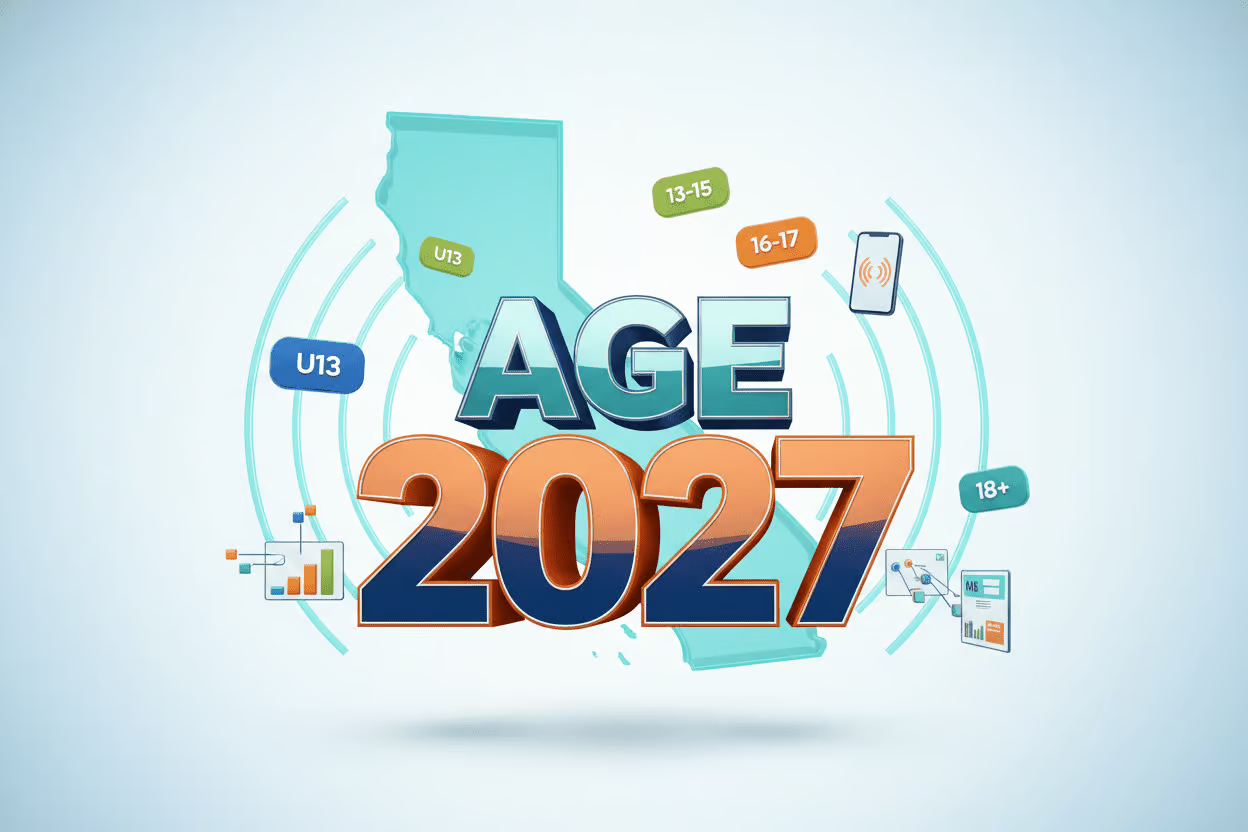
    For the past twenty years, age gating has lived at the website or app level. Each product decided for itself whether to ask for a birth date, check an ID, or rely on a self-attested checkbox. AB 1043 moves that decision below the application, into the operating system. Starting in 2027, compliant OS vendors must emit a standardized age bracket to every app and storefront on the device. The brackets defined in the statute are under 13, 13 to 15, 16 to 17, and 18 plus.

    For a site owner or app developer, that signal is a new input your stack has never had before. You will need to decide whether to read it, where to log it, how long to retain it, and what downstream behavior to trigger for each bracket. The original law does not spell out per-bracket duties for apps, but ad networks, app store review policies, and future regulations will almost certainly use the signal as an enforcement lever.

    Why AB 1856 matters, and what it leaves intact

    The amendment, read a second time on May 19, 2026, redefines “operating system provider” so the term excludes any entity that distributes an OS under terms permitting users to copy, redistribute, and modify the software. That phrasing matches the language in common open-source licenses such as GPL, MIT, and Apache. As a result, Debian, Fedora, Ubuntu, Arch Linux, Mint, and similar mainstream distributions are no longer treated as covered OS providers under the statute.

    The carve-out does not touch the vendors most product teams build for. Apple, Google, and Microsoft remain squarely inside the rule. SteamOS is the open question: the underlying system is Linux-derived and open source, but the bundled Steam storefront is proprietary. Whether regulators treat SteamOS like Debian or like iOS will probably be settled by guidance or a test case after the 2027 effective date. AB 1856 still has committee reviews in June and a third reading before reaching the governor, and the latest revision date in the legislative record is May 18, 2026.

    How to read this for an SEO and compliance audit

    The age bracket signal is not a ranking factor, and search engines do not yet consume it. What it changes is the surface area of your digital presence. Once a compliant OS sends an under 18 bracket to your app, your gated flows, ad targeting, analytics events, and consent strings need to handle that case correctly. Auditors should treat this the same way they treat cookie consent: a new client- or device-level signal that flows into your measurement, your content rules, and your ad stack.

    Three places where the signal will surface in a typical SEO audit:

    • Structured data and business listings. AI overviews, assistants, and compliant OSes read the same structured data feeds. If your age-appropriate audience, service area, or content categories are not declared, downstream systems will guess, and regulators will assume the worst.
    • App store metadata. Commercial storefronts will likely require apps to acknowledge the incoming bracket signal and document how each bracket is handled. Treat app metadata the same as your robots.txt: a compliance surface that needs its own audit pass.
    • Ad and analytics pipelines. Bracket data is sensitive personal information under most state privacy frameworks. Logging it without a documented legal basis is a liability the first time it leaks into a debug dashboard or a support ticket.

    A pre-2027 audit checklist for site owners and app teams

    Use this as a working list for the next six months. None of the items depend on AB 1856 passing; all of them apply whether the amendment clears committee or stalls.

    1. Map every surface where California users land. Marketing pages, app store listings, deep links, AI assistant citations. Note which ones currently display age-gated content or run age-targeted ad campaigns.
    2. Document your current age handling per surface. Self-attestation, third-party verification, declared birth date at signup, or nothing. The gap between today and the 2027 signal is the work.
    3. Decide how each age bracket will behave inside your product. Content filters, purchase blocks, ad suppression, and account upgrade flows all need a documented rule, not a runtime guess.
    4. Audit structured data feeds for business identity, hours, and audience. Compliant OSes and AI assistants will read the same feeds your local SEO depends on. Run an AI contactability check to find the gaps before regulators do.
    5. Review app store metadata for disclosures about age handling. Plan to update listing text once storefronts publish their bracket signal requirements.
    6. Update your privacy notice and data retention policy. The bracket signal is a new category of personal data. Add it to your records of processing and your user-facing disclosures.
    7. Set up monitoring. Quarterly reviews will miss the policy clarifications that land between now and January 2027. Automated agents that watch listings, reviews, and policy pages beat calendar reminders.

    The strategic view

    California rarely legislates in isolation. Other states tend to follow, and the open-source carve-out is a useful signal about how the political pressure points work. Open source won an exemption because its maintainers could argue, convincingly, that software anyone can fork cannot be forced into a centralized identity check. Commercial vendors did not win that argument, and the businesses that build on top of them inherit the resulting rules.

    The practical posture for the next year is to assume bracket signals are arriving on January 1, 2027, and to audit your product, your listings, and your data flows as if they already have. The teams that do the audit work now will spend 2027 shipping features. The teams that wait will spend it in compliance triage.

    FAQ

    Does California’s age verification law apply to my website or app?

    If your product reaches consumers in California, the Digital Age Assurance Act will reach it through the operating system layer starting January 1, 2027. The original law (AB 1043) covers commercial operating system providers. AB 1856 exempts only OSes distributed under licenses that permit copying, redistribution, and modification, which covers projects like Debian, Fedora, Ubuntu, Arch Linux, and Mint. Most commercial apps, websites, and storefronts are downstream of the covered OS vendors and will receive age bracket data from devices.

    When does California’s age verification law take effect?

    The Digital Age Assurance Act takes effect January 1, 2027. AB 1856, the open-source carve-out amendment introduced by Assembly Member Buffy Wicks on February 11, 2026, would take effect on the same date if it clears its remaining committee reviews, third reading, and the governor’s signature. The latest revision in the legislative record is dated May 18, 2026.

    Is SteamOS exempt under AB 1856?

    SteamOS is not explicitly addressed. The base operating system is Linux-derived and open source, but the bundled Steam storefront is proprietary. Whether regulators treat SteamOS like Debian or like a commercial OS such as iOS will likely be settled through guidance or a test case after the 2027 effective date. Businesses operating hybrid platforms should plan for compliance rather than rely on the open-source carve-out.

  • Clicks Down, Revenue Up: The Ecommerce SEO Metrics That Matter in 2026

    Clicks Down, Revenue Up: The Ecommerce SEO Metrics That Matter in 2026

    Year over year, ecommerce sites are losing organic clicks while revenue stays flat or climbs. The reason is structural, not a collapse in demand: shoppers now compare products, scan reviews, and filter options inside search results, shopping surfaces, AI Overviews, and chatbot conversations before they ever reach a page you control. The commercial intent has not gone anywhere; it has just shifted upstream, and the metric an SEO team reports first has to change with it.

    What is actually happening to ecommerce traffic

    Take the typical mobile results page for a product query. Before a user clicks anything, they can see sponsored listings, organic product grids, review snippets, prices, discounts, star ratings, filters, and an AI Overview that may already have shortlisted options. On top of that, an LLM-based assistant can hand a shopper a shortlist without a single retailer visit. In that world, awareness, consideration, and even comparison can complete without a session ever reaching your analytics.

    That does not mean SEO has stopped working. It means the click now arrives later, closer to the moment of purchase. A shopper who reaches your product detail page (PDP) today has often already decided what they want. The session is shorter and more decisive, but the session count is lower. For a site owner auditing their own dashboards, the question is no longer “how do I get more visits” but “which visits actually convert and how do I get more of those.”

    Why your reporting needs an audit, not a panic

    If the only chart shown to leadership is total organic clicks trending down beside a revenue line that is flat or up, the SEO team will lose the argument by default. The numbers look like failure when the business is holding. Audit your reporting stack and check for these common blind spots:

    • Headline KPI set to sessions or clicks rather than revenue or conversions.
    • PDP traffic and PDP conversion reported in aggregate with the rest of the site, hiding their true performance.
    • No segmentation between branded and non-branded organic traffic.
    • Merchant Center clicks and impressions treated as a separate channel rather than part of organic search.
    • No before-and-after SEO A/B testing, so any change gets credited or blamed for seasonality, algorithm shifts, or layout updates it had nothing to do with.

    Google’s own documentation on AI features in search explains how AI Overviews and shopping surfaces now resolve more of the shopper’s questions directly on the results page. That context belongs in the deck alongside your charts, not buried in footnotes.

    The metrics worth tracking in 2026

    For an ecommerce site, the scoreboard should measure contribution to revenue, not raw curiosity traffic.

    • PDP clicks. When research happens off-site, the click that lands on a product detail page is the one carrying purchase intent. Track these separately from category and blog traffic.
    • PDP conversion rate. A motivated visitor who bounces usually does so because something is missing on the page: unclear shipping, buried returns, hard-to-read sizing, or copy that assumes a prior visit. Audit PDPs against this list before blaming the channel.
    • Organic revenue. When leadership asks whether SEO still works, revenue is the language that travels. Connect organic sessions to transactions and report the dollar figure, not the click count.
    • Click-through rate in shopping results. When multiple retailers sell the same SKU, the listing that earns the click is the one with the cleanest title, the sharpest image, the best price, and the strongest review signal. CTR tells you whether your listing is winning that micro-auction.
    • Merchant Center clicks and impressions. Feed quality drives everything here. Audit product titles, images, pricing, promotions, and review attributes, then compare impression share to click share to spot merchandising gaps.

    Year-on-year traffic totals still have a role for trend context, but they should not be the headline proof of SEO value for ecommerce anymore.

    Why the product detail page is doing more work than ever

    Older funnel models assumed shoppers arrived through category pages, buying guides, or blog content and reached the PDP last. That assumption is breaking. Product grids and AI-assisted journeys surface PDPs directly, so the product page now has to do several jobs at once:

    • Reassure a shopper who has never seen the rest of your site that they are in the right place.
    • Answer the final pre-purchase questions about fit, materials, compatibility, and warranty.
    • Make trust signals obvious without forcing the shopper to hunt: delivery windows, returns policy, sizing guidance, availability, reviews, and full specs.

    A useful audit move is to load your top ten revenue PDPs on mobile and time how long it takes a new visitor to find shipping cost, return policy, and size information. Anything over a few seconds is a conversion leak. Google’s Merchant Center structured-data guidance is worth a separate review here, because the data in your feed is increasingly what gets a shopper to click in the first place.

    What to check on your own site this quarter

    For site owners running their own technical audits, here is a short checklist tied to the shifts above:

    • Run an AI-contactability check. Confirm that assistants and crawlers can read your business name, address, hours, products, and reviews. Claim and standardize your listings so a shopper comparing you against a competitor one row down sees consistent information.
    • Separate branded and non-branded organic traffic. A drop in non-branded clicks with stable branded clicks is the textbook signature of upstream research absorption, not a ranking loss.
    • Audit your product feed. Missing attributes, low-quality images, and inconsistent titles quietly cap your impression share in shopping surfaces.
    • Set up controlled SEO A/B testing. Before-and-after comparisons get distorted by seasonality, algorithm updates, and competitor moves. Testing isolates the impact of your change from everything else happening in the market.
    • Watch AI-native signals, but do not bet reporting on them yet. Brand sentiment in AI answers, share of voice in chatbot responses, and query clusters inside LLMs are interesting. Outputs vary, personalization changes results, and reliable query-volume data does not exist for these surfaces yet.

    What the next year looks like

    The dystopian version of the future has AI assistants handling the entire purchase, payment included, while the retailer gets the sale but never the visit, no PDP view, no email capture, no relationship. The more probable near-term path is messier: AI shapes the research stage, but shoppers still click through to a store they trust when they are ready to buy. Plan for that scenario and your reporting will hold up either way.

    The job is straightforward. Stop leading with a falling traffic chart, point your reporting at PDP clicks, conversion, and revenue, and make sure that when a ready-to-buy shopper finally arrives, your site is the one they can find, trust, and check out from without friction.

    FAQ

    Why are ecommerce organic clicks falling while revenue holds or grows?

    More of the research journey now happens before a shopper reaches your site. Search results, product grids, AI Overviews, and chatbot conversations let users compare products, scan reviews, and check prices without clicking through. The clicks that used to register as top-of-funnel research are being absorbed upstream, while the buyers still arrive later in the journey, with more intent and a higher likelihood of converting. The result is fewer sessions, but the sessions that do arrive are worth more.

    Which ecommerce SEO metrics should replace total organic traffic in 2026?

    Track signals tied to revenue: clicks into product detail pages, PDP conversion rate, organic revenue, click-through rate in shopping results, and Google Merchant Center clicks and impressions. PDP clicks show whether motivated shoppers are reaching the pages where conversion happens. Conversion rate flags missing trust signals such as shipping or returns information. Merchant Center data reveals how appealing your product feed looks in shopping surfaces. Year-on-year traffic still has uses for trend context, but it should not be the headline proof of SEO value for ecommerce.

    Why are product detail pages becoming the new landing pages?

    Product grids and AI-assisted journeys surface PDPs directly, so shoppers often land on a product page first rather than entering through a category page or buying guide. Because earlier research now happens off-site, the PDP has to do several jobs at once: reassure the visitor they are in the right place, answer the final pre-purchase questions, and make trust signals obvious, including delivery, returns, sizing, availability, reviews, and specs. If your PDP assumes the shopper already saw that information elsewhere, you may be losing ready-to-buy customers who never scroll past the first screen.

  • Meta Ads AI Connectors and What Site Owners Should Audit Before Connecting

    Meta Ads AI Connectors and What Site Owners Should Audit Before Connecting

    On April 29, 2026, Meta released Meta Ads AI Connectors, a free feature that lets small business owners run Facebook and Instagram campaigns by typing or speaking to ChatGPT or Claude. Instead of clicking through Ads Manager, owners can ask an AI assistant to pull reports, build campaigns, swap headlines, and audit product catalogs. Anything the AI creates starts paused, so nothing charges until the owner flips the switch in Ads Manager. For anyone about to hand campaign control to an AI, the practical question is what the site and tracking stack behind those campaigns can actually support.

    What the connector actually does

    Once a Meta Business account is linked to an AI tool that supports the Model Context Protocol, the assistant can answer plain-English questions and take action on the ad account. Reported uses include reporting on ad performance across yesterday, last week, or last month; building new campaigns from a short description with a set daily budget and geographic radius; editing existing ads, changing budgets, swapping creative, or pausing underperformers; auditing the product catalog to explain why specific items are not surfacing; and diagnosing pixel or tracking setup problems. No developer or API knowledge is required. Sign in once with the Meta Business account and the AI takes over from there.

    The built-in safety net you should still verify

    Every campaign the AI generates begins in a paused state. Nothing charges the ad account until the owner logs into Ads Manager and activates it. That pause-by-default behavior is the most important detail in the launch because it limits how much a bad prompt can cost. It does not, however, fix broken tracking, mismatched conversion events, or a landing page that drops every visitor who arrives from a paid click. Treat the pause as a window to audit, not a reason to skip the audit.

    What a technical SEO audit has to do with ad management

    Paid social traffic still lands on a site, and a site audit tells you whether that traffic has somewhere usable to go. Before connecting an AI to your ad account, run through the page-level checks that determine whether the campaigns the AI builds will convert.

    • Confirm the landing page matches the ad promise. If the AI writes copy around a summer sale and the promoted page still shows a winter product grid, the disconnect shows up as a low quality score and wasted spend.
    • Verify the Meta pixel and Conversions API are firing on the destination URL. The connector can diagnose pixel issues in conversation, but only after a campaign runs. Catching a missing pixel first means attribution will work from day one.
    • Check page speed on mobile. Most ad clicks come from phones. Slow mobile pages inflate cost per result regardless of how well the AI targets the audience.
    • Audit product catalog entries. If the AI flags catalog items that are not showing, the underlying cause is often a feed rejection, a missing image URL, or a category mismatch. Those are site-side fixes the connector alone cannot resolve.
    • Make sure UTM parameters pass through the destination. Without UTM tagging, the AI’s reporting on which ad drove which conversion is guesswork.

    What to ask the AI in the first session

    Before letting the connector create anything, treat the first session as a read-only review. Useful starter prompts include asking which ad produced the most leads last week and the source’s source; asking why cost per result jumped on a specific day; asking the AI to audit the product catalog and list items with errors; and asking it to summarize pixel health across active ad accounts. Reading what the AI already knows about your account surfaces data gaps before any campaign goes live.

    Habits that keep budget safe after launch

    Once campaigns start going live in paused mode, a short review routine catches problems early. Read every campaign the AI builds before activating it, since AI assistants can be confidently wrong about strategy in niche or local markets. Write prompts with concrete goals, budgets, geo radius, and cost caps rather than vague requests like “get me more leads.” Check the live ads daily for the first two weeks to confirm what was authorized is what is actually running. Keep a parallel log of any manual changes made in Ads Manager so the AI does not overwrite them on the next session.

    Where the AI helps and where it falls short

    The connector is well suited to the routine work that eats time: pulling performance reports, building basic campaign structures, fixing catalog errors, and answering “what happened last week” questions. It is less suited to strategic calls about creative direction, offer pricing, or local-market positioning. Think of it as a capable operations assistant, not an autopilot. The owner still owns the strategy, and the AI still needs clean data, a healthy site, and accurate tracking to produce useful output.

    What you need to connect

    Setup is short. A Meta Business account with ad accounts already configured, an AI tool that supports the Model Context Protocol such as ChatGPT or Claude, and roughly five minutes. The path in the AI tool is the integrations or connectors menu, then Meta Ads, then authentication. The feature is free and in open beta as of the April 29, 2026 launch.

    After the audit passes and the connector is live, the practical shift is from clicking through Ads Manager to typing prompts in an AI chat. The mechanics of a campaign launch do not change much, but the checks you run before launch decide how much of that budget actually returns customers instead of burning on tracking gaps and slow pages.

    FAQ

    What are Meta Ads AI Connectors?

    Meta Ads AI Connectors are a free feature Meta launched on April 29, 2026. They let small businesses manage Facebook and Instagram ad campaigns by typing or speaking to ChatGPT or Claude in plain English, handling tasks from performance reporting to campaign building.

    Do AI-created campaigns spend money automatically?

    No. Every campaign the AI builds starts in a paused state. Nothing charges the ad account until the owner logs into Ads Manager and turns the campaign on themselves, which protects budgets from accidental spend during experimentation.

    What do you need to set up Meta Ads AI Connectors?

    You need a Meta Business account with ad accounts already configured, an AI tool that supports the Model Context Protocol such as ChatGPT or Claude, and about five minutes. Open the AI tool’s integrations or connectors menu, select Meta Ads, and authenticate the connection.

  • Anthropic Claude Opus 4.7: What Small Business Sites Should Audit After the Upgrade

    Anthropic Claude Opus 4.7: What Small Business Sites Should Audit After the Upgrade

    Anthropic has released Claude Opus 4.7, its most capable model to date, and small business owners running Claude Code now have three upgrades worth pressure-testing in their existing workflows: longer session memory, stronger high-resolution image understanding, and Auto Mode for long automated tasks. For anyone whose site health checks, listing audits, or content pipelines run through Claude, this release is a reason to revisit what is being measured, how often, and how much human oversight each step actually needs.

    What changed in Opus 4.7 and why it matters for site owners

    The three changes that affect day-to-day auditing work are:

    • Longer memory across sessions. Claude holds context over longer tasks, which means fewer restarts and more coherent output on multi-step work like crawl audits, content inventories, or weekly reporting runs.
    • Better visual understanding. Higher-resolution image support means Claude can analyze screenshots more accurately, useful for reviewing Google Business Profile photos, UI mockups, or visual reports without preprocessing.
    • Auto Mode (research preview). Activated with Shift+Tab, Auto Mode lets Claude handle routine permission decisions on long automated tasks. Only genuinely risky actions get flagged.

    Auto Mode is available to Team, Enterprise, and Max plan users. For anyone on a Pro or free plan, the upgrade still applies to model quality, but the hands-off automation benefits are gated.

    Which existing workflows deserve a re-audit first

    If Claude Code already runs parts of your site stack, the Opus 4.7 release is the right moment to walk through each workflow and check four things: what context it carries, what permissions it triggers, what images it ingests, and how it is version-controlled.

    Check the persistent context layer

    A CLAUDE.md file in the project root gets read automatically at the start of every session. It is the closest thing Claude Code has to a project memory file. Audit it the same way you would audit a robots.txt or a sitemap: stale entries are worse than no entries. If your scoring criteria, data sources, or reporting format have changed since the file was written, every nightly run is now starting from the wrong baseline.

    Check the slash command library

    Anything you run more than twice a week should live in .claude/commands/ as a Markdown file with an intuitive name, for example /audit-listing, /monthly-report, /draft-response, /analyze-competitor. The audit question here is simple: are all team members still pulling the same version, or has someone forked a prompt in a local file that nobody else sees?

    Check the checkpoint and undo behavior

    Claude Code creates checkpoints throughout a session. Pressing Esc+Esc opens a scrollable history that can restore code, conversation, or both. For audit work, this matters most when a long session has been editing crawl rules or schema templates and a later step needs to be reversed without losing the early analysis.

    Where Auto Mode actually changes the risk profile

    Auto Mode is the upgrade with the biggest operational impact, and therefore the one that deserves the most scrutiny before being turned on. In practice it means a long-running audit job, the kind scheduled through cron jobs with the --print flag for non-interactive runs, will keep going through routine permission prompts without waiting for a human. Only actions Claude judges as risky get surfaced.

    For a small business site, the audit checklist before enabling Auto Mode looks like this:

    • Confirm the cron job’s blast radius. What files can the headless run actually write to, and what would a bad permission decision cost?
    • Confirm the Git state. Any prompt stored in .claude/commands/ should be checked into Git so prompt drift is caught by code review.
    • Confirm alerting. If Auto Mode does flag a risky action, does it reach a human in a way that gets acted on, or does it sit in a queue?

    Inline terminal commands, prefixed with ! inside Claude Code, also benefit from the same caution. Running !curl or !git pull inside a session returns results without switching windows, which speeds up audits but also compresses the usual pause-for-review step.

    Image-heavy audits get a real upgrade

    Opus 4.7’s improved visual understanding is the change most likely to show up in day-to-day work. A few concrete checks it now supports well:

    • Reviewing a screenshot of a Google Business Profile and asking for concrete improvement suggestions.
    • Analyzing competitor storefront photos or listing imagery against your own.
    • Reading UI mockups and flagging layout issues before a developer rebuilds the page.
    • Interpreting visual reports, such as heatmaps or analytics dashboards exported as images.

    The audit angle here is data quality. Claude can now meaningfully look at a screenshot, which means any visual asset stored in your audit pipeline should be checked for resolution and clarity before it is fed in. A blurry screenshot produces a blurry recommendation.

    Tuning cost vs. quality for routine work

    Opus 4.7 defaults to xhigh effort, which is maximum intelligence at higher token cost. For routine drafting, quick summaries, or first-pass listing checks, switching to /effort high cuts token spend without losing useful output. Reserve xhigh for the work where the answer has to be right the first time: complex multi-step crawls, strategic content briefs, and reports that go to clients or leadership.

    Two other session hygiene habits are worth keeping in place regardless of effort level. Run /compact when a long session starts to slow down, since accumulated context drags performance. Use /cost to monitor token usage during audits so a runaway job is caught before the bill arrives. Start a fresh session for each new task so context from a finished audit does not leak into the next one.

    Plan-first and split-work patterns to keep using

    Two workflow habits from the Claude Code playbook matter more after this release, not less.

    First, plan before execute. For any multi-step task, ask Claude to show the plan before touching anything. The plan is the cheapest place to catch a misunderstanding, especially in audits where a wrong assumption early in the run can poison every later result.

    Second, split complex projects into specialized agents rather than asking a single session to do everything. Claude Code supports subagents with independent context, and a setup where one agent gathers crawl data, one analyzes it, and one writes the report consistently outperforms a single generalist session. The longer memory in Opus 4.7 makes the handoffs between these agents more coherent than they were in earlier versions.

    For brand-new projects, /init scans the directory and generates a starter CLAUDE.md based on what it finds. Treat that generated file as a draft, not a finished product, and edit it before relying on it for any production workflow.

    FAQ

    What changed in Claude Opus 4.7 for businesses?

    Anthropic released Claude Opus 4.7 with three headline upgrades: longer session memory, improved high-resolution image understanding, and Auto Mode, a research preview activated with Shift+Tab that lets Claude handle routine permission decisions during long automated tasks.

    Who can use Auto Mode in Claude Opus 4.7?

    Auto Mode is available to Team, Enterprise, and Max plan users and is positioned as a research preview feature.

    What should a small business site owner check after the Opus 4.7 release?

    Review any Claude Code workflows that run overnight or trigger from CI/CD, since longer context and Auto Mode change how permission prompts surface. Audit CLAUDE.md and .claude/commands/ files for outdated scoring criteria, version-control them in Git, and test whether nightly listing audits and content quality checks still flag the right pages.