Author: SEOScanPRO

  • Content Length and AI Overview Citations: What Site Owners Should Audit

    Content Length and AI Overview Citations: What Site Owners Should Audit

    Google’s AI Overviews now appear above traditional results for many searches, pulling text from web pages and presenting a synthesized answer before users ever click a listing. Whether your pages are among those sources depends less on word count and more on whether the page hands the AI a clean, direct answer to the actual query. For site owners running technical audits, that distinction changes what to look for when reviewing content.

    Why AI Overviews Change an SEO Audit

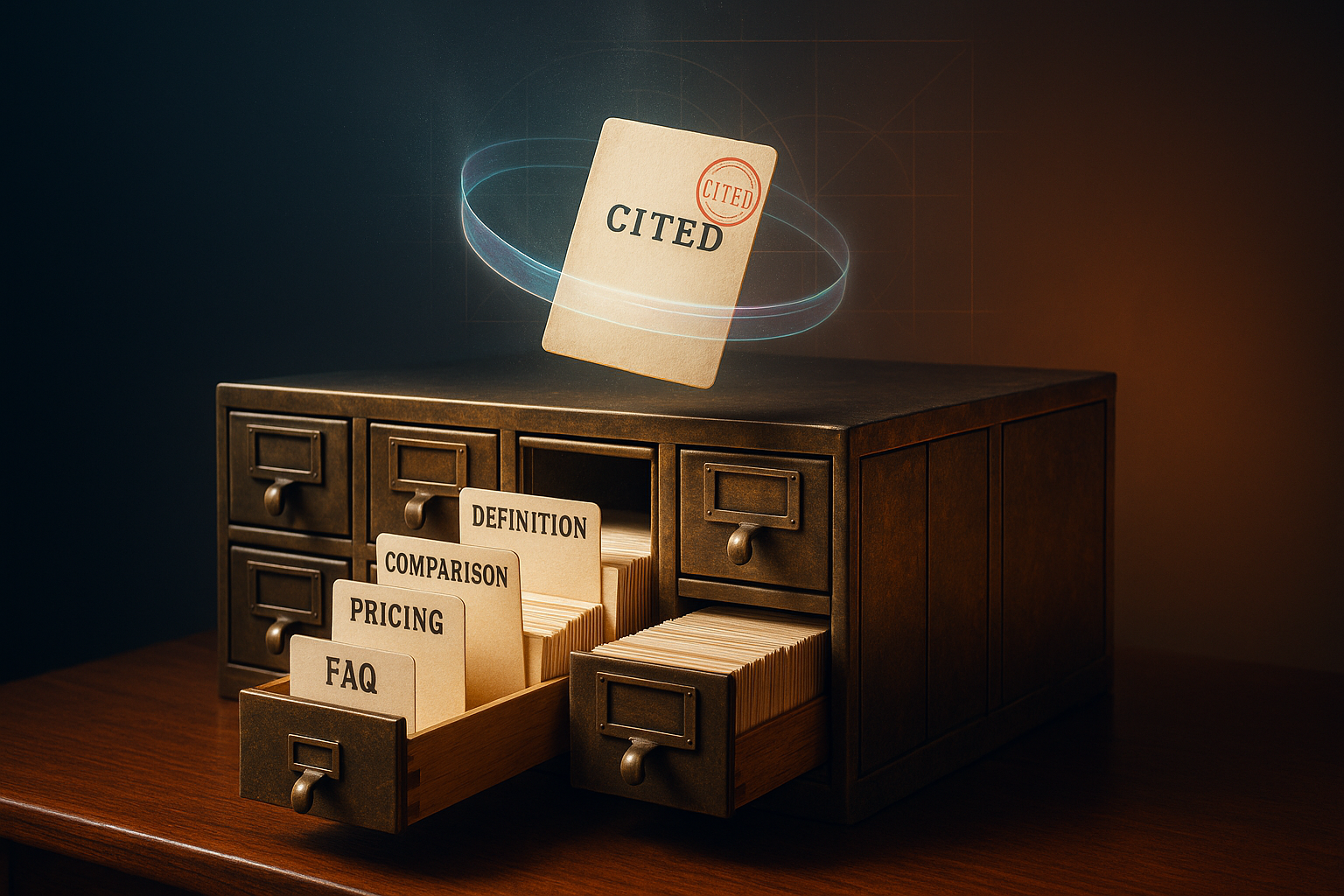
    An AI Overview generates its summary from passages the model can extract and rephrase with confidence. If your page buries the answer several paragraphs below a heading, surrounds it with marketing copy, or mixes multiple topics into one dense block, the model has less clean material to pull from. Pages that put the answer in the first sentence after a clear heading, keep paragraphs compact, and use lists or tables give the model more quotable passages and therefore more chances to be cited.

    This is worth treating as its own audit layer. Traditional ranking checks (titles, internal links, schema coverage) still matter, but Overview visibility adds a new question: can a reader, or a model, lift the first sentence under a heading and use it as a standalone answer?

    Short Content vs. Long Content: The Real Difference

    Length is not a ranking lever in either direction. A short page gets cited when the query is short. A long page gets cited when the query demands depth. Mixing them up is the more common failure mode.

    When short pages tend to win citations

    • Definition queries ("What is X?") call for a one or two-sentence answer near the top of the page.
    • Local queries ("best X near me," "X in [city]") reward concise service descriptions with location signals.
    • Pricing queries ("how much does X cost?") perform better with direct ranges or a structured pricing block than with prose.
    • FAQ-style queries (yes/no or single-fact questions) want a direct answer followed by optional detail.

    When long pages tend to win citations

    • Comparison queries ("X vs Y") need side-by-side breakdowns. Tables and labeled sections give the model multiple extraction points.
    • How-it-works queries for technical or multi-step processes benefit from step-by-step explanation.
    • High-consideration decisions (B2B purchases, significant services) are where buyers expect case studies, process detail, and evidence.

    What to Check on Every Page You Audit

    Treat the following as checklist items during a content review, especially for pages that already rank on page one but rarely earn Overview citations.

    • First-sentence answer: Read the first sentence under each heading in isolation. If it cannot stand alone as an answer, rewrite it.
    • Paragraph length: Aim for roughly 40 to 60 words. Dense blocks reduce the number of passages the model can extract cleanly.
    • Heading specificity: Question-form or topic-specific headings ("What services does [Business] offer?") outperform generic ones ("Our Services") for extraction.
    • Structured elements: Lists, tables, and FAQ blocks are easy for AI to parse and frequently end up in Overviews.
    • Freshness: Pricing, hours, and service details should match the live business. Stale numbers reduce citation confidence.

    Don’t Forget the Listings Layer

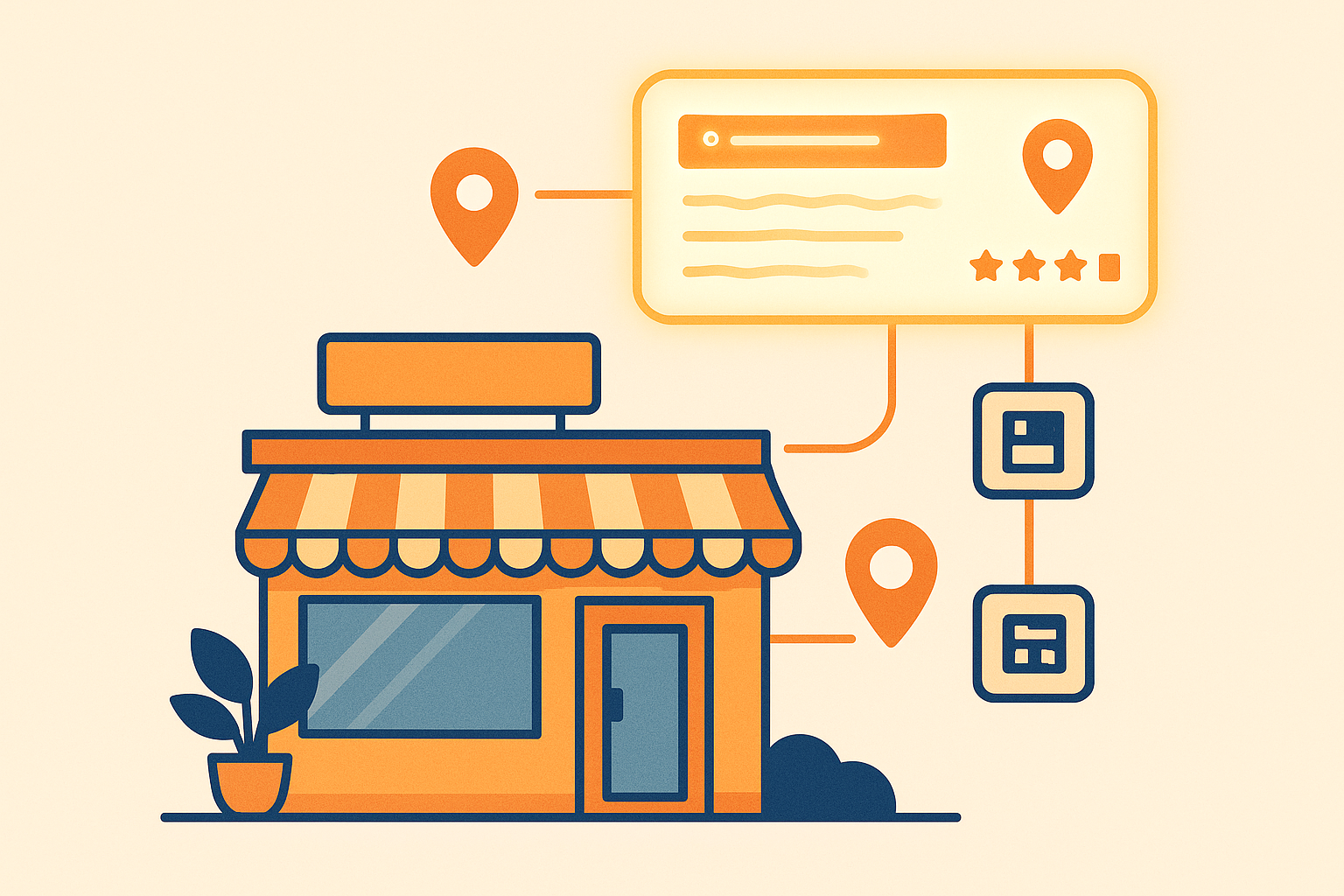
    AI systems also pull from your Google Business Profile, directory listings, and review platforms when assembling answers about a local business. Inconsistent NAP data (Name, Address, Phone), incomplete business descriptions, and outdated category choices can suppress citations even when the site itself is well structured. A useful audit compares the name, address, and phone used on the website against the same data on the major aggregators and review sites, and flags mismatches.

    Completeness matters too. Profiles with sparse descriptions, missing service lists, or no reviews give the model less to work with than richer profiles on competing businesses.

    Putting It Together for Your Next Audit

    Run the audit with a simple pass per page: read the first sentence under each heading as if it were the only sentence you were allowed to quote, check paragraph density, verify the heading itself matches the likely query, and confirm structured elements exist where they help. Then repeat the pass on your external listings. Pages that pass both passes are the ones most likely to surface in AI Overviews for the queries that matter to your business.

    FAQ

    Does longer content always rank better in AI Overviews?

    No. AI Overviews cite the content that answers the query most directly, regardless of length. Short pages are typically cited for definition, local, pricing, and FAQ-style queries, while long pages are cited for comparison, how-it-works, and high-consideration queries.

    What page structure helps AI Overviews cite a page?

    Put the answer in the first sentence after each heading, keep paragraphs around 40 to 60 words, use question-form or specific headings, include lists, tables, and FAQ sections, and keep pricing, hours, and service details current.

    Why do business listings affect AI Overview visibility?

    AI pulls from your Google Business Profile, directory listings, and review platforms alongside your website. Inconsistent NAP data, incomplete descriptions, and stale category information can reduce citations even when your website is well structured.

  • Meta Ads AI Connectors and What Site Owners Should Audit Before Connecting

    Meta Ads AI Connectors and What Site Owners Should Audit Before Connecting

    On April 29, 2026, Meta released Meta Ads AI Connectors, a free feature that lets small business owners run Facebook and Instagram campaigns by typing or speaking to ChatGPT or Claude. Instead of clicking through Ads Manager, owners can ask an AI assistant to pull reports, build campaigns, swap headlines, and audit product catalogs. Anything the AI creates starts paused, so nothing charges until the owner flips the switch in Ads Manager. For anyone about to hand campaign control to an AI, the practical question is what the site and tracking stack behind those campaigns can actually support.

    What the connector actually does

    Once a Meta Business account is linked to an AI tool that supports the Model Context Protocol, the assistant can answer plain-English questions and take action on the ad account. Reported uses include reporting on ad performance across yesterday, last week, or last month; building new campaigns from a short description with a set daily budget and geographic radius; editing existing ads, changing budgets, swapping creative, or pausing underperformers; auditing the product catalog to explain why specific items are not surfacing; and diagnosing pixel or tracking setup problems. No developer or API knowledge is required. Sign in once with the Meta Business account and the AI takes over from there.

    The built-in safety net you should still verify

    Every campaign the AI generates begins in a paused state. Nothing charges the ad account until the owner logs into Ads Manager and activates it. That pause-by-default behavior is the most important detail in the launch because it limits how much a bad prompt can cost. It does not, however, fix broken tracking, mismatched conversion events, or a landing page that drops every visitor who arrives from a paid click. Treat the pause as a window to audit, not a reason to skip the audit.

    What a technical SEO audit has to do with ad management

    Paid social traffic still lands on a site, and a site audit tells you whether that traffic has somewhere usable to go. Before connecting an AI to your ad account, run through the page-level checks that determine whether the campaigns the AI builds will convert.

    • Confirm the landing page matches the ad promise. If the AI writes copy around a summer sale and the promoted page still shows a winter product grid, the disconnect shows up as a low quality score and wasted spend.
    • Verify the Meta pixel and Conversions API are firing on the destination URL. The connector can diagnose pixel issues in conversation, but only after a campaign runs. Catching a missing pixel first means attribution will work from day one.
    • Check page speed on mobile. Most ad clicks come from phones. Slow mobile pages inflate cost per result regardless of how well the AI targets the audience.
    • Audit product catalog entries. If the AI flags catalog items that are not showing, the underlying cause is often a feed rejection, a missing image URL, or a category mismatch. Those are site-side fixes the connector alone cannot resolve.
    • Make sure UTM parameters pass through the destination. Without UTM tagging, the AI’s reporting on which ad drove which conversion is guesswork.

    What to ask the AI in the first session

    Before letting the connector create anything, treat the first session as a read-only review. Useful starter prompts include asking which ad produced the most leads last week and the source’s source; asking why cost per result jumped on a specific day; asking the AI to audit the product catalog and list items with errors; and asking it to summarize pixel health across active ad accounts. Reading what the AI already knows about your account surfaces data gaps before any campaign goes live.

    Habits that keep budget safe after launch

    Once campaigns start going live in paused mode, a short review routine catches problems early. Read every campaign the AI builds before activating it, since AI assistants can be confidently wrong about strategy in niche or local markets. Write prompts with concrete goals, budgets, geo radius, and cost caps rather than vague requests like “get me more leads.” Check the live ads daily for the first two weeks to confirm what was authorized is what is actually running. Keep a parallel log of any manual changes made in Ads Manager so the AI does not overwrite them on the next session.

    Where the AI helps and where it falls short

    The connector is well suited to the routine work that eats time: pulling performance reports, building basic campaign structures, fixing catalog errors, and answering “what happened last week” questions. It is less suited to strategic calls about creative direction, offer pricing, or local-market positioning. Think of it as a capable operations assistant, not an autopilot. The owner still owns the strategy, and the AI still needs clean data, a healthy site, and accurate tracking to produce useful output.

    What you need to connect

    Setup is short. A Meta Business account with ad accounts already configured, an AI tool that supports the Model Context Protocol such as ChatGPT or Claude, and roughly five minutes. The path in the AI tool is the integrations or connectors menu, then Meta Ads, then authentication. The feature is free and in open beta as of the April 29, 2026 launch.

    After the audit passes and the connector is live, the practical shift is from clicking through Ads Manager to typing prompts in an AI chat. The mechanics of a campaign launch do not change much, but the checks you run before launch decide how much of that budget actually returns customers instead of burning on tracking gaps and slow pages.

    FAQ

    What are Meta Ads AI Connectors?

    Meta Ads AI Connectors are a free feature Meta launched on April 29, 2026. They let small businesses manage Facebook and Instagram ad campaigns by typing or speaking to ChatGPT or Claude in plain English, handling tasks from performance reporting to campaign building.

    Do AI-created campaigns spend money automatically?

    No. Every campaign the AI builds starts in a paused state. Nothing charges the ad account until the owner logs into Ads Manager and turns the campaign on themselves, which protects budgets from accidental spend during experimentation.

    What do you need to set up Meta Ads AI Connectors?

    You need a Meta Business account with ad accounts already configured, an AI tool that supports the Model Context Protocol such as ChatGPT or Claude, and about five minutes. Open the AI tool’s integrations or connectors menu, select Meta Ads, and authenticate the connection.

  • How to Audit Your Site for AI Search Visibility

    How to Audit Your Site for AI Search Visibility

    AI assistants such as ChatGPT, Perplexity, and Google’s AI Overviews are increasingly the first stop when customers search for a business, a service, or a recommendation. Most company websites were built to rank in list-style search results, not to be selected as the answer a model writes out for a user. A practical AI visibility audit checks whether the information on your pages, in your listings, and in your structured data is something an AI system can confidently pull, parse, and cite.

    Why AI Assistants Skip Most Business Websites

    When an AI assistant builds a reply, it pulls from structured and consistent signals across the web: business listings, reviews, schema markup, and authoritative content. If your business name, address, phone number, or service descriptions are missing, inconsistent across platforms, or stored in a way a model cannot parse, the assistant has nothing reliable to cite. The outcome is silence. Your business simply does not appear in the answer.

    What the model actually needs to find

    • A consistent business identity across every listing and platform you appear on.
    • Structured data on your own pages that tells the model who you are, what you do, and where you operate.
    • Review presence on the platforms customers in your category actually use.
    • Content written in a question-and-answer shape, so a model can lift a passage directly.

    How AI Visibility Differs From Classic SEO

    Traditional SEO targets a ranking position inside a list of blue links. AI visibility targets selection: being the source an assistant names or quotes inside a generated answer. The two disciplines share a foundation, including good content, accurate information, and authority signals, but AI visibility adds three requirements that a standard technical audit rarely covers.

    • Structured data across your own pages, not just on your homepage.
    • NAP and service consistency across dozens of external listings and aggregators.
    • Content formatted in self-contained, parseable passages that answer a single question at a time.

    What to Check in Your Own AI Visibility Audit

    A focused audit walks through each layer a model might pull from and records where the signal is clean, where it is missing, and where it conflicts with other sources.

    Citation consistency

    Search your business name plus city in quotes and compare every listing that comes back. Your business name, address, phone number, hours, and service descriptions need to match exactly across your own site, major directories, industry sites, social profiles, and any aggregator that has indexed you. Inconsistent NAP data is one of the most common reasons an assistant cannot commit to citing you.

    Structured data coverage

    Pull your top pages and check whether they carry the schema markup that describes your entity. LocalBusiness, Organization, Service, Product, FAQ, and Review schema give a parser something concrete to work with. Pages with no structured data force a model to guess from prose, which usually means your page is skipped in favor of a competitor with cleaner markup.

    Review footprint

    Count your reviews on the platforms your customers actually use. A small number of reviews, or reviews only on a single platform, gives an assistant less confidence. A steady cadence of new reviews on multiple relevant platforms is a stronger citation signal than a single large batch on one site.

    Content shape

    Read your service and FAQ pages as if you were a model looking for a quotable line. Each section should answer one question in a self-contained paragraph, with the answer near the top and supporting detail below. Long narrative pages with no clear question-and-answer pairs are harder for an assistant to extract from.

    Authoritative sourcing

    Models lean on sources that look established. Check that your site has a clear About page, named authors or a named business, real contact information, and links to or mentions on third-party sites that describe who you are. A page with no author, no contact, and no external references is a weak citation candidate.

    How Long the Fix Takes

    Most focused AI visibility work shows measurable movement within 60 to 90 days, though the timeline depends on your starting point. Cleaning up citation inconsistencies can produce quick gains because the corrected data propagates as crawlers revisit the listings. Building a steady review presence takes longer, since new reviews accumulate gradually. Publishing authoritative, well-structured content is an ongoing investment that compounds as more of your pages become citable.

    FAQ

    What is an AI visibility audit?

    An AI visibility audit checks whether an AI assistant can reliably find, parse, and cite your business. It covers citation consistency across listings, structured data on your pages, review presence on relevant platforms, content shaped for direct extraction, and the authority signals a model uses to decide whether to trust a source.

    How is AI visibility different from traditional SEO?

    Traditional SEO targets a ranking position in list-style search results. AI visibility targets being cited or quoted inside the direct answer an assistant writes. The two share a foundation of good content and accurate information, but AI visibility also requires structured data, NAP consistency across many platforms, and content formatted in passages an AI can lift directly.

    How long does it take to improve AI visibility?

    Most businesses see measurable improvements within 60 to 90 days of focused work. Citation cleanup can move quickly once corrected listings are recrawled. Building review presence takes longer, and creating authoritative content is an ongoing investment that compounds over time.

  • Google AI Overviews Citation Rules: What Small Business Sites Should Audit Now

    Google AI Overviews Citation Rules: What Small Business Sites Should Audit Now

    Google has published official documentation explaining how its AI Overviews pick which businesses to cite, and the criteria look a lot like the fundamentals of local SEO, except that the AI summary now functions as the first answer a searcher sees, before the map pack, the organic listings, or any single website. Sites that earn a citation inside an AI Overview absorb the trust signal before competitors ever appear in the results.

    For a small business owner running a technical audit of their own site, the practical question is what to measure, what to fix, and what to write differently so the pages most likely to be cited are actually earning that placement.

    Why the AI Overview changed the audit checklist

    The three-pack on Google Maps used to be the top of the local funnel. AI Overviews now sit above it. Google’s documentation describes these summaries as built to cite what the company calls non-commodity content, which the guidance defines as material that carries a unique perspective, reflects genuine first-hand experience, or contains a differentiated value other sources do not. For a local business site, that is the standard the audit should be measured against. Pages that read like every other page in the vertical are, by Google’s own framing, the pages least likely to be cited.

    What Google’s guidance actually rules out

    The new documentation quietly retires three tactics that have been circulating in marketing pitches:

    • No llms.txt requirement. Google does not require a special file to make pages eligible for AI Overviews.
    • No schema stuffing. Layering many structured data types onto every page is not a citation strategy. Schema still has a role, but volume is not the lever.
    • No chunking for its own sake. Google states that its systems evaluate the integrity of the full piece, not isolated snippets, so restructuring content into atomic blocks does not buy visibility on its own.

    Any vendor selling one of those as the secret to AI placement is selling something the documentation does not back up.

    What the documentation says actually moves the needle

    The pattern Google describes for citable pages matches what good local SEO has rewarded for years, with the bar raised. Four areas are worth auditing directly on a small business site.

    First-hand experience on service pages

    Service pages are the most likely candidates for AI Overview citation because they answer the kind of questions searchers actually type. The audit question is whether those pages include anything only the operator of that business would know. Process details, mistakes the company sees customers make, decisions made for specific reasons, and trade-offs explained in plain language all count. If a page could be swapped with a competitor’s page and nobody would notice the difference, it is commodity content by Google’s definition.

    Original operational data

    Average job times, typical price ranges, seasonal patterns, response times, before-and-after numbers, and any other figures drawn from the business’s own records are inherently non-commodity because no other site has the same dataset. Pages that include these numbers and show their source are stronger citation candidates than pages that recycle generic ranges found on every competitor site.

    Service area specificity

    AI Overviews are heavily location-aware, so a site that names the neighborhoods, landmarks, drive times, and local conditions it serves gives the AI more to work with for location-specific queries. Pages that name the city and nothing else are weaker candidates than pages that reference the parts of town the business actually covers.

    Listing and review consistency

    Google’s systems cross-reference a website against business listings across the web and against the review profile. A site that looks credible on its own but contradicts its listings, has no review presence, or shows stale review counts is less likely to be cited. Listing accuracy and review recency now function as AI search inputs, not just local SEO housekeeping.

    The credibility cross-check most audits miss

    The part of Google’s framing that deserves the most attention in an audit is the triangulation step. AI Overviews do not pull from a single page in isolation. Google’s systems compare what the website says against third-party listings, reviews, press mentions, and competitor benchmarks. A page that is well written but unsupported across the rest of the web is at a disadvantage against a less polished page that is corroborated everywhere.

    For a small business audit, this means the technical review cannot stop at on-page factors. The checklist should include the consistency of the business name, address, and phone number across Google, Bing, Apple, Yelp, and the major data aggregators, plus the recency and volume of reviews. Every consistent citation and every recent review is a vote of confidence the AI weighs when choosing which site to cite.

    What to check on your own site this week

    Three audits move the needle most:

    • Listings consistency sweep. Compare the business profile on Google, Bing, Apple, Yelp, and the major aggregators. Fix any drift in name, address, phone, hours, or category.
    • Service page rewrite. Pick the top five service pages and rewrite each one with first-person experience, specific examples from real jobs, and the business’s own numbers.
    • Review pipeline. Recency and volume both matter to the credibility cross-check. Build a steady cadence of new reviews rather than relying on a backlog.

    FAQ

    What did Google say about optimizing for AI Overviews?

    Google’s official guidance states that AI Overviews are built to cite non-commodity content, which it defines as material with a unique perspective, genuine first-hand experience, or differentiated value that other sources do not provide.

    Do small business sites need an llms.txt file or extra schema markup to appear in AI Overviews?

    No. Google’s documentation does not require a special llms.txt file, does not recommend stacking many schema types on a page, and evaluates the full piece rather than isolated chunks of content.

    How can a local business website get cited in Google AI Overviews?

    The audit checklist is to write service pages from first-hand experience, include original operational data, name the specific neighborhoods and landmarks in the service area, and keep business listings and review profiles consistent across Google, Bing, Apple, Yelp, and the major data aggregators.

  • What Manus Cloud Computer Means for Auditing Sites AI Agents Read on Your Behalf

    What Manus Cloud Computer Means for Auditing Sites AI Agents Read on Your Behalf

    Manus Cloud Computer hands AI agents a persistent Linux sandbox where they browse the web, fill spreadsheets, and run multi-step jobs for hours or days without a human watching. The platform, described in coverage dated June 16, 2026, marks a practical shift from one-shot prompts to background digital workers that retrieve and act on public information about businesses. For anyone running technical SEO audits, the implication is immediate: the next visitor to your pages may not be human, and the bot may be acting on what it reads.

    Why persistent agents change the audit checklist

    Until recently, crawlers in your logs looked mostly like Googlebot, Bingbot, or a scraping script. A new category is emerging: long-running agents that arrive, open a browser tab inside their container, navigate like a person, copy structured data into a CSV, and move on. McKinsey’s 2025 State of AI survey found 65% of organizations regularly use generative AI and nearly half are already exploring autonomous agent capabilities, which means agent traffic will grow alongside human and search-engine traffic.

    That shift turns a few standard SEO checks into urgent ones. If an agent is researching a vendor, enriching a CRM record, or building a market map on behalf of a buyer, the data it pulls from your site is the data a sale may depend on. Audit the surfaces an agent will read the way you would audit a snippet Google might surface.

    Pages and markup agents will actually read

    Manus’s sandbox gives an agent a real browser, file storage, and tool integrations, with long-running execution and the ability to pause and resume. Early users describe workflows that would take a human assistant hours finishing in under 30 minutes, including research across dozens of sites in parallel. That browser is doing what a person would do: landing on the homepage, clicking into product pages, and scraping the result.

    Run the same audit you would for a new human visitor:

    • Server-rendered key content: confirm that pricing, integrations, team size, and category descriptions render without JavaScript, since headless browsers are common but not universal.
    • Structured data: keep Organization, Product, FAQ, and BreadcrumbList schema complete and current. Agents building vendor lists rely heavily on what is in the markup.
    • robots.txt and meta robots: decide deliberately which agent signatures you want to allow, block, or rate-limit, and document the policy.
    • Public APIs and sitemaps: if you expose a developer API or a machine-readable feed, agents will find it; make sure it agrees with what humans see.
    • Rate limiting and WAF rules: long-running sessions can hammer endpoints; configure thresholds that absorb agent bursts without false positives on real users.

    Permissions, safety, and the trust question

    The platform isolates each agent in a sandboxed Linux container, requires user-approved credentials for API and SaaS access, and logs activity. Permissions are explicit, and the agent cannot reach resources the user has not granted. That design is what makes autonomous action viable, and it is the same pattern enterprise deployments will demand.

    From an audit standpoint, treat any agent visiting your site as an authenticated user with a narrow scope. Check that your logs can distinguish agent user agents from search bots, that consent and privacy banners behave correctly for non-human visitors, and that any data exposed to a logged-in agent is data you would be comfortable sharing with a stranger who walked into your office.

    What the metrics already tell us

    The adoption signal from McKinsey is the part to anchor on: regular generative AI use is mainstream, and autonomous exploration is close behind. Coverage of Manus notes parallel sub-tasking, end-to-end automation chains from data collection to CSV exports, and queue management for recurring jobs. Once those capabilities land in sales, marketing, and operations tooling, your pages will be read by agents acting on a buyer’s behalf more often than by the buyer themselves.

    Where to focus the next crawl

    If you run audits for clients or for your own site, three checks rise to the top:

    1. Snapshot your server-rendered HTML for the ten pages a buyer would hit first, and confirm structured data, contact details, and category language match what an agent would extract into a comparison sheet.
    2. Review your access logs for unfamiliar headless-browser user agents, separate them from named crawlers, and decide a policy.
    3. Document a public data policy: which feeds, schemas, and APIs you expose, and how an agent should attribute what it pulls.

    Agentic platforms will keep moving toward deeper integrations with CRM, accounting, and HR tools, with regulatory pressure for activity logs, human oversight triggers, and explainability. Multi-agent teams that divide a research goal across specialists are already on the roadmap. The sooner your public surfaces are clean enough for an autonomous reader, the sooner the agents acting on a buyer’s behalf will pick the right things up about you.

    FAQ

    What does Manus Cloud Computer actually run?

    It runs AI agents inside a sandboxed Linux container with a browser, file storage, and approved tool integrations, allowing tasks to continue for hours or days and to pause and resume when interrupted.

    How is an autonomous agent different from a regular chatbot for SEO purposes?

    A chatbot answers a single prompt with text. An autonomous agent retains context across long tasks, uses browsers and APIs to take real actions, and finishes a multi-step job such as compiling a vendor list without further prompts.

    Should site owners block AI agent traffic?

    Coverage indicates agents operate inside isolated environments with explicit user permissions and activity logs, so blocking is a deliberate policy choice rather than a default. Audit which agents visit, separate them from named crawlers in logs, and make sure any data an authenticated agent can read is data you are comfortable exposing.

  • Anthropic Claude Opus 4.7: What Small Business Sites Should Audit After the Upgrade

    Anthropic Claude Opus 4.7: What Small Business Sites Should Audit After the Upgrade

    Anthropic has released Claude Opus 4.7, its most capable model to date, and small business owners running Claude Code now have three upgrades worth pressure-testing in their existing workflows: longer session memory, stronger high-resolution image understanding, and Auto Mode for long automated tasks. For anyone whose site health checks, listing audits, or content pipelines run through Claude, this release is a reason to revisit what is being measured, how often, and how much human oversight each step actually needs.

    What changed in Opus 4.7 and why it matters for site owners

    The three changes that affect day-to-day auditing work are:

    • Longer memory across sessions. Claude holds context over longer tasks, which means fewer restarts and more coherent output on multi-step work like crawl audits, content inventories, or weekly reporting runs.
    • Better visual understanding. Higher-resolution image support means Claude can analyze screenshots more accurately, useful for reviewing Google Business Profile photos, UI mockups, or visual reports without preprocessing.
    • Auto Mode (research preview). Activated with Shift+Tab, Auto Mode lets Claude handle routine permission decisions on long automated tasks. Only genuinely risky actions get flagged.

    Auto Mode is available to Team, Enterprise, and Max plan users. For anyone on a Pro or free plan, the upgrade still applies to model quality, but the hands-off automation benefits are gated.

    Which existing workflows deserve a re-audit first

    If Claude Code already runs parts of your site stack, the Opus 4.7 release is the right moment to walk through each workflow and check four things: what context it carries, what permissions it triggers, what images it ingests, and how it is version-controlled.

    Check the persistent context layer

    A CLAUDE.md file in the project root gets read automatically at the start of every session. It is the closest thing Claude Code has to a project memory file. Audit it the same way you would audit a robots.txt or a sitemap: stale entries are worse than no entries. If your scoring criteria, data sources, or reporting format have changed since the file was written, every nightly run is now starting from the wrong baseline.

    Check the slash command library

    Anything you run more than twice a week should live in .claude/commands/ as a Markdown file with an intuitive name, for example /audit-listing, /monthly-report, /draft-response, /analyze-competitor. The audit question here is simple: are all team members still pulling the same version, or has someone forked a prompt in a local file that nobody else sees?

    Check the checkpoint and undo behavior

    Claude Code creates checkpoints throughout a session. Pressing Esc+Esc opens a scrollable history that can restore code, conversation, or both. For audit work, this matters most when a long session has been editing crawl rules or schema templates and a later step needs to be reversed without losing the early analysis.

    Where Auto Mode actually changes the risk profile

    Auto Mode is the upgrade with the biggest operational impact, and therefore the one that deserves the most scrutiny before being turned on. In practice it means a long-running audit job, the kind scheduled through cron jobs with the --print flag for non-interactive runs, will keep going through routine permission prompts without waiting for a human. Only actions Claude judges as risky get surfaced.

    For a small business site, the audit checklist before enabling Auto Mode looks like this:

    • Confirm the cron job’s blast radius. What files can the headless run actually write to, and what would a bad permission decision cost?
    • Confirm the Git state. Any prompt stored in .claude/commands/ should be checked into Git so prompt drift is caught by code review.
    • Confirm alerting. If Auto Mode does flag a risky action, does it reach a human in a way that gets acted on, or does it sit in a queue?

    Inline terminal commands, prefixed with ! inside Claude Code, also benefit from the same caution. Running !curl or !git pull inside a session returns results without switching windows, which speeds up audits but also compresses the usual pause-for-review step.

    Image-heavy audits get a real upgrade

    Opus 4.7’s improved visual understanding is the change most likely to show up in day-to-day work. A few concrete checks it now supports well:

    • Reviewing a screenshot of a Google Business Profile and asking for concrete improvement suggestions.
    • Analyzing competitor storefront photos or listing imagery against your own.
    • Reading UI mockups and flagging layout issues before a developer rebuilds the page.
    • Interpreting visual reports, such as heatmaps or analytics dashboards exported as images.

    The audit angle here is data quality. Claude can now meaningfully look at a screenshot, which means any visual asset stored in your audit pipeline should be checked for resolution and clarity before it is fed in. A blurry screenshot produces a blurry recommendation.

    Tuning cost vs. quality for routine work

    Opus 4.7 defaults to xhigh effort, which is maximum intelligence at higher token cost. For routine drafting, quick summaries, or first-pass listing checks, switching to /effort high cuts token spend without losing useful output. Reserve xhigh for the work where the answer has to be right the first time: complex multi-step crawls, strategic content briefs, and reports that go to clients or leadership.

    Two other session hygiene habits are worth keeping in place regardless of effort level. Run /compact when a long session starts to slow down, since accumulated context drags performance. Use /cost to monitor token usage during audits so a runaway job is caught before the bill arrives. Start a fresh session for each new task so context from a finished audit does not leak into the next one.

    Plan-first and split-work patterns to keep using

    Two workflow habits from the Claude Code playbook matter more after this release, not less.

    First, plan before execute. For any multi-step task, ask Claude to show the plan before touching anything. The plan is the cheapest place to catch a misunderstanding, especially in audits where a wrong assumption early in the run can poison every later result.

    Second, split complex projects into specialized agents rather than asking a single session to do everything. Claude Code supports subagents with independent context, and a setup where one agent gathers crawl data, one analyzes it, and one writes the report consistently outperforms a single generalist session. The longer memory in Opus 4.7 makes the handoffs between these agents more coherent than they were in earlier versions.

    For brand-new projects, /init scans the directory and generates a starter CLAUDE.md based on what it finds. Treat that generated file as a draft, not a finished product, and edit it before relying on it for any production workflow.

    FAQ

    What changed in Claude Opus 4.7 for businesses?

    Anthropic released Claude Opus 4.7 with three headline upgrades: longer session memory, improved high-resolution image understanding, and Auto Mode, a research preview activated with Shift+Tab that lets Claude handle routine permission decisions during long automated tasks.

    Who can use Auto Mode in Claude Opus 4.7?

    Auto Mode is available to Team, Enterprise, and Max plan users and is positioned as a research preview feature.

    What should a small business site owner check after the Opus 4.7 release?

    Review any Claude Code workflows that run overnight or trigger from CI/CD, since longer context and Auto Mode change how permission prompts surface. Audit CLAUDE.md and .claude/commands/ files for outdated scoring criteria, version-control them in Git, and test whether nightly listing audits and content quality checks still flag the right pages.