Author: SEOScanPRO

  • Google Search Console AI Reporting Will Evolve Over Time

    Google Search Console AI Reporting Will Evolve Over Time

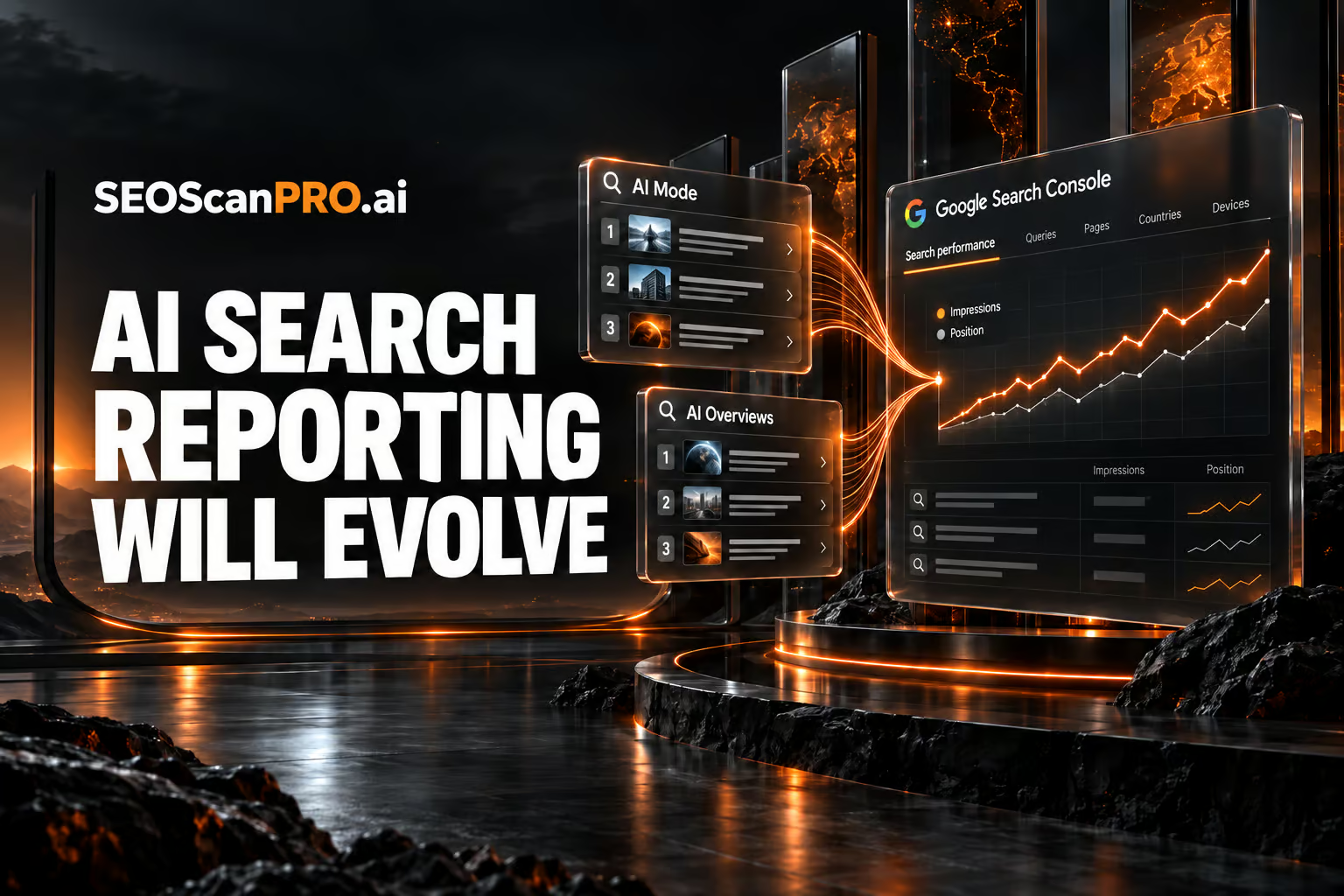
    Site owners get a clearer read on how their pages show up across Google’s newer search experiences, because Google has confirmed that Search Console AI reporting for AI Mode, AI Overviews, and standard Search will keep improving over time. Google made the statement in September 2026 while answering how positions are counted inside AI Mode. The company said it will refresh its documentation whenever the changes are significant, so the guidance stays useful as these features develop.

    What Google confirmed about AI reporting

    Google said it expects the position and impression tracking for AI Mode, AI Overviews, and Google Search to evolve over time as those search experiences evolve too. The point is that the measurement follows the product: as the way results appear changes, the way Search Console records impressions and positions changes with it.

    Google also acknowledged that there are edge cases when tracking these metrics across AI Mode, AI Overviews, and Search. Rather than promise a single fixed rule, the company framed the goal plainly: the aim is not a written-in-stone absolute truth for position counting, which it called impossible, but something useful for site owners who want to understand how their site is shown.

    Why the numbers can shift

    Because AI Mode and AI Overviews present results differently from a standard list of ten blue links, counting a position inside those layouts is not always straightforward. Google described the ongoing changes as a normal part of search moving forward, and noted that interpreting, understanding, and comparing these metrics will take some work on the site owner’s side as the reporting continues to develop.

    Google added that it will update the documentation when or if there are significant changes, so the official reference stays aligned with how the metrics actually behave.

    How positions are counted in AI Mode

    The question that prompted the response asked how rankings are calculated in AI Mode. Specifically, it asked whether individual link citations are counted in sequence as standard web positions, meaning first, second, and third link from top to bottom, or whether the entire AI Mode response is treated as a single block occupying position number one, similar to how AI Overviews can be handled. The question also noted that the current Search Console documentation did not offer a clear explanation for that layout, and that the official documentation had not changed in some time.

    Google’s answer did not lock in one counting method for every situation. Instead, it pointed to the reality of edge cases and the plan to keep the reporting practical for site owners as the layouts change.

    What site owners can do now

    Treat AI Mode and AI Overviews figures in Search Console as measurements that describe a moving target. Watch for updates to Google’s official documentation, since that is where the company said it will record significant changes. When you compare impression and position data across time, account for the possibility that the underlying layout or counting approach has shifted, and lean on the data to understand how your site appears rather than as a permanent, exact ranking figure.

    FAQ

    Will Google Search Console AI reporting change over time?

    Yes. Google said position and impression tracking for AI Mode, AI Overviews, and Google Search will evolve over time as those search experiences evolve, and it will update the documentation when changes are significant.

    How are positions counted in AI Mode?

    Google did not commit to one fixed method. The open question was whether link citations are counted in sequence from top to bottom or whether the whole AI Mode response is treated as a single block at position one. Google acknowledged edge cases and said the goal is useful reporting rather than an absolute rule.

    Where will Google announce changes to these metrics?

    Google said it will update its official Search Console documentation when or if there are significant changes, so that reference is where site owners should look for the current definitions.

    Related coverage


    This article summarizes reporting from seroundtable.com.

  • How to Add a Google Search Profile Badge to Your Website

    How to Add a Google Search Profile Badge to Your Website

    You can now add a Google Search profile badge to your website, giving visitors a one-click way to follow your content directly from your own pages. The badge is part of the new Search profiles features Google rolled out, and it extends your reach so people who land on your site can subscribe to your updates across Google Search. To use it, you first need to claim your Search profile.

    What is the Search profile badge?

    The badge is a button you place on your website that lets users and searchers follow you. Google’s help document frames it this way: "After you’ve claimed your Search profile, you can encourage your audience to find your content from across the web by adding a Search profile badge to your website." Once a visitor follows you through the badge, your content becomes easier for them to find again inside Google Search.

    How do you add the badge to your site?

    Adding the badge starts with claiming your Search profile. After the profile is claimed, Google provides official assets and a code snippet you paste into your website to display the button. From there, visitors can click the badge to follow you.

    What are the brand guidelines for the badge?

    Google lists a set of best practices to keep the badge accessible and recognizable:

    • Keep touch targets accessible. Maintain a clickable target of at least 48 by 48 dp on Android and 44 by 44 px on iOS and web.
    • Preserve logo integrity. When using Google’s official assets, do not stretch, distort, rotate, or alter the colors of the "Super G" icon or the Search profile button.
    • Do not mix monochrome and colorful badges. If you use monochrome for all icons, use the monochrome "G" icon to match.
    • Maintain badge clarity. If you want to show the Search profile badge and the Preferred Sources badge together, use the higher-emphasis Search profile button with the label so the two are distinct. Do not use the "Super G" icon for the Search profile when it is paired with the Preferred Sources badge.

    How does it relate to Preferred Sources and Tailor your feed?

    The Search profile badge sits alongside two related Google features: Preferred Sources and Tailor your feed. Preferred Sources has its own badge, which is why Google’s guidelines address how to display both without confusing readers. If you plan to use the Search profile badge and the Preferred Sources badge side by side, the label on the Search profile button keeps them clearly separated.

    Why the badge matters for publishers

    The badge turns your existing website traffic into followers. Every visitor who already reads your content gets a direct path to follow you, which helps your work resurface for them across Google Search. Because the button lives on your own pages, you control where it appears and how prominently you feature it.

    FAQ

    What do I need before adding a Search profile badge?

    You need to claim your Search profile first. Google’s help document states that after you have claimed your Search profile, you can add the badge to your website to encourage your audience to find your content across the web.

    What size should the badge’s clickable area be?

    Google recommends keeping the clickable target at least 48 by 48 dp on Android and 44 by 44 px on iOS and web to keep touch targets accessible.

    Can I show the Search profile badge and the Preferred Sources badge together?

    Yes. Google advises using the higher-emphasis Search profile button with its label so it stays distinct from the Preferred Sources badge, and it says not to use the "Super G" icon for the Search profile when pairing it with the Preferred Sources badge.

    Related coverage


    This article summarizes reporting from seroundtable.com.

  • How to Rank in ChatGPT Search: A Practical Guide

    How to Rank in ChatGPT Search: A Practical Guide

    You can win visibility inside ChatGPT by becoming the brand it recommends and describes favorably when people ask about your market. Ranking in ChatGPT works differently from ranking in Google: the interface is different, the tactics you prioritize are different, and the payoff comes less from holding a numbered spot than from how the assistant talks about you when you appear. This guide covers how ChatGPT builds its answers and eight things you can do to improve where and how your brand shows up.

    Why how ChatGPT describes you matters more than position

    In traditional search, the goal has been to rank as close to the top as possible. In ChatGPT, the bigger prize is being the brand the assistant recommends and describes in positive terms for the prompts your audience cares about. Two facts explain the shift.

    First, position does not reliably predict traffic. A high Google ranking still tends to drive clicks, even though features like AI Overviews have weakened that link. Appearing as the first link or recommendation in ChatGPT does not carry the same pull. One leaked document suggests most ChatGPT click-through rates land between 0% and 2%, while one study put the click-through rate for the top Google result at about 28%. Being cited or named in an answer does not lead to visits the way a strong Google ranking can.

    Second, context carries more weight than position. Google listings below any AI features usually appear as a title and description, giving users limited detail about a page. ChatGPT responses skip that format and instead add context, recommendations, pros and cons, and alternatives. Users often learn much more about where a link leads. If a brand listed second or third is described more favorably than yours, people may go straight to it. So the aim is to be described well, not simply to appear first.

    You can show up as a linked citation, a brand mention, or both. Ranking in ChatGPT means appearing in the answer in some form, whether or not it links to your site.

    How does ChatGPT form its answers?

    ChatGPT retrieves information relevant to a prompt from selected sources, passes it to its large language model, and generates a response. There are two main sources: live search and model training data.

    Live search

    For live search, ChatGPT uses several methods to find sources. It fetches pages from the open web, and it draws on its own index of webpages, built by a crawler called OAI-SearchBot that decides which pages to store. Because OpenAI partners with Microsoft, ChatGPT can also pull from the Bing index, whose main crawler is Bingbot, and it uses Google’s index as well. OpenAI has partnered with trusted news and data providers so the assistant can show current information such as game results. ChatGPT also visibly pulls from review sites and industry publications outside any formal partnership. Your visibility depends heavily on your presence across many sources, not only your own site.

    Training data

    Training data is information the model can reference without live search or alongside it. It comes from publicly accessible content, partnerships with specific publications, and synthetic data created by OpenAI. Training data only changes when the model is retrained, on the order of months to years. A brand well represented in that data is more likely to be recommended in answers that rely on training alone, and possibly in answers that also use live search.

    Eight tactics to rank in ChatGPT search

    These eight actions improve your odds of being included in both training data and live retrieval.

    1. Make sure ChatGPT can retrieve your content

    Confirm you are not blocking AI crawlers so your pages stay eligible for retrieval. Visit yourdomain.com/robots.txt and check for lines that disallow these bots: OAI-SearchBot (live retrieval), OAI-AdsBot (ad safety checks, not needed for organic visibility), GPTBot (model training), and ChatGPT-User (user-triggered crawling). Also check that your host’s firewall allows these bots. In Cloudflare, open your domain, go to Security then Settings, find Block AI Bots, click edit, and select "Do not block (allow crawlers)" so AI crawlers can reach your pages.

    2. Get your content indexed in search engines

    Because ChatGPT sources content from Google and Bing, confirm your pages are indexed in both. In Google Search Console, open Indexing then Pages and review the "Why pages aren’t indexed" section. In Bing Webmaster Tools, open Site Explorer, choose an issue type from the drop-down, and review the URLs to spot important pages missing from Bing.

    3. Structure content to be extractable

    Clear structure helps ChatGPT match your content, business, and products to relevant prompts, and it helps human readers too. Use definitive phrasing, since words like "may," "might," and "potentially" leave the model unsure of your meaning. Write clearly and concisely, avoiding complex sentences and heavy metaphor. Use question headings that state a clear question and answer it immediately in the text below.

    4. Optimize for what your customers ask ChatGPT

    Optimizing for prompts works like optimizing for keywords: it helps the assistant understand what your content and business are relevant to. Use a prompt research tool to find the questions your audience enters, filter to ChatGPT, and review the responses. Check the Sources section to see which sites are already cited. If those sources are best-of lists on third-party sites, getting your brand onto those lists will often drive more visibility than trying to get your own page cited.

    5. Publish original content

    Give ChatGPT a reason to cite you instead of sources it already trusts. Original content does not require a large study, though it can. It could be a framework, process, or methodology that is yours; a clear point of view where most content restates the consensus; first-hand comparisons that go beyond generic top-ten posts; or a term you coined. Content that explains what your product does differently, who it is built for, and how it performs against named alternatives gives the assistant material to recommend you. Honest comparison pages help here: Mailchimp has a page comparing its offering to Brevo, and ChatGPT cited that page when asked which platform to choose. Detailed use-case pages work the same way, as with Garmin’s page on the best tactical watches, which appears for prompts about top brands for military and tactical watches.

    6. Build brand consensus off your site

    Mentions across the web make you more likely to be recommended. Appear in third-party listicles, engage on forums like Reddit, and create content on YouTube. To build this consensus: run digital PR campaigns that get journalists talking about your brand, encourage positive reviews on third-party sites, earn links to your site, list your business in relevant directories, keep active social profiles, and use reputation management to counter negativity.

    7. Maintain a consistent narrative

    Describe your brand and offerings the same way everywhere they appear, across your site, social media, and directories. Consistency helps ChatGPT build one clear picture of who you are rather than several conflicting ones.

    8. Keep your content up to date

    Make regular, meaningful updates so your content stays fresh, relevant, and accurate. Current content is easier for ChatGPT to trust and reuse in its answers.

    FAQ

    What does ranking in ChatGPT actually mean?

    It means appearing in a ChatGPT answer in some form, either as a linked citation to your site, a brand mention, or both. The goal is to be the brand ChatGPT recommends and describes favorably for prompts your audience uses, not simply to hold a numbered position.

    How does ChatGPT decide what to include in an answer?

    It retrieves relevant information from selected sources, passes it to its large language model, and generates a response. It draws on live search, including its own index built by OAI-SearchBot plus the Bing and Google indexes, and on model training data, which only changes when the model is retrained every few months to years.

    How do I check whether ChatGPT can access my site?

    Visit yourdomain.com/robots.txt and confirm you are not disallowing OAI-SearchBot, GPTBot, or ChatGPT-User. Then check your host’s firewall, such as Cloudflare’s Block AI Bots setting, and confirm your pages are indexed in Google Search Console and Bing Webmaster Tools.

    Related coverage


    This article summarizes reporting from semrush.com.

  • Google TimesFM-3 Forecasts Sales From Weather, Discounts, and Related Products

    Google TimesFM-3 Forecasts Sales From Weather, Discounts, and Related Products

    Teams in retail, finance, manufacturing, healthcare, and the sciences can now forecast demand using the full context around their numbers, including weather, discount schedules, and the sales of related products. Google TimesFM-3, released by Google Research on September 12, 2026, reads historical data alongside known upcoming events to sharpen each prediction. It ranks first among pretrained forecasting models on three public benchmarks in both point accuracy and uncertainty calibration.

    What can Google TimesFM-3 forecast?

    Real-world forecasts rarely depend on a single number. Google illustrates the model with a retail chain predicting ice cream sales. A useful forecast factors in related products such as waffle cones and syrup, along with past foot traffic, weather, discount campaigns, and holidays. TimesFM-3 handles three types of supplementary data at once. It predicts multiple related variables together, such as different ice cream flavors. It incorporates factors known only for the past, such as historical foot traffic. It also uses known future events, such as planned discounts and weather forecasts.

    Rather than a single point estimate, the model outputs nine values per time step so a forecast carries a range and a measure of its own uncertainty.

    How does the model read your data?

    TimesFM-3 is built on a Transformer, the same base architecture as earlier versions in the family. It groups 32 consecutive data points into a single patch and normalizes each series to a common scale, so measurements of very different magnitudes can be compared directly.

    The model processes data in two alternating directions. Along the time axis, it looks for patterns within a single series and draws only on past values, which prevents future information from leaking into the forecast. Across series, it compares all variables at a given point in time and learns how they relate, so it can pick up on how a discount on one product moves sales of another.

    The model has 330 million parameters and was trained on real and synthetic time series totaling more than one trillion data points, according to Google. Like its predecessors, it works zero-shot and needs no extra training for a new task.

    How one-shot forecasting sharpens predictions

    Earlier versions predicted the future one block at a time. Google says that approach was slow, compute-heavy, and allowed errors to compound as each prediction built on the last. TimesFM-3 marks all future time steps as blanks and fills them in a single pass.

    The ice cream example shows the gain. A model that knows only past sales continues the usual weekly pattern and stays blind to planned promotions. When TimesFM-3 receives the discount schedule, it learns from history how much promotions lift demand and expects roughly 20 percent more units on each promotion day.

    How does TimesFM-3 perform on benchmarks?

    On Gift-Eval, FEV-Bench, and Time, TimesFM-3 ranks first among all pretrained forecasting models in both point accuracy and uncertainty calibration, according to Google. The field it is measured against includes Amazon’s Chronos-2, the Toto-2.0 family, and Google’s own TimesFM-2.5. Even when limited to a single variable, TimesFM-3 matches or beats the field, and adding more data widens the gap. On Gift-Eval it leads by a wide margin even in single-variable mode. Chronos-2 comes close to that single-variable mode on FEV-Bench but falls well behind the full multivariate version. On the Time benchmark the Toto-2.0 family follows in second place.

    Where can you use TimesFM-3?

    TimesFM-3 is available on GitHub and Hugging Face, and Google plans to add it to BigQuery in the coming weeks. TimesFM-2.5 currently handles single-variable forecasting in BigQuery through the AI.FORECAST command. Since the family launched in 2024, Google says it has been deployed across retail, finance, manufacturing, healthcare, and the sciences. Every version through TimesFM-2.5, released in September 2025, could process only one data series at a time, which makes multivariate support the main advance in TimesFM-3.

    Google is also building forecasting models beyond time series. In early August, Google DeepMind released WeatherNext Cyclones, an open-source system for tropical cyclones that predicts storm tracks and intensity about a day further out than leading operational models.

    FAQ

    What is Google TimesFM-3?

    TimesFM-3 is a time series forecasting model from Google Research that predicts future values, such as daily sales, from past data. It draws on related products, factors known only for the past like historical foot traffic, and known future events like planned discounts and weather forecasts. It has 330 million parameters, was trained on more than one trillion data points, and works zero-shot.

    How is TimesFM-3 different from earlier versions?

    Every version through TimesFM-2.5 could process only one data series at a time. TimesFM-3 adds multivariate support, so it can forecast several related variables together and use supplementary past and future data. It also replaces block-by-block prediction with a one-shot method that marks future steps as blanks and fills them in a single pass, which Google says reduces the compounding errors of the older approach.

    Where can I access TimesFM-3?

    TimesFM-3 is available on GitHub and Hugging Face, and Google plans to add it to BigQuery in the coming weeks. In BigQuery, TimesFM-2.5 currently handles single-variable forecasting through the AI.FORECAST command.

    Related coverage


    This article summarizes reporting from the-decoder.com.

  • How AI Answers Are Reshaping Manufacturing SEO Visibility

    How AI Answers Are Reshaping Manufacturing SEO Visibility

    Manufacturing brands have a new way to get found: AI answers now recommend products and companies directly inside search results, opening fresh visibility for anyone doing manufacturing SEO. A study built on three Semrush datasets tracked AI Overviews, traffic channels, and AI mentions and citations across the sector between January and July, and it found AI Overviews growing fast while AI-referred traffic stays small. Legacy manufacturers lead in mentions, but the sites earning citations are a different group entirely.

    How much are AI Overviews growing in manufacturing search?

    Across a set of 458 manufacturing and industrial keywords, AI Overviews grew from 38% of all search volume in January to 57% in July, a jump of 19 points. They are becoming a standard part of the results page in this sector. They no longer appear only on informational queries like "what is a transformer." They also showed up on specific product searches such as "pneumatic cylinder" and part-number queries like "csla2gf," and on brand searches including National Instruments.

    Where does manufacturing web traffic actually come from?

    Clickstream data shows the channels sending people to these domains. Direct and organic search together account for nearly 80% of all sessions to manufacturing sites. AI Mode and AI assistants combine for just under half a percent, at 0.48% of all sessions. AI-referred traffic to this industry is still in its early stages.

    The mix is shifting even so. Direct traffic share is growing while organic search share is declining, a pattern consistent with the rise of zero-click search. Demand for industrial services can hold steady while the path people take to reach those websites changes.

    Visibility inside AI answers can still pay off. A survey of more than 600 B2B professionals found that buyers already use AI to shortlist vendors and inform purchases worth over $1,000. Those buyers often follow up on an AI conversation with a Google search or a direct visit to a brand named in the answer. That delayed visit is hard to measure with standard analytics, a gap some marketers call the dark funnel. Rising direct traffic or branded search can signal improving AI visibility even when the AI referral never shows up in reports.

    Why are brand mentions and cited sources two different rankings?

    A mention is a brand name appearing in the text of an AI answer. A citation is a link the AI points to as a source. Using the Semrush AI Visibility database, the study benchmarked both, and the two lists barely overlap. Of the top 15 domains on each list, only two, Vevor and Grainger, appear on both.

    The top-mentioned brands are 3M, John Deere, and Boeing, names buyers already trust before they type a prompt. Most of these companies existed roughly a century before OpenAI or Gemini, and their wide product lines make them relevant across many prompts. The most-cited domains are a mixed group: reference site engineerfix.com, retailer vevor.com, manufacturers thermofisher.com, sigmaaldrich.com and carrier.com, marketplace made-in-china.com, distributors rs-online.com and grainger.com, directories thebluebook.com, thomasnet.com and globalspec.com, construction software procore.com, the Royal Society of Chemistry at rsc.org, review site protoolreviews.com, and energysage.com.

    Do the most authoritative sites get the mentions or the citations?

    Authority Score, Semrush’s measure of domain trust based on organic traffic, backlinks, and spam signals, was far more consistent across the top-mentioned brands than the top-cited sources. The top-cited list runs wide: engineerfix.com scored only 17, while made-in-china.com scored 77, higher than any of the top-mentioned brands. That points to a useful conclusion for marketers: website authority appears to correlate more with earning AI mentions than with earning citations, so the same work that builds authority can build mention volume.

    Why does one site get cited by ChatGPT but not Google?

    Citation behavior differs sharply by platform. engineerfix.com dominates citations on ChatGPT yet does not crack the top-cited sources on any Google AI surface, including Gemini, AI Mode, and AI Overviews. The site ranks for only about 3,700 keywords on Google with little estimated traffic, yet pulls close to 300,000 monthly organic visits overall. Its Traffic Journey shows DuckDuckGo, Bing, and Yahoo driving more than 68% of that traffic, with Google under 2%. A strategy that wins citations on ChatGPT will not necessarily win them on Google’s AI surfaces at the same rate, so tracking AI visibility means looking beyond Google to every engine AI draws from.

    Do more mentions mean more AI traffic?

    Mentions and citations do not translate cleanly into visits. Vevor.com and grainger.com show AI traffic that matches or beats their mention counts, and siemens.com’s AI traffic exceeds its mention count outright. engineerfix.com leads on ChatGPT citations but earns only a fraction of the AI traffic that domains lower on the list receive. Made-in-china.com and rsc.org draw some of the highest AI traffic among the top-cited sources.

    Content type helps explain the gap. engineerfix.com offers general guides and FAQ-style articles with little to act on beyond reading, so there is weak incentive to click a citation. Made-in-china.com is a marketplace where a citation can lead straight to a product and a purchase. Grainger, a major distributor, gives buyers a place to order, with one top AI-traffic page being a product listing for a Motorola two-way radio. At rsc.org, the pages cited most sit in an /element/ subfolder covering periodic-table elements, while the pages earning the most clicks are peer-reviewed papers in a /content/ subfolder on topics like PFAS chemistry, composite materials, and biodegradable coatings. Dense original research offers something an AI answer cannot fully reproduce, which gives readers a reason to follow the link.

    FAQ

    How often do AI Overviews appear in manufacturing searches?

    Across 458 tracked manufacturing and industrial keywords, AI Overviews appeared on 57% of search volume in July, up 19 points from 38% in January.

    How much website traffic in manufacturing comes from AI search?

    AI search tools and assistants account for 0.48% of all sessions to manufacturing sites, with direct and organic search together making up nearly 80%.

    Does being mentioned more in AI answers bring more traffic?

    No. The data shows mention and citation counts do not correlate cleanly with AI-driven visits; content type and buyer intent influence whether people follow a link.

    Related coverage


    This article summarizes reporting from semrush.com.

  • Google Chrome Adds New Metrics to Measure Ad-Heavy Websites

    Google Chrome Adds New Metrics to Measure Ad-Heavy Websites

    Site owners and developers now have new measurement data in Google Chrome that shows how advertising affects the browsing experience on ad-heavy websites. The browser introduced these metrics so teams can quantify the load that ads place on a page and connect that load to how the page performs for real visitors. For anyone who runs an ad-supported site, the change turns a vague concern about clutter into something concrete you can track.

    What did Google Chrome introduce?

    Chrome added new metrics focused on measuring pages that carry heavy advertising. The purpose is to give the people who build and maintain websites a clearer view of how ad content contributes to the overall experience, rather than leaving ad impact buried inside general performance numbers. With dedicated measurement, a team can look at ad load as its own signal and see how it moves alongside the rest of a page.

    Why does measuring ad load matter?

    Advertising pays for a large share of the open web, and the amount of ad content on a page has a direct relationship to how fast and stable that page feels. Heavier ad delivery can compete for the same resources that render the content a visitor came to read. By exposing measurement built specifically for ad-heavy pages, Chrome gives publishers a way to weigh the revenue value of their ad placements against the experience those placements create.

    Who benefits from the new metrics?

    The clearest audience is publishers and developers who depend on display advertising and want to keep both revenue and page experience healthy. With measurement aimed at ad-heavy pages, these teams can identify which templates or placements carry the most weight and decide where adjustments are worth making. The data supports a practical trade-off: keep the advertising that funds the site while protecting the speed and stability that keep readers coming back.

    How does this fit with page experience work?

    Google has spent years pushing site owners toward measurable page experience, and metrics built around ad load extend that same idea to the part of a page that is often the hardest to see clearly. Instead of guessing whether ads are the reason a page feels slow, a team can point to a number. That makes conversations between ad operations, editorial, and engineering easier, because everyone is looking at the same evidence.

    What should site owners do next?

    Start by reviewing your most ad-heavy templates against the measurement Chrome now provides, and treat the numbers as a baseline you can improve over time. Compare heavy pages with lighter ones to see how much of the difference traces back to advertising. From there, you can test placement and delivery changes and watch whether the metric moves, keeping the ad inventory that matters while trimming the load that hurts the reader. A regular technical review of how ads affect your pages keeps this work from slipping, and it is the kind of ongoing check a site audit is built to handle.

    FAQ

    What are Google Chrome’s new metrics for ad-heavy websites?

    They are new measurements in Chrome that let site owners and developers see how advertising contributes to a page’s experience, giving ad load its own signal instead of leaving it inside general performance numbers.

    Who should pay attention to these metrics?

    Publishers and developers who run ad-supported sites benefit most, because the data helps them balance the revenue from ad placements against the speed and stability those placements affect.

    Why did Google add measurement for ad-heavy pages?

    The amount of advertising on a page influences how it performs, so dedicated measurement gives teams a concrete way to track ad impact and make informed decisions about their placements.

    Related coverage


    This article summarizes reporting from searchengineland.com.
  • Claude for SEO: 5 Ways to Automate Repetitive Work

    Claude for SEO: 5 Ways to Automate Repetitive Work

    Using Claude for SEO gives you back the hours normally spent on repetitive, rules-based tasks, so more of your week goes to strategy, analysis, and the work that actually moves rankings. Claude, the AI assistant built by Anthropic, can take on the copy-paste, format-and-repeat chores that fill an SEO workflow. The result is faster turnaround on routine work and more room for judgment calls a machine cannot make.

    Why automate repetitive SEO work?

    Search work is full of tasks that repeat with small variations: the same formatting applied across many pages, the same structure filled with different inputs, the same checks run again and again. These jobs are necessary, but they rarely need a strategist’s full attention. Handing them to an AI assistant keeps output consistent and speeds up the parts of the job that scale by volume rather than by insight.

    Claude fits this pattern because it follows detailed instructions, works with large blocks of text, and produces structured output you can review before it ships. That makes it a practical helper for the routine layer of an SEO program, where the value is in doing the same thing well many times over.

    How does Claude help with repetitive SEO tasks?

    The strongest use cases are the ones where a clear instruction produces a predictable result. When you can describe exactly what good output looks like, Claude can repeat that pattern across a batch of inputs while you keep control of the final review. Five broad areas where teams put an assistant like Claude to work include:

    • Drafting repeatable content elements at scale, where each item follows the same template but takes different inputs.
    • Reformatting and restructuring text so large sets of content match a consistent style and structure.
    • Summarizing and organizing information pulled from long documents into a form that is quicker to act on.
    • Generating first drafts that a person then edits, rather than starting from a blank page each time.
    • Running consistency checks against a set of rules you define, so routine review is faster and less error-prone.

    In each case the assistant handles the repetitive pass and you keep the final decision. That division of labor is what makes the time savings real: the machine covers volume, and a person confirms quality before anything goes live.

    How to get reliable output from Claude

    Clear instructions produce better results than vague ones. Describe the task, the format you want back, and an example of a good answer, and the output becomes more consistent across a batch. Reviewing before publishing stays essential, since an assistant works from the instructions and inputs you give it, not from independent knowledge of your site or your goals.

    Treat automation as a way to remove the routine layer, not to replace the strategy behind it. The tasks that suit Claude are the ones with a clear right answer and a repeatable shape. The judgment calls, the priorities, and the final sign-off stay with you.

    FAQ

    What is Claude used for in SEO?

    Claude, the AI assistant made by Anthropic, is used to automate repetitive, rules-based SEO tasks such as drafting repeatable content, reformatting text, and running consistency checks, so more time goes to strategy.

    Can Claude replace an SEO strategist?

    No. Claude handles the repetitive layer of the work while a person keeps control of priorities, judgment calls, and the final review before anything is published.

    How do you get consistent results from Claude?

    Give clear instructions that describe the task, the format you want back, and an example of good output, then review the results before publishing.


    This article summarizes reporting from searchengineland.com.

  • Google Now Auto-Expands AI Overviews for Some Searches

    Google Now Auto-Expands AI Overviews for Some Searches

    Knowing how Google now lays out its results pages helps you plan where your links land and how people reach them. For some searches, Google automatically expands its AI Overview at the top of the page, showing a full AI-generated answer followed by an "Ask anything" box and then the standard list of links. When this expansion happens, the usual list of blue links sits much farther down the page and can require a lot of scrolling to reach.

    What changed in Google’s AI Overviews?

    Previously, an AI Overview appeared as a partial response with a "Show more" button you could click to read the rest. With the automatic expansion, that step disappears for some queries. The page opens with the complete AI Overview already unfurled, an "Ask anything" box directly beneath it, and the organic link results below that.

    The effect on the layout is a longer path to the traditional results. The AI answer and the follow-up box occupy the top of the screen, so the ranked links begin lower than they would when only a snippet of the Overview is shown.

    Which queries trigger the automatic expansion?

    Google has not published clear criteria for when the auto-expanding AI Overview appears. The behavior has been inconsistent in testing: the same query can produce a fully expanded Overview in one search and only the initial response with a "Show more" button in another, and results vary across browsers.

    One query that has triggered the expanded Overview more reliably than others is "what is the best game on switch 2," though even that has not been consistent from search to search.

    What does Google say about the change?

    Google describes the expansion as a dynamic experience tied to the topic. According to a Google statement, "For some queries, AI Overviews may dynamically expand for topics where our systems determine it’s most useful for people," and the company says its research shows that with this dynamic experience users find Search more helpful and engage deeper in follow-up exploration.

    Google also says it accounts for readers who are already moving down the page: "If users have already begun scrolling to view content below the AI Overview, we cancel expansion so that the user doesn’t lose their reading position." In other words, the expansion is meant to hold off once someone has started reading past the Overview.

    What this means for your search visibility

    The layout shift matters for anyone who depends on organic clicks. When the AI Overview expands automatically, the ranked links start lower on the page, so the visibility gained from a strong position can depend on how far a reader scrolls past the AI answer and the "Ask anything" box. Because the expansion is applied selectively and inconsistently, the top-of-page experience for a given query can differ from one visit to the next. Watching how your priority queries render, both with and without the expanded Overview, gives you a clearer read on where your results actually appear.

    FAQ

    What is an auto-expanding AI Overview on Google?

    It is an AI Overview that opens fully at the top of the results page for some queries, instead of showing a partial response with a "Show more" button. The page displays the complete AI answer, then an "Ask anything" box, then the list of links.

    Does the AI Overview always expand automatically?

    No. Google applies the expansion to some queries and the behavior is inconsistent, appearing in one search and not another and varying across browsers. Google says it cancels the expansion if a user has already started scrolling below the Overview.

    How does the expansion affect where links appear?

    When the AI Overview expands automatically, the standard list of links moves much farther down the page, sitting below the full AI answer and the "Ask anything" box, which can require more scrolling to reach.


    This article summarizes reporting from theverge.com.

  • SEO and PPC Are Sitting on Each Other’s Best Insights

    SEO and PPC Are Sitting on Each Other’s Best Insights

    Search teams get more from the same budget when SEO and PPC share what each already knows. Paid search reports show which queries convert and where costs are climbing, while organic data shows where a site already earns visibility for free. When those two streams inform each other, paid spend concentrates on gaps organic has not reached, and strong rankings reduce the need to keep paying for established terms.

    Running both channels is not the same as running a search strategy. It is two channel strategies, and the space between them is where budget gets wasted and opportunities slip past. In many businesses the SEO team and the PPC team work separately, each hitting its own targets and reporting on its own metrics, with no one looking across both at once.

    Where the separation comes from

    SEO and PPC are genuinely different jobs. The skills, the tools, and the way success is measured all differ, so they often sit in separate teams, sometimes with separate budget holders or even separate agencies. That works up to a point. It becomes a problem when the split turns into the default and no one reviews both channels together.

    Measurement reinforces the divide. An SEO team is judged on rankings and organic traffic. A PPC team is judged on cost per click, conversion rate, and return on ad spend. Neither is set up to track what the other does. Sometimes teams simply do not know enough about the other channel to ask the right questions, and sometimes there is reluctance to share data in case it shifts budget away from a channel. Both reactions are understandable, and both cost the business.

    What sharing data saves

    The clearest saving is cutting spend on clicks for terms a site already ranks well for. If a page holds position one, there is a strong case for not bidding on that keyword at all. When the PPC team has no view of organic rankings, that spend keeps running.

    A subtler gain comes from reading shifts in paid performance. When costs per click rise on certain terms and returns fall, those terms become stronger candidates for organic investment, either through new content or by improving pages that are already close to ranking. Paid data on which keywords convert should feed organic content priorities directly. Organic data on which terms already rank strongly should guide where paid budget gets focused and where it gets pulled back. Without that flow, both channels decide from an incomplete picture.

    There is also a brand consistency gain that rarely gets discussed. When the two channels operate apart, they can send different messages to the same audience: an organic result leading to an informational page while a paid ad for the same query drives to a promotional landing page. That inconsistency reduces trust and lowers the chance of a conversion whichever channel brought the visitor in. Shared decisions keep the experience coherent and make better use of the marketing budget.

    What good collaboration looks like in practice

    None of this needs a major restructure. Three practical changes make the biggest difference.

    Start with shared keyword research

    Keyword research works best as a joint task, with both teams working from the same list from the start. SEO takes the long view of what people search for over time and what informational content is needed. PPC adds commercial validation: what is converting now and what current demand looks like. Working from the same data, the teams make decisions together instead of pulling in different directions.

    Avoid duplicate landing pages

    Duplicate landing pages are a common and avoidable problem, and they usually trace back to one team not knowing what the other has built. The PPC team requests a page for a campaign, and no one checks whether SEO already targets the same intent. The result is two pages chasing the same goal, splitting authority and confusing Google about which one to rank. Weeks later the SEO team may spot the new page in Google Search Console and spend time working out whether it is cannibalizing an existing page, whether a canonical tag is needed, or whether a noindex tag would keep it out of organic search. A short check before any new campaign page gets built prevents that work. More often than not, improving a page that already exists serves both channels better than starting from scratch.

    Hold joint planning calls

    Putting both teams on the same monthly call is simple and effective. Everyone hears the same objectives, commercial priorities, and campaign updates at once. If PPC is planning a new landing page or shifting keyword priorities, SEO knows in advance, which lets teams prevent problems rather than fix them. It also presents the account as one strategy rather than two separate efforts, which builds client confidence.

    Which data each team can share

    PPC search term reports show which queries drive paid conversions, which are expensive without converting, and where costs per click are trending. That feeds organic keyword prioritization, content planning, and identifying gaps where SEO is not yet competing.

    Organic ranking data points the other way. A page in position one is a signal to reduce or pause ad spend on that keyword and move budget elsewhere. Pages ranking between positions four and 10 can benefit from a targeted paid push that lifts total visibility while organic continues to improve.

    SEO content research also supplies negative keywords for paid campaigns. When the SEO team knows which informational queries bring organic traffic that does not convert, that list can feed straight into PPC negative keyword exclusions, so the business stops paying for clicks that consistently fail to convert. Finally, both teams benefit from reporting on the same outcomes. Revenue, leads, and conversions matter more than channel-specific metrics, and shared commercial results make budget allocation straightforward.

    The fix is a communication one

    The gap between SEO and PPC is not technical. It is a communication issue, which makes it one of the easiest to fix once someone decides to. The two functions do not need to become a single team. They need to share the data that helps each make better decisions, so paid insights shape organic priorities and organic data shapes paid spend.

    FAQ

    Should you bid on keywords you already rank for organically?

    If a page holds position one, there is a reasonable case for not bidding on that keyword and moving the budget elsewhere. When PPC has no view of organic rankings, that spend continues unnoticed. Pages ranking between positions four and 10 can be worth a targeted paid push to increase total visibility while organic improves.

    How do SEO and PPC teams avoid duplicate landing pages?

    Check what already exists before building a new page for a paid campaign. Duplicate pages targeting the same intent split authority and confuse Google about which one to rank. A short conversation between the teams, or improving an existing page instead of creating a new one, prevents the cleanup work of canonical or noindex tags later.

    What data should SEO and PPC teams share?

    PPC search term reports show converting queries, expensive non-converting queries, and cost per click trends, which guide organic content planning. Organic ranking data shows where a site is already visible so paid budget can be pulled back. SEO also supplies non-converting informational queries as negative keywords for paid campaigns, and both teams should report on revenue, leads, and conversions.


    This article summarizes reporting from searchengineland.com.

  • Evolving SEO for 2027: What Still Needs to Change

    Evolving SEO for 2027: What Still Needs to Change

    SEO gains more reach and resilience when it adapts to how search actually works today, especially as Google leans further into entity understanding, AI Overviews, and generative answers. The work that still needs to change in 2027 spans how content is structured, how success is measured, and how publishers relate to the platforms that surface their work.

    Why SEO still has to evolve for 2027

    Search has moved past ten blue links into a landscape shaped by Google AI Overviews, conversational follow-ups, and AI assistants that synthesize answers from many sources at once. Content marketing success, by one recent survey, has fallen to a 12-year low, a signal that the old production playbook is producing diminishing returns. The opportunity now sits in aligning content with how Google actually understands entities and queries, and in proving visibility inside AI-driven results, not just traditional rankings.

    Entity-first content: aligning pages with Google’s Knowledge Graph

    Google has spent years building out the Knowledge Graph, and entity-first SEO treats that layer as the foundation rather than an afterthought. In practice, this means structuring pages so the people, products, organizations, and concepts on them are unambiguous and connected to authoritative sources the Knowledge Graph already recognizes. When the underlying entities are clear, Google can match content to more queries, including the conversational follow-ups that drive AI Mode and AI Overviews.

    Two research threads make the case for this shift. A survey of 131 SEO professionals ranked Google’s top ranking factors, and entity clarity keeps climbing. Two separate GEO experiments also challenged conventional AI visibility advice, suggesting that the levers marketers have long trusted, such as keyword density and backlink volume, matter less than how well a source establishes itself as a trusted entity that AI systems want to cite.

    The follow-up query: rethinking SEO for conversational search

    AI Mode turns search into a conversation. A single query becomes a thread of follow-ups, each one narrowing or pivoting on the last. Optimizing only for the first query leaves most of the session on the table. Pages that win in conversational search tend to cover an entity deeply enough to answer the second, third, and fourth question without forcing the user to leave the AI interface.

    This is where what happens before search matters as much as the search itself. The research on pre-search behavior shows that the decision often forms before a query is typed, shaped by prior reading, social context, and earlier AI conversations. SEO that ignores this upstream moment cedes influence to whatever already shaped the user’s frame of reference.

    Measuring success in an AI-first SERP

    Rank tracking and click-through rates tell less of the story when AI Overviews absorb the answer above the organic results. Two tools are gaining ground:

    • AI visibility tracking. Whether and how often a brand is cited inside AI Overviews, AI Mode, and Gemini responses. Recent tests in which Google has begun paying publishers for content used in AI Mode, AI Overviews, and Gemini hint at how seriously the platform is treating attribution and sourcing.
    • Entity coverage. How thoroughly a site covers the entities in its topic space, measured against the connections in the Knowledge Graph rather than a keyword list.

    Google Analytics has also moved in this direction with customizable dashboards, giving teams room to define what visibility means for their own brand instead of relying on off-the-shelf templates built for a pre-AI SERP.

    What content still needs to fix

    Production volume is no longer a moat. The future of content is thinking, which means original analysis, proprietary data, and a clear point of view that AI systems can attribute and cite. A few practical shifts make a real difference:

    • Images have a new job in AI search. Visual content is parsed and re-described by AI systems, so alt text, surrounding context, and entity markup now feed the answer engines directly.
    • AI watermarking is a content signal. If visible AI watermarks on your work would alarm your audience, the underlying content strategy is the real problem, not the watermark.
    • Pre-search influence. Content that shapes the user’s thinking before they query earns more downstream visibility than content that only competes for the query itself.

    Where this leaves SEO practitioners

    The core SEO skill set, technical health, crawlability, and link authority, still matters, but it now sits underneath a layer of entity modeling, AI visibility measurement, and content strategy built around original thinking. Teams that treat SEO as a content production line will keep falling behind. Teams that treat it as a system for becoming the most authoritative, clearly defined source on a topic will find that AI-driven search amplifies rather than dilutes their reach.

    FAQ

    What does entity-first SEO actually mean?

    Entity-first SEO means structuring pages so the people, products, organizations, and concepts they cover are unambiguous and linked to authoritative sources Google already recognizes in its Knowledge Graph, which improves matching across queries including AI Overviews and conversational follow-ups.

    Why is conversational search changing SEO strategy?

    AI Mode turns a single query into a thread of follow-up questions. To win visibility across the whole session, pages need to cover an entity deeply enough to answer the second, third, and fourth question without forcing the user to leave the AI interface.

    How should SEO success be measured in 2027?

    Traditional rank and click tracking cover less of the picture in an AI-first SERP. The leading indicators are AI visibility (how often a brand is cited in AI Overviews, AI Mode, and Gemini) and entity coverage (how thoroughly a site covers its topic space relative to the Knowledge Graph).


    This article summarizes reporting from searchengineland.com.
  • 18 SEO KPIs for organic and AI search: how to pick the few that matter

    18 SEO KPIs for organic and AI search: how to pick the few that matter

    Choosing three or four well-chosen SEO KPIs gives a clearer read on progress than tracking a dozen numbers that don’t connect to your goal. With AI answers now sitting ahead of traditional search results, the set of metrics worth watching has grown beyond rankings and clicks to include AI visibility, mentions, and citations. This guide covers 18 SEO KPIs across organic and AI search, organized by what they measure, so you can pick the few that ladder up to your business goal.

    Why a small set of KPIs beats a long dashboard

    Search performance produces a flood of data points. Rankings, impressions, AI citations, mentions, and referral visits each capture something real, but tracking all of them at once splits your attention across numbers that don’t necessarily relate to your goal. Monitoring a select few hand-picked SEO KPIs keeps you focused on whether your effort is moving the outcome you care about.

    The right KPIs depend on what you’re trying to achieve. A brand chasing awareness watches different numbers than one chasing conversions, so the skill is deciding which KPIs actually matter for your goal.

    What are SEO KPIs?

    SEO KPIs are the most important metrics across organic search and AI-generated answers that you measure to evaluate whether you’re on track to meet your SEO and business goals. Common examples include search engine visibility, keyword rankings, AI citations, organic click-through rate, and conversions.

    Monitoring these KPIs helps you track performance, make data-driven decisions about where to invest next, and demonstrate return on investment to stakeholders. The specific KPIs you track depend on your website and your goals.

    Search visibility KPIs

    Search visibility KPIs measure your brand’s presence across organic and AI search.

    1. Search engine visibility

    Search engine visibility measures how prominently your website appears in search engine results for target keywords. It covers multiple SERP features, including People Also Ask and featured snippets, to give a broader view of presence across queries. Tracking it shows whether SEO efforts succeed beyond individual rankings.

    To track search engine visibility, open Google Search Console, click “Performance” in the left-hand menu, then “Search results.” Check the box next to “Total impressions” to see how many times your site appeared in search results over a specific period. GSC’s total impressions include queries beyond your target keyword list. For visibility on a specific target keyword set, use Semrush’s Position Tracking tool: enter your target keywords when you set up the project, click “Start Tracking,” and review the trend graph on the “Overview” tab.

    2. Keyword rankings

    Keyword rankings show where your site appears in organic search results for specific terms, which affects visibility and the potential to drive clicks. Tracking rankings helps find drops, spot high-performing pages, and discover new keyword opportunities.

    3. AI visibility

    AI visibility measures how often your brand appears in AI-generated answers across relevant topics compared to competitors. Semrush’s AI Visibility score reflects your AI visibility on a 0 to 100 scale. Visibility Overview shows the trend over time and the comparison against competitors across AI platforms. Semrush’s Enterprise AIO offers broader platform coverage and more granular monitoring for larger organizations.

    4. AI mentions

    AI mentions are brand name appearances in AI-generated answers. Visibility Overview tracks mentions over time, broken down by platform and country, and benchmarks performance against competitors.

    5. AI citations

    AI citations are instances when AI-generated answers cite your domain as a source, whether or not you’re mentioned. Visibility Overview shows your total number of citations and the total number of cited pages. Clicking the number under “Cited Pages” identifies which pages earn the most AI citations.

    Traffic KPIs

    Traffic KPIs show how often search visibility leads to clicks and visits.

    6. Organic click-through rate

    Organic click-through rate is the percentage of impressions in unpaid search results that result in clicks to your website. A higher CTR often signals relevant and compelling content. Calculate it as (organic clicks / SERP impressions) multiplied by 100. View it in GSC under “Search results” by checking “Average CTR.” The “Pages” tab breaks CTR down per page.

    7. Organic traffic

    Organic traffic refers to visits to your site from organic search results. Monitoring it shows which pages attract the most visits and whether the number is growing or shrinking. View it in Google Analytics 4 by clicking “Reports,” then “Acquisition,” then “Traffic acquisition.” The “Organic Search” row shows the session count for the selected period.

    GA4 includes traffic from Google AI Overviews and AI Mode in the Organic Search channel, so the sessions reported here include some AI search experiences. Semrush’s Organic Search dashboard in the Traffic Market Toolkit separates any domain’s traffic into Organic Search and Google AI Mode, so you can see how much comes from each.

    8. Non-branded organic traffic

    Non-branded organic traffic is search engine traffic from queries that don’t contain your brand name. An increase shows you’re growing awareness and getting visits from people who don’t know your brand yet. Semrush’s Organic Rankings tool shows estimated non-branded traffic at the top of the “Overview” tab.

    9. AI referral traffic

    AI referral traffic is website traffic from AI platforms such as ChatGPT, Perplexity, Gemini, and Claude. Semrush research found the average AI search visitor was 4.4 times as valuable as a traditional organic search visitor, based on conversion rate, which matters because AI-generated answers don’t generally drive much traffic to other websites. AI referral traffic appears in GA4’s Traffic acquisition report under the AI Assistant channel. Semrush’s AI Traffic dashboard in the Traffic Market Toolkit breaks AI referral traffic down by platform and benchmarks it against competitors over time. Larger organizations can use Benchmark Intelligence in Semrush Enterprise AIO for cross-platform comparison.

    Authority KPIs

    Authority KPIs measure when other websites validate your brand.

    10. Backlinks

    Backlinks are links on external webpages that point to your site, which signal that your content is valuable and trustworthy. Search engines treat links from authoritative, trustworthy sites as a stronger credibility signal, so one link from a reputable source can outweigh many from lower-quality ones. The same holds in AI search: Semrush’s backlinks study, which analyzed 1,000 domains, found that domains with stronger backlink authority are mentioned more often in AI-generated answers.

    11. Brand mentions

    Brand mentions are references to your brand across the web and can be linked or unlinked. Linked mentions can support SEO through backlinks, while unlinked mentions reveal context that helps search engines and AI systems understand what your brand is known for. Track mentions with the Brand Monitoring app by creating a new query for your brand name and selecting “Brand” from the drop-down. Under “Main Filters,” add your website under “Track backlinks” so linked mentions are flagged. The “Analytics” tab then shows total mentions and how many are also linked.

    User engagement metrics

    User engagement metrics show how visitors interact with your site.

    12. Bounce rate

    Bounce rate is the percentage of unengaged sessions, meaning the session lasted 10 seconds or fewer, didn’t involve a key event, or included fewer than two page or screen views. A high bounce rate may mean the page content is irrelevant or that the site has usability or technical issues. Google has never specified bounce rate as a direct ranking factor, but leaked documents and testimony at Google’s antitrust trial indicate that user experience metrics like bounce rate do affect rankings. Track bounce rate in GA4 by going to “Reports,” clicking “Engagement,” and selecting “Pages and screens.” Customize the report to add “Bounce rate” as a metric, then save the changes.

    13. Average engagement time

    Average engagement time measures the average amount of time users spend actively viewing your website or app. In GA4, it only counts the time when a webpage is in focus in the browser or when the app is open in the foreground. High engagement signals that content is useful and meets user expectations, which helps build trust with audiences and supports overall search performance. Find it in GA4’s “Engagement overview” report under “Average engagement time per active user.”

    Business impact KPIs

    Business impact KPIs show how search performance translates to tangible value.

    14. Conversions from organic and AI search

    A conversion occurs when visitors from organic or AI search complete a desired action, such as completing a purchase, signing up for a newsletter, or downloading a resource. Effectively, conversions from organic and AI search reveal how well your traffic from those sources contributes to business results. In GA4, conversions are tracked as key events that you specify. Mark the actions that matter most by going to “Admin,” “Data display,” “Events,” and selecting the star next to each event you want logged as a key event. The Traffic acquisition report then shows total key events and Session key event rate for the Organic Search and AI Assistant rows. Note that GA4’s AI Assistant channel group doesn’t include traffic from AI Overviews or AI Mode.

    15. Return on investment

    SEO ROI is the profit you gain from SEO compared to what you spend on it. A positive ROI is the ultimate goal of every SEO strategy. Calculate it as: SEO ROI = ((Revenue from SEO minus cost of SEO) / cost of SEO) multiplied by 100. For example, spending $9,000 on SEO and generating $16,000 in revenue gives an ROI of 77.8%.

    16. Customer lifetime value

    Customer lifetime value (CLV) estimates the total revenue generated by customers during their entire relationship with your business. Tracking CLV for SEO shows whether those customers purchase once or continue to create value over time. Calculate it as: CLV = (Average purchase value) multiplied by (average purchase frequency) multiplied by (average customer lifespan). An average customer who spends $100 per order, makes three orders per year, and stays for five years produces a CLV of $1,500.

    17. Cost per acquisition

    Cost per acquisition (CPA) from SEO measures how much it costs to acquire one new customer through organic and AI search. SEO costs that affect CPA include team salaries, agency fees, SEO tool costs, content creation, and link building. A dropping CPA indicates your SEO strategy is becoming more cost-effective; a rising CPA may signal problems. Calculate it as: SEO CPA = Total SEO costs / Total number of customers acquired through organic and AI search. Spending $4,000 on in-house SEO and $1,000 on an agency and gaining 100 new customers gives a CPA of $50.

    18. Local visibility

    Local visibility KPIs measure how customers find your business in location-based searches. These typically include Google Business Profile views, direction requests, phone calls, and local pack rankings, which surface for queries with geographic intent.

    How to pick the KPIs that matter for your goal

    Start with the business outcome you’re chasing, then work backward to the search signal that most directly predicts it. A brand chasing awareness pairs non-branded organic traffic with brand mentions. A brand chasing revenue pairs conversions from organic and AI search with SEO ROI or cost per acquisition. Keep the list short, revisit it when your goal shifts, and resist the pull to track everything just because the data is available.

    FAQ

    What are SEO KPIs?

    SEO KPIs are the most important metrics across organic search and AI-generated answers that you measure to evaluate whether you’re on track to meet your SEO and business goals. Common examples include search engine visibility, keyword rankings, AI citations, organic click-through rate, and conversions.

    How many SEO KPIs should you track?

    Tracking a small set of hand-picked SEO KPIs tied to one goal gives a clearer read on progress than tracking a dozen unrelated numbers. The right KPIs depend on what you’re trying to achieve, so awareness, traffic, and revenue goals each call for different selections.

    Which KPIs matter for AI search?

    For AI search, the most useful KPIs are AI visibility, AI mentions, AI citations, AI referral traffic, and conversions from the AI Assistant channel. Authority signals such as backlinks and brand mentions also influence how often AI-generated answers surface your domain.

    Related coverage


    This article summarizes reporting from semrush.com.

  • Google Business Profile Adds ‘Report Owner Response’ Option for Reviews

    Google Business Profile Adds ‘Report Owner Response’ Option for Reviews

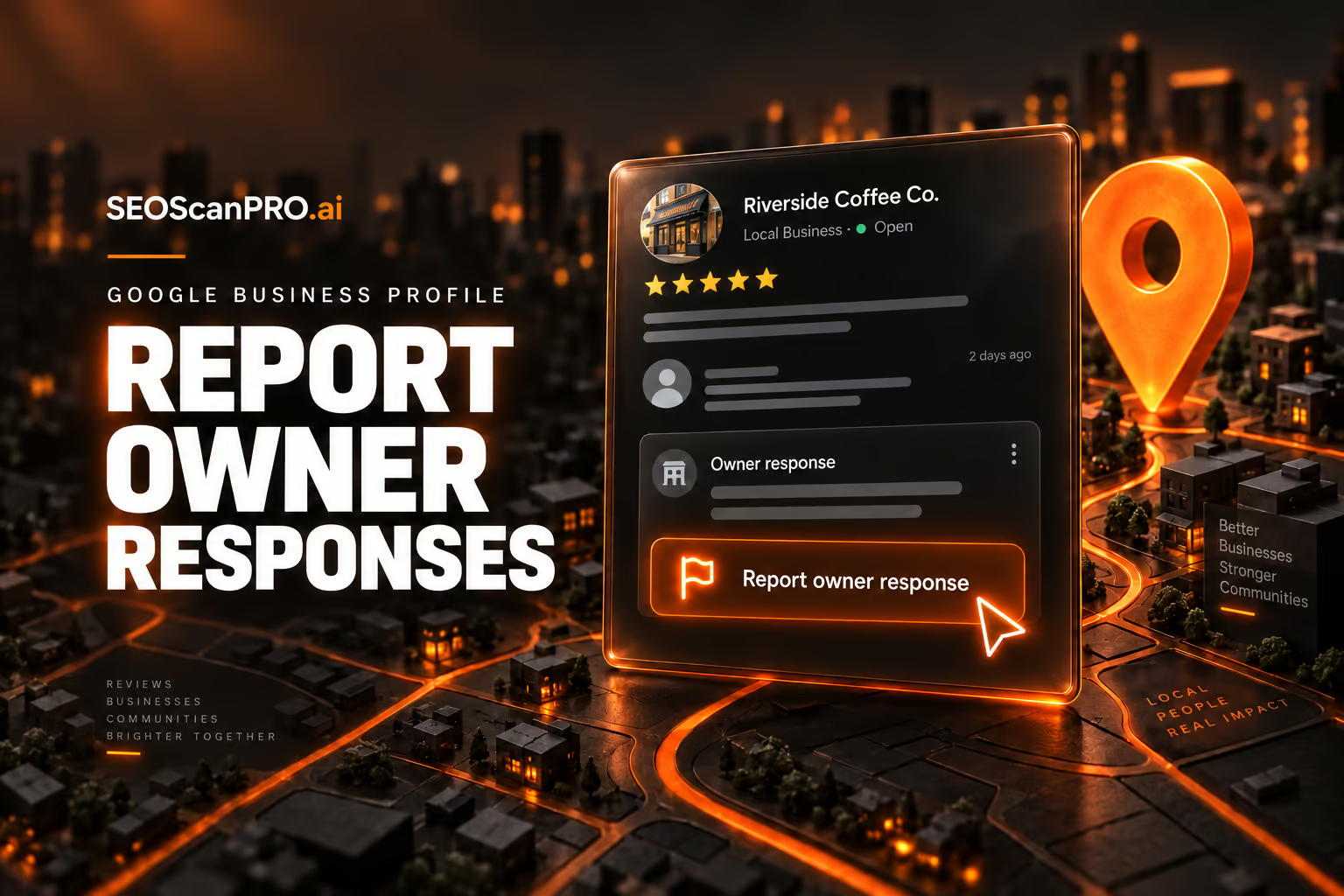
    Google has added a new reporting option inside Google Business Profiles that lets people flag business owner responses to reviews when those replies cross the line. Users can now report owner responses that are off-topic, contain profanity, amount to bullying or harassment, include discrimination or hate speech, or expose personal information, giving reviewers a direct way to push back on unprofessional replies they previously had no tool to address.

    What the new reporting option covers

    The new option, called “Report owner response,” is surfaced directly on Google Business Profile listings and in Google Local. It is designed specifically for responses that a business owner has posted beneath a customer review, not for the reviews themselves. Anyone viewing the listing can open the reporting flow when they believe an owner reply violates one of the listed categories.

    The five report categories

    • Off topic: The owner response does not pertain to an experience at or with this business.
    • Profanity: The owner response contains swear words, has sexually explicit language, or details graphic violence.
    • Bullying or harassment: The owner response personally attacks a specific individual.
    • Discrimination or hate speech: The owner response has harmful language about an individual or group based on identity.
    • Personal information: The owner response contains personal information, such as an address or phone number.

    Beyond those five categories, users can also flag legal issues connected to an owner response through the same flow, giving Google a second channel for more serious cases that go beyond content standards.

    Why this option matters for businesses and reviewers

    Until now, there was no clean way for a customer to tell Google that a business owner’s reply to their review was inappropriate. Reporting options on Google Business Profile covered the review content, but the response sitting beneath it sat in a gray area. The new option closes that gap and gives Google a structured signal when owner replies cross into profanity, harassment, or the disclosure of private details such as bank account information, addresses, or phone numbers.

    For businesses, the change raises the bar on what counts as an acceptable public reply. A response that disputes a factual claim is still fair game; a response that insults the reviewer, shares personal details, or veers off topic can now be reported and removed through the same system Google already uses for problematic reviews.

    Where to find the new option

    The “Report owner response” entry appears on the listing alongside existing review controls. After selecting it, users see a form listing the five content categories above, plus the option to surface a legal issue. Submitting the form sends the report to Google for review under the same pipeline that already handles review-level abuse reports.

    FAQ

    What is the Google Business Profile “Report owner response” option?

    It is a new reporting entry inside Google Business Profiles and Google Local that lets users flag a business owner’s reply to a review when it is off-topic, contains profanity, amounts to bullying or harassment, includes discrimination or hate speech, or exposes personal information. Users can also report legal issues through the same flow.

    What reasons can a user select when reporting an owner response?

    The form offers five content categories: off topic, profanity, bullying or harassment, discrimination or hate speech, and personal information. It also lets users flag legal issues connected to the response.

    Can business owners report reviews through this same option?

    No. The new option targets owner responses, meaning the replies that businesses post under customer reviews. Reviews themselves are handled through Google’s existing review reporting tools.

    Related coverage


    This article summarizes reporting from seroundtable.com.

  • Google Search Ranking Volatility Continues After August Spam Update

    Google Search Ranking Volatility Continues After August Spam Update

    Google Search results have stayed turbulent since the August 2026 spam update finished rolling out on August 21, and third-party tracking tools continue to register significant ranking movement more than a week later. The SEO community is documenting fresh volatility that looks like an unconfirmed ranking update rather than spam cleanup alone.

    What happened with the August 2026 spam update?

    The August 2026 spam update began on August 18 and concluded on August 21. It was the latest in a string of spam-related actions Google has taken, with the previous confirmed spam update being the June 2026 spam update that ran from June 14 through June 26. Before that, Google pushed out the May 2026 core update, which started on May 21 and completed on June 2.

    Why is volatility still happening after the spam update ended?

    Ranking volatility has not settled since the spam update wrapped. Independent tracking tools continue to show wide swings in the aggregate score, and SEOs are reporting major shuffling in niches that had been stable for months. The pattern looks consistent with Google pushing out an additional, unannounced ranking change on top of the spam cleanup. It is unclear whether the turbulence relates to a separate PDF-related issue in Google Search.

    This continues a busy stretch of unconfirmed updates. Since late July, observers noted volatility on July 24, around August 1 to 3, around August 5, on August 13, and during the 18th and 19th, with movement carrying through that week. The turbulence that began after August 21 sits at the tail of this run.

    What are the tracking tools showing?

    Multiple third-party SERP trackers picked up elevated volatility during the period, and the aggregate of those tools reflects ongoing turbulence rather than a return to baseline. The tools listed in the underlying tracking data include AccuRanker, Algoroo, AWR (Advanced Web Ranking), CognitiveSEO, DataForSEO, Mangools, Mozcast, SEMRush Sensor, Serpstat, SimilarWeb, Sistrix, Wincher, Wireboard, and Zutrix. The aggregate reading combines these individual signals into a single composite view of Google Search volatility.

    What are SEOs seeing in the search results?

    Chatter in the SEO community, both in the comments section of the original coverage and on WebmasterWorld, points to real-world ranking shifts that line up with what the tools show. Practitioners reported major shuffling in niches that had been stable for months, noting that Googlebot activity picked up overnight before the changes appeared.

    One commenter observed a 100% increase in AI Overview mentions alongside the turbulence. Others described the unpredictability as a business problem, saying it is hard to build on rankings that reshuffle every few weeks. Several publishers reported that indexing has been disrupted even for sites that follow Google’s policies and publish human-written content, while spam sites appear unaffected. Some reported traffic and Discover drops, along with Google sending visitors to 404 pages for around two weeks.

    How does this fit the broader update timeline?

    The August spam update is the most recent confirmed action. The list of recent confirmed and unconfirmed events includes:

    • June 2026 spam update: June 14 to June 26 (confirmed)
    • May 2026 core update: May 21 to June 2 (confirmed)
    • Unconfirmed volatility on the 18th and 19th of the prior month
    • Unconfirmed volatility around July 24
    • Unconfirmed volatility around August 1 to 3
    • Unconfirmed volatility around August 5
    • Unconfirmed volatility on August 13
    • August 2026 spam update: August 18 to August 21 (confirmed)
    • Post-spam turbulence from August 22 onward (unconfirmed)

    The pattern is a long stretch of confirmed and unconfirmed updates stacked closely together, leaving little calm window for sites to recover before the next shift.

    What should site owners watch for?

    Site owners can use the same third-party trackers Google monitors to spot whether their rankings are caught in this current turbulence. The aggregate score is the fastest way to see whether volatility is high across the board, and individual signals from tools like Sistrix, Mozcast, Semrush Sensor, and Algoroo help confirm whether the shift is broad or limited to specific niches.

    For sites that have seen indexing issues or sudden drops in Discover traffic during this window, the practical move is to compare changes against the timeline above. If rankings moved on or after August 21 in a niche that has been volatile for several weeks, the shift is more likely tied to the cluster of recent unconfirmed updates than to a single cause.

    FAQ

    What was the Google August 2026 spam update?

    The August 2026 spam update was a confirmed spam-related ranking change that began on August 18, 2026 and concluded on August 21, 2026.

    Is Google Search still volatile after the August 2026 spam update?

    Yes. Third-party tracking tools and SEOs continue to register significant ranking volatility in the days after the August 2026 spam update wrapped, suggesting an additional unconfirmed update is in progress.

    Which tools track Google Search ranking volatility?

    Common third-party trackers include AccuRanker, Algoroo, AWR, CognitiveSEO, DataForSEO, Mangools, Mozcast, SEMRush Sensor, Serpstat, SimilarWeb, Sistrix, Wincher, Wireboard, and Zutrix. Aggregating these tools gives a composite view of Google Search turbulence.

    Related coverage


    This article summarizes reporting from seroundtable.com.

  • Ox Alpha: A Free Million-Token AI Model From an Anonymous Provider

    Ox Alpha: A Free Million-Token AI Model From an Anonymous Provider

    Developers now have a free coding model with a context window of just over a million tokens: Ox Alpha, which appeared on OpenRouter last Thursday. The model is positioned for coding, long-horizon agent work, and production use, and its provider has offered it free for a week with near unlimited usage. One detail shapes how you should use it: OpenRouter’s listing states that prompts and completions are retained by the provider, which has not said who it is.

    What is Ox Alpha?

    Ox Alpha launched as a stealth release from an anonymous third-party provider. It is free to use, with a context window of just over one million tokens, which is enough to hold large codebases and long agent sessions in a single prompt. The open-source agent OpenCode said the model would be free for a week with near unlimited usage, and that its provider had capacity for 100 trillion tokens a day. A stealth launch is a normal way to benchmark a model against real workloads before an official announcement.

    Early reactions from developers have been positive, with the model described as very impressive and framed as ready for coding and production tasks. Serving 100 trillion tokens a day of inference points to a provider with significant infrastructure behind the release.

    Where does the model come from?

    The identity of the provider is the open question, and two theories have circulated. The leading one points to Z.ai, which previously tested its GLM-5 model anonymously under a different name. A competing analysis of the model’s tokenizer suggests Microsoft’s MAI family instead. Neither has been confirmed. Over the course of the weekend, confidence in every theory dropped, and observers described being less sure of the answer than they had been the night before.

    The release lands in a market that free, openly licensed models have already reshaped. Open-weight releases have narrowed the capability gap between models quickly, which is part of why a strong model can appear without a name attached and still be taken seriously.

    What OpenRouter says about your data

    OpenRouter’s own listing states that prompts and completions "are retained by the provider and are not used for training." That means whatever you send goes to a company that has not disclosed its identity, and that company keeps the data. For casual testing this is a footnote. For work involving anything sensitive, it is the deciding factor, because you cannot evaluate a data handler you cannot name.

    Why the anonymity matters for European businesses

    For companies operating under European data protection law, an anonymous counterparty is a practical blocker. The law requires a contract with a named processor and an assessment of where data travels, and neither is possible when the other side is unidentified.

    The timing adds pressure. The AI Act’s transparency obligations took effect on 2 August, with penalties reaching €15mn or 3% of global turnover. That regime is built on knowing which provider is responsible for what, so a model with no named provider sits awkwardly against it. None of this makes Ox Alpha a poor model. It means the free access comes with a cost measured in information, and until the provider identifies itself, the safe approach is to test Ox Alpha with nothing that matters.

    FAQ

    What is Ox Alpha?

    Ox Alpha is a free AI model released anonymously on OpenRouter last Thursday, with a context window of just over one million tokens. It is positioned for coding, long-horizon agent work, and production use, and its provider had capacity for 100 trillion tokens a day.

    Does Ox Alpha use your prompts to train the model?

    OpenRouter’s listing states that prompts and completions are retained by the provider and are not used for training. The provider that holds the data has not disclosed its identity.

    Who made Ox Alpha?

    It has not been confirmed. One theory points to Z.ai, which previously tested GLM-5 anonymously under a different name, while an analysis of the tokenizer suggests Microsoft’s MAI family. The guessing has been inconclusive.


    This article summarizes reporting from thenextweb.com.

  • Inside Google Maps: 72 ranking signals and the architecture behind local search

    Inside Google Maps: 72 ranking signals and the architecture behind local search

    A recovered binary exposing part of Geostore, the system Google uses to represent geographic objects, sheds new light on how Google Maps actually works. The recovered material covers 72 Geostore ranking signals, 793 data source providers, 446 local search intent types, 50,998 Mapcore styles, 12,936 label styles, and 10,936 searchable Geostore declarations. The ranking signals get attention, but the architecture around them tells the more important story about how Google understands places.

    What Geostore actually is

    Google represents geographic objects internally as Features. A Feature can be a business, a building, a road, a city, a station, an area, a transit element, or a 3D object. For an establishment, the object can contain identity, geometry, source information, websites, business-chain relationships, Knowledge Graph references, concepts, and ranking information.

    The familiar Maps listing is assembled later. What a business owner edits in Google Business Profile is not necessarily what Google maintains internally as the entity. Google builds a canonical representation of the place that can incorporate data from multiple sources, survive changes in geometry, and connect to other Google identifiers, including the Knowledge Graph machine ID (MID).

    For local SEO, the entity is the more useful unit to consider. The listing is the interface. The entity sits underneath it.

    How 793 source providers shape a single listing

    One of the most revealing parts of Geostore is its provenance system. A business does not simply have one source. Its name might come from one provider, its phone number from another, its category from another, and its geometry from somewhere else entirely. The corpus exposes 793 source providers, along with mechanisms for provenance, priority, trust, and conflation.

    Conflation is the process used when several sources describe the same object and disagree. Geostore contains generic mechanisms that can pick one value, merge several values, or combine them. It also models trust levels ranging from blocked or untrusted sources to trusted and super-trusted ones.

    This gives a different interpretation to a common local SEO problem. Changing a field in Google Business Profile does not guarantee that Google’s canonical representation immediately becomes that new value. The edit becomes another piece of evidence entering a system that may already have competing evidence. For businesses struggling with persistent incorrect attributes, duplicate information, or changes that repeatedly revert, this architecture helps explain why the problem can be harder than editing a listing.

    How the archive pairs with Google’s 2024 documentation

    The binary itself gives structures, field numbers, and complete enumerations. Google’s March 2024 documentation often gives prose explaining what those structures mean. The recovered archive contains 10,936 Geostore declarations that can be searched by message name, package, field type, documentation text, tag number, status, and other properties.

    If a signal exists, the archive lets you find its declaration. If a field existed in the 2024 documentation, you can read the associated description. If a field has been stripped from the newer client scope, its protobuf tag still leaves a numbered hole. The 2024 leak gave many descriptions of Google’s systems. The newer binary gives much more of their actual vocabulary. Together, they provide a more useful picture than either source does on its own.

    What Oyster Rank’s 72 signals actually measure

    Geostore has its own ranking system. Internally, it is called Oyster Rank. A complete visible enumeration of 72 signals was recovered. The list includes Google reviews, web query volume, listing impressions, listing opens, direction requests, website clicks, chain membership, Wikipedia signals, popularity, prominence, landmark information, and road usage.

    Out of 72 values, 25 are explicitly marked deprecated. The important limitation is that the signal names were recovered, not their current weights. The schema shows a pipeline in which raw observations are extracted, normalized, and mixed into the Feature’s rank, but the coefficients that would tell how much each signal contributes are outside the recovered scope. SIGNAL_GOOGLE_REVIEWS proves that reviews belong to the Oyster Rank vocabulary. It does not prove that reviews currently carry a particular weight in a Maps search.

    Why 72 signals are not the Maps algorithm

    Oyster Rank appears to characterize the importance of the entity inside Geostore. A user query still has to go through additional systems. Maps must understand what the person means, identify a geographic context, generate candidates, evaluate semantic relevance, and serve a final result set. A simplified pipeline looks like: Geostore entity, query understanding, semantic matching, candidate generation, geography and quality, reranking, results.

    There are additional complications. A separate scorer runs entirely offline on the device. It has eight signals across 13 tiers and is distinct from both Oyster Rank and server-side Places ranking. There is no single Maps ranking formula. Different scoring and retrieval systems operate at different stages. Turning the 72 Oyster Rank signals into a checklist of 72 Google Maps ranking factors would miss most of the architecture.

    Why local search does not use a fixed radius

    A common local SEO model imagines Google looking within a predefined radius around the user and ranking the businesses found inside it. Measurements show something more dynamic. Using the same origin in Paris, the geographic footprint changed considerably depending on the query. A dense query such as “pharmacie” produced a far smaller search area than a brand query such as “Carrefour.” The environment matters too. The same pharmacy query expanded dramatically when run in a sparsely populated rural area.

    When geographic weighting was removed from the same engine across 5,083 calls and 86,584 results, the median distance moved from 6.87 km with geography to more than 4,000 km without it. The non-geographic order remained extremely stable. Geography is doing more than reordering the same list of candidates by distance. It changes what the retrieval system considers in the first place. Distance is still fundamental in local SEO, but “I am closer, I should rank higher” is an incomplete model.

    How Maps and the web connect through entities

    Geostore Features can connect to the Knowledge Graph through a MID. On the web index side, documents can also carry MIDs. Google has a layer called webref that associates documents with entities and stores information including topicality, confidence, geographic metadata, and document-level scores. The relationship also works at the document-ranking level. Recovered structures describe a relative ranking signal between different documents for the same entity, along with properties such as whether a page is an author page, publisher page, or reference page.

    This creates a different way to think about a store locator or location page. Its role may extend beyond ranking for queries such as “shoe shop Paris.” The document can become evidence about the underlying entity. The SEO objective is then partly to make it easy for Google to establish which entity the document describes, how much of the document is actually about that entity, how confident that association should be, and whether the document is a useful reference for it.

    How Google understands concepts, not just categories

    The semantic layer goes considerably beyond the primary category visible on a listing. Google uses GConcepts, a shared conceptual vocabulary that can describe businesses, dishes, attributes, cuisines, service modes, and other concepts. A simple “ramen” query followed through several parts of the system shows the search results did not all belong to one category. Google connected the query with ramen restaurants, Japanese restaurants, Asian restaurants, and other related concepts.

    Inside listings, the semantic representation goes deeper. Review topics, menu dishes, and other attributes can be represented as entities rather than plain strings. Semantic understanding becomes much more important when the interface starts answering complex questions.

    What lives on the phone itself

    Not everything is calculated on Google’s servers. On-device structures associated with visits, place candidates, frequent places, trips, home and work, mobility patterns, and user location profiles were found. One object, ChainAffinity, suggests the system can model affinity toward a recurring retail chain. The broader architecture is clear. The phone itself participates in building geographic context. Personalization in Maps can combine server-side knowledge of the world with a local model of the user’s own geography.

    Why ranking still does not guarantee map visibility

    Search results are only one of the outputs of Maps. The visual map has another problem to solve. Thousands of potentially relevant entities cannot all receive labels simultaneously. That job belongs partly to Mapcore, which holds 50,998 Mapcore styles and 12,936 label styles. Label visibility can change with zoom and other rendering conditions. A business can be eligible or highly ranked and still fail to appear as a visible name on the map.

    Search ranking and map visibility are separate optimization problems. This distinction becomes especially important when people measure Maps visibility using screenshots or map grids. The visual surface includes a rendering decision after retrieval and ranking have already happened.

    Why Gemini sits on top of this stack

    Google is rapidly expanding Ask Maps and other AI-powered experiences, but much of the infrastructure required to answer complex questions was already present. The system already has canonical place entities, semantic concepts and attributes, reviews and extracted topics, Knowledge Graph relationships, web evidence, geographic retrieval, behavioral signals, personal geographic context, listing composition, and ranking systems. Gemini adds a conversational interface over these layers. That changes what a local query can be. “Best ramen near me” is relatively easy. “Where can six people eat near my hotel tonight, with one vegetarian, little waiting time, and good recent feedback about service?” requires a different kind of place representation, and Maps has been building many of those ingredients.

    FAQ

    What is Geostore?

    Geostore is the system Google uses internally to represent geographic objects. It stores businesses, buildings, roads, cities, and other features as canonical entities that can connect to the Knowledge Graph and serve as the foundation for Maps listings.

    What is Oyster Rank?

    Oyster Rank is the ranking system inside Geostore. A recovered binary exposes 72 signals in Oyster Rank, including reviews, web query volume, listing impressions, direction requests, and popularity, but it does not reveal their current weights.

    Does Google Maps use a fixed search radius?

    No. Measurements show the geographic footprint changes with the query and the surrounding environment. Removing geographic weighting from the retrieval engine pushed median distances from 6.87 km to more than 4,000 km, indicating geography changes which candidates are considered rather than only reordering them by distance.

    Related coverage


    This article summarizes reporting from searchengineland.com.