
Category: Uncategorized

  • California’s Age Verification Law: What Site Owners and App Developers Should Audit Before 2027

    California’s Age Verification Law: What Site Owners and App Developers Should Audit Before 2027

    California’s Digital Age Assurance Act, passed in late 2025 as Assembly Bill 1043, is scheduled to take effect on January 1, 2027. A follow-up amendment, Assembly Bill 1856 introduced on February 11, 2026 by Assembly Member Buffy Wicks, narrows the original law so that freely redistributable operating systems fall outside the new rules. The amendment does not repeal the statute. Commercial app stores, hybrid platforms, and any app that reaches California users still need to plan for an incoming age bracket signal piped up from the operating system layer.

    What the law actually requires

    For the past twenty years, age gating has lived at the website or app level. Each product decided for itself whether to ask for a birth date, check an ID, or rely on a self-attested checkbox. AB 1043 moves that decision below the application, into the operating system. Starting in 2027, compliant OS vendors must emit a standardized age bracket to every app and storefront on the device. The brackets defined in the statute are under 13, 13 to 15, 16 to 17, and 18 plus.

    For a site owner or app developer, that signal is a new input your stack has never had before. You will need to decide whether to read it, where to log it, how long to retain it, and what downstream behavior to trigger for each bracket. The original law does not spell out per-bracket duties for apps, but ad networks, app store review policies, and future regulations will almost certainly use the signal as an enforcement lever.

    Why AB 1856 matters, and what it leaves intact

    The amendment, read a second time on May 19, 2026, redefines “operating system provider” so the term excludes any entity that distributes an OS under terms permitting users to copy, redistribute, and modify the software. That phrasing matches the language in common open-source licenses such as GPL, MIT, and Apache. As a result, Debian, Fedora, Ubuntu, Arch Linux, Mint, and similar mainstream distributions are no longer treated as covered OS providers under the statute.

    The carve-out does not touch the vendors most product teams build for. Apple, Google, and Microsoft remain squarely inside the rule. SteamOS is the open question: the underlying system is Linux-derived and open source, but the bundled Steam storefront is proprietary. Whether regulators treat SteamOS like Debian or like iOS will probably be settled by guidance or a test case after the 2027 effective date. AB 1856 still has committee reviews in June and a third reading before reaching the governor, and the latest revision date in the legislative record is May 18, 2026.

    How to read this for an SEO and compliance audit

    The age bracket signal is not a ranking factor, and search engines do not yet consume it. What it changes is the surface area of your digital presence. Once a compliant OS sends an under 18 bracket to your app, your gated flows, ad targeting, analytics events, and consent strings need to handle that case correctly. Auditors should treat this the same way they treat cookie consent: a new client- or device-level signal that flows into your measurement, your content rules, and your ad stack.

    Three places where the signal will surface in a typical SEO audit:

    • Structured data and business listings. AI overviews, assistants, and compliant OSes read the same structured data feeds. If your age-appropriate audience, service area, or content categories are not declared, downstream systems will guess, and regulators will assume the worst.
    • App store metadata. Commercial storefronts will likely require apps to acknowledge the incoming bracket signal and document how each bracket is handled. Treat app metadata the same as your robots.txt: a compliance surface that needs its own audit pass.
    • Ad and analytics pipelines. Bracket data is sensitive personal information under most state privacy frameworks. Logging it without a documented legal basis is a liability the first time it leaks into a debug dashboard or a support ticket.

    A pre-2027 audit checklist for site owners and app teams

    Use this as a working list for the next six months. None of the items depend on AB 1856 passing; all of them apply whether the amendment clears committee or stalls.

    1. Map every surface where California users land. Marketing pages, app store listings, deep links, AI assistant citations. Note which ones currently display age-gated content or run age-targeted ad campaigns.
    2. Document your current age handling per surface. Self-attestation, third-party verification, declared birth date at signup, or nothing. The gap between today and the 2027 signal is the work.
    3. Decide how each age bracket will behave inside your product. Content filters, purchase blocks, ad suppression, and account upgrade flows all need a documented rule, not a runtime guess.
    4. Audit structured data feeds for business identity, hours, and audience. Compliant OSes and AI assistants will read the same feeds your local SEO depends on. Run an AI contactability check to find the gaps before regulators do.
    5. Review app store metadata for disclosures about age handling. Plan to update listing text once storefronts publish their bracket signal requirements.
    6. Update your privacy notice and data retention policy. The bracket signal is a new category of personal data. Add it to your records of processing and your user-facing disclosures.
    7. Set up monitoring. Quarterly reviews will miss the policy clarifications that land between now and January 2027. Automated agents that watch listings, reviews, and policy pages beat calendar reminders.

    The strategic view

    California rarely legislates in isolation. Other states tend to follow, and the open-source carve-out is a useful signal about how the political pressure points work. Open source won an exemption because its maintainers could argue, convincingly, that software anyone can fork cannot be forced into a centralized identity check. Commercial vendors did not win that argument, and the businesses that build on top of them inherit the resulting rules.

    The practical posture for the next year is to assume bracket signals are arriving on January 1, 2027, and to audit your product, your listings, and your data flows as if they already have. The teams that do the audit work now will spend 2027 shipping features. The teams that wait will spend it in compliance triage.

    FAQ

    Does California’s age verification law apply to my website or app?

    If your product reaches consumers in California, the Digital Age Assurance Act will reach it through the operating system layer starting January 1, 2027. The original law (AB 1043) covers commercial operating system providers. AB 1856 exempts only OSes distributed under licenses that permit copying, redistribution, and modification, which covers projects like Debian, Fedora, Ubuntu, Arch Linux, and Mint. Most commercial apps, websites, and storefronts are downstream of the covered OS vendors and will receive age bracket data from devices.

    When does California’s age verification law take effect?

    The Digital Age Assurance Act takes effect January 1, 2027. AB 1856, the open-source carve-out amendment introduced by Assembly Member Buffy Wicks on February 11, 2026, would take effect on the same date if it clears its remaining committee reviews, third reading, and the governor’s signature. The latest revision in the legislative record is dated May 18, 2026.

    Is SteamOS exempt under AB 1856?

    SteamOS is not explicitly addressed. The base operating system is Linux-derived and open source, but the bundled Steam storefront is proprietary. Whether regulators treat SteamOS like Debian or like a commercial OS such as iOS will likely be settled through guidance or a test case after the 2027 effective date. Businesses operating hybrid platforms should plan for compliance rather than rely on the open-source carve-out.

  • Clicks Down, Revenue Up: The Ecommerce SEO Metrics That Matter in 2026

    Clicks Down, Revenue Up: The Ecommerce SEO Metrics That Matter in 2026

    Year over year, ecommerce sites are losing organic clicks while revenue stays flat or climbs. The reason is structural, not a collapse in demand: shoppers now compare products, scan reviews, and filter options inside search results, shopping surfaces, AI Overviews, and chatbot conversations before they ever reach a page you control. The commercial intent has not gone anywhere; it has just shifted upstream, and the metric an SEO team reports first has to change with it.

    What is actually happening to ecommerce traffic

    Take the typical mobile results page for a product query. Before a user clicks anything, they can see sponsored listings, organic product grids, review snippets, prices, discounts, star ratings, filters, and an AI Overview that may already have shortlisted options. On top of that, an LLM-based assistant can hand a shopper a shortlist without a single retailer visit. In that world, awareness, consideration, and even comparison can complete without a session ever reaching your analytics.

    That does not mean SEO has stopped working. It means the click now arrives later, closer to the moment of purchase. A shopper who reaches your product detail page (PDP) today has often already decided what they want. The session is shorter and more decisive, but the session count is lower. For a site owner auditing their own dashboards, the question is no longer “how do I get more visits” but “which visits actually convert and how do I get more of those.”

    Why your reporting needs an audit, not a panic

    If the only chart shown to leadership is total organic clicks trending down beside a revenue line that is flat or up, the SEO team will lose the argument by default. The numbers look like failure when the business is holding. Audit your reporting stack and check for these common blind spots:

    • Headline KPI set to sessions or clicks rather than revenue or conversions.
    • PDP traffic and PDP conversion reported in aggregate with the rest of the site, hiding their true performance.
    • No segmentation between branded and non-branded organic traffic.
    • Merchant Center clicks and impressions treated as a separate channel rather than part of organic search.
    • No before-and-after SEO A/B testing, so any change gets credited or blamed for seasonality, algorithm shifts, or layout updates it had nothing to do with.

    Google’s own documentation on AI features in search explains how AI Overviews and shopping surfaces now resolve more of the shopper’s questions directly on the results page. That context belongs in the deck alongside your charts, not buried in footnotes.

    The metrics worth tracking in 2026

    For an ecommerce site, the scoreboard should measure contribution to revenue, not raw curiosity traffic.

    • PDP clicks. When research happens off-site, the click that lands on a product detail page is the one carrying purchase intent. Track these separately from category and blog traffic.
    • PDP conversion rate. A motivated visitor who bounces usually does so because something is missing on the page: unclear shipping, buried returns, hard-to-read sizing, or copy that assumes a prior visit. Audit PDPs against this list before blaming the channel.
    • Organic revenue. When leadership asks whether SEO still works, revenue is the language that travels. Connect organic sessions to transactions and report the dollar figure, not the click count.
    • Click-through rate in shopping results. When multiple retailers sell the same SKU, the listing that earns the click is the one with the cleanest title, the sharpest image, the best price, and the strongest review signal. CTR tells you whether your listing is winning that micro-auction.
    • Merchant Center clicks and impressions. Feed quality drives everything here. Audit product titles, images, pricing, promotions, and review attributes, then compare impression share to click share to spot merchandising gaps.

    Year-on-year traffic totals still have a role for trend context, but they should not be the headline proof of SEO value for ecommerce anymore.

    Why the product detail page is doing more work than ever

    Older funnel models assumed shoppers arrived through category pages, buying guides, or blog content and reached the PDP last. That assumption is breaking. Product grids and AI-assisted journeys surface PDPs directly, so the product page now has to do several jobs at once:

    • Reassure a shopper who has never seen the rest of your site that they are in the right place.
    • Answer the final pre-purchase questions about fit, materials, compatibility, and warranty.
    • Make trust signals obvious without forcing the shopper to hunt: delivery windows, returns policy, sizing guidance, availability, reviews, and full specs.

    A useful audit move is to load your top ten revenue PDPs on mobile and time how long it takes a new visitor to find shipping cost, return policy, and size information. Anything over a few seconds is a conversion leak. Google’s Merchant Center structured-data guidance is worth a separate review here, because the data in your feed is increasingly what gets a shopper to click in the first place.

    What to check on your own site this quarter

    For site owners running their own technical audits, here is a short checklist tied to the shifts above:

    • Run an AI-contactability check. Confirm that assistants and crawlers can read your business name, address, hours, products, and reviews. Claim and standardize your listings so a shopper comparing you against a competitor one row down sees consistent information.
    • Separate branded and non-branded organic traffic. A drop in non-branded clicks with stable branded clicks is the textbook signature of upstream research absorption, not a ranking loss.
    • Audit your product feed. Missing attributes, low-quality images, and inconsistent titles quietly cap your impression share in shopping surfaces.
    • Set up controlled SEO A/B testing. Before-and-after comparisons get distorted by seasonality, algorithm updates, and competitor moves. Testing isolates the impact of your change from everything else happening in the market.
    • Watch AI-native signals, but do not bet reporting on them yet. Brand sentiment in AI answers, share of voice in chatbot responses, and query clusters inside LLMs are interesting. Outputs vary, personalization changes results, and reliable query-volume data does not exist for these surfaces yet.

    What the next year looks like

    The dystopian version of the future has AI assistants handling the entire purchase, payment included, while the retailer gets the sale but never the visit, no PDP view, no email capture, no relationship. The more probable near-term path is messier: AI shapes the research stage, but shoppers still click through to a store they trust when they are ready to buy. Plan for that scenario and your reporting will hold up either way.

    The job is straightforward. Stop leading with a falling traffic chart, point your reporting at PDP clicks, conversion, and revenue, and make sure that when a ready-to-buy shopper finally arrives, your site is the one they can find, trust, and check out from without friction.

    FAQ

    Why are ecommerce organic clicks falling while revenue holds or grows?

    More of the research journey now happens before a shopper reaches your site. Search results, product grids, AI Overviews, and chatbot conversations let users compare products, scan reviews, and check prices without clicking through. The clicks that used to register as top-of-funnel research are being absorbed upstream, while the buyers still arrive later in the journey, with more intent and a higher likelihood of converting. The result is fewer sessions, but the sessions that do arrive are worth more.

    Which ecommerce SEO metrics should replace total organic traffic in 2026?

    Track signals tied to revenue: clicks into product detail pages, PDP conversion rate, organic revenue, click-through rate in shopping results, and Google Merchant Center clicks and impressions. PDP clicks show whether motivated shoppers are reaching the pages where conversion happens. Conversion rate flags missing trust signals such as shipping or returns information. Merchant Center data reveals how appealing your product feed looks in shopping surfaces. Year-on-year traffic still has uses for trend context, but it should not be the headline proof of SEO value for ecommerce.

    Why are product detail pages becoming the new landing pages?

    Product grids and AI-assisted journeys surface PDPs directly, so shoppers often land on a product page first rather than entering through a category page or buying guide. Because earlier research now happens off-site, the PDP has to do several jobs at once: reassure the visitor they are in the right place, answer the final pre-purchase questions, and make trust signals obvious, including delivery, returns, sizing, availability, reviews, and specs. If your PDP assumes the shopper already saw that information elsewhere, you may be losing ready-to-buy customers who never scroll past the first screen.

  • How Google’s New AI Search Box Changes What Your Local Listings Must Show

    How Google’s New AI Search Box Changes What Your Local Listings Must Show

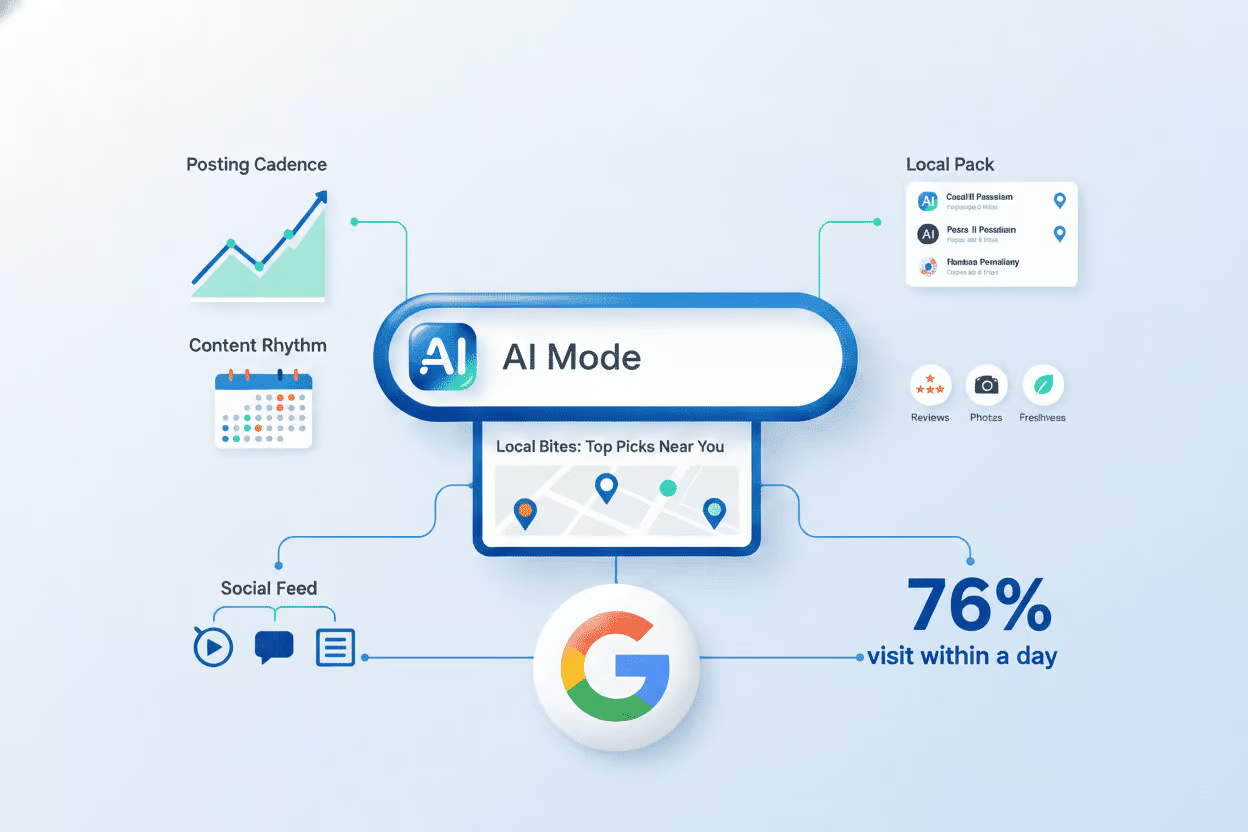
    Google has rolled out a redesigned AI-first search input that routes longer, conversational queries directly into AI Mode, bypassing the traditional ten-link results page. Layered on top of expanded local sponsorship inventory inside AI answers and fresh data showing review recency now outweighing raw star count, the change tightens the criteria for which businesses AI surfaces by name. Operators auditing their own pages have roughly a 30-day window to close the structured-data and review-velocity gaps that the new surface reads as disqualifying.

    What actually changed on the search results page?

    Three shifts are stacking on top of each other, and each one shifts the goalposts for what an audit should look for.

    The new AI search input

    The redesigned input field treats natural-language queries such as "best brunch spot near me that doesn't take reservations" as the default, then hands them to AI Mode rather than the classic blue-link SERP. The response is typically a synthesized paragraph that names two or three businesses. Selection is driven by review signals, listing completeness, and structured attributes pulled from the Google Business Profile. A thin profile is filtered out before the user ever sees an option list.

    Local sponsorship slots are growing, and they are gated by listing quality

    Google is testing more paid placements inside the local pack and inside AI answers themselves. Bid is no longer the only gate. Categories, hours, services, photos, and review velocity now feed into whether a paid local slot is eligible to compete. A sparse profile cannot outbid its way into a slot the way it could in 2024.

    Review recency is pulling more weight than star count

    The review-ROI data point that changed most sharply is the relative weight of recency. A 4.6-star business with 80 reviews in the last 90 days will routinely outrank a 4.9-star business whose last review came in six months ago. Response rate, especially owner responses inside a 24-hour window, now travels with the review as a paired signal.

    What should an audit actually verify?

    If you run technical SEO or local SEO work for service businesses, the audit checklist needs to track the signals AI Mode reads, not just the signals the classic local pack used to read.

    Listing completeness, field by field

    Treat empty fields as AI-visible negatives. Audits should confirm that the following are populated and current: a primary category plus every relevant secondary category, every applicable service or product with a description, complete hours including holiday and special hours, photos refreshed at least quarterly, weekly Google Posts, full attributes such as wheelchair access and accepted payment methods, and a website URL whose NAP matches the Business Profile line for line.

    Review velocity and response discipline

    Pull the last 90 days of reviews and the corresponding owner response timestamps. Anything older than six months without a fresh review is a flag for the auditor to surface. Target a steady cadence, roughly five new reviews per week with a 24-hour response window on every one. The recency and response pattern is what AI reads as authority, not the headline star average.

    Citation-graph NAP consistency

    Audit the top citation sources for the business's category and confirm name, address, and phone match exactly. Inconsistent NAP across the citation graph is interpreted as ambiguous entity data, which makes AI systems less willing to surface the business by name.

    Structured data on the linked website

    The Business Profile points at a website. That site needs LocalBusiness or its more specific subtype schema, with the same NAP, hours, services, and aggregate rating properties populated. An AI system that can read the profile but cannot read a matching website gets a weaker confidence signal and may skip the listing.

    What do the supporting numbers say?

    These are the figures worth pinning inside the audit report so the operator sees what is at stake:

    • 76% of users who search for something nearby visit a related business within 24 hours (Think with Google).
    • 87% of consumers read online reviews for local businesses in 2025, up from 81% the year before (BrightLocal Local Consumer Review Survey).
    • Reviews under 90 days old carry more weight in the local pack's ranking mix than reviews older than a year.
    • Analyst forecasts project more than 40% of local queries will surface inside an AI-generated answer by the end of 2026.
    • Businesses with complete Google Business Profiles, covering categories, attributes, hours, services, products, and posts, are 2.7x more likely to be selected as a top result inside AI Overviews.

    What should change in the next 30 days?

    Run a baseline scan against the top three local competitors

    Compare category coverage, attribute completeness, post cadence, photo freshness, and review velocity side by side. The competitor with the cleaner profile usually wins the AI answer even when the headline star rating looks worse.

    Check whether third-party AI surfaces can find the business by name

    Ask ChatGPT, Perplexity, and Gemini directly for "best [category] in [city]" and see whether the business appears. If it does not, the gap is usually structured-data related, and paid spend will not fix it.

    Stand up a weekly review and response cadence

    Move away from one-off email blasts. Set a weekly floor, five new reviews and a 24-hour owner response on every one. Document the cadence so the auditor can show trend lines in the next report.

    Refresh posts, photos, and attributes quarterly

    Posts feed the freshness signal directly. Photos older than a year read as stale to both users and AI systems. Attributes that were never set are read by AI as the business not offering that service, not as missing data.

    What is still emerging?

    Three trends to monitor over the next two quarters:

    • AI Mode is expected to default on for more query types, including local intent, which will push more outcomes toward zero-click answers resolved inside the search surface.
    • Google will likely add clearer attribution columns in Performance Max and Local Services Ads dashboards as paid local slots multiply inside AI answers.
    • Third-party review platforms are under pressure to feed structured data into Google's AI surfaces, while first-party review tools that push directly to a Google Business Profile are gaining emphasis.

    The throughline across all three shifts is that local discovery is being rebuilt around AI. Businesses whose listing data is clean enough for an AI to confidently name them will be surfaced; the rest will be filtered out before a user ever sees an options list, and the operator will have no signal that the filter happened.

    FAQ

    What is Google's new AI search box and how is it different from AI Overviews?

    The new AI search box is a redesigned input field that defaults longer, conversational queries into Google's AI Mode rather than the traditional ten-link results page. AI Overviews are the summarized answers that appear at the top of conventional results, while the AI search box is the entry point that increasingly routes users away from that view. For local queries, a single conversational answer may name two or three businesses based on structured listing data, review signals, and recency.

    Do recent reviews matter more than overall star rating for local rankings?

    Yes. Recency and response rate carry increasing weight in local ranking algorithms, often more than raw star count. A business with a 4.6 average and 80 reviews collected in the last 90 days will frequently outrank a 4.9-rated competitor whose last review came in six months ago. Google rewards a steady, recent stream of authentic reviews paired with timely owner responses, typically within 24 hours.

    What belongs in a complete Google Business Profile for AI search?

    A profile structured for AI consumption includes a primary and all relevant secondary categories, every applicable service or product with a description, complete hours including holiday and special hours, up-to-date photos refreshed quarterly, weekly Google Posts, full attributes such as wheelchair access and payment methods, a website URL with consistent NAP, and an active review collection and response routine. Empty fields are interpreted by AI systems as the business not offering that service, not as missing data.

  • Google AI Studio’s App Builder: What SEO Auditors Should Know About Prompt-to-App

    Google AI Studio’s App Builder: What SEO Auditors Should Know About Prompt-to-App

    Google AI Studio’s App Builder generates a working Next.js web app, including a React frontend, serverless API routes, Firebase authentication, and Firestore, from a single natural-language prompt, completing the build in under five minutes. The feature runs inside the Project IDX cloud workspace, which provides a live preview environment and one-click deployment to Firebase Hosting. Gemini 2.5 Pro handles the code generation, and the output is modular and Git-friendly rather than a single monolithic file. For anyone responsible for what gets published on a website, this shift changes the shape of the QA checklist.

    What App Builder actually produces

    p>A prompt such as “build a customer feedback tool with a form, an email notification backend, and a simple dashboard” returns a full-stack application: data schema, UI components, routing, API handlers, and a live preview URL. Early demos show branching user flows, form validation, and simple role-based access responding to multi-paragraph prompts. Android generation via Flutter appears in early previews but is not yet stable. According to Google’s AI Studio documentation, mobile output and built-in test generation are on the roadmap.

    Why technical SEO auditors should care

    p>The most common outcome of prompt-to-app tools is not a replacement for professional engineering. It is a flood of new, minimally reviewed pages shipping to production. A custom booking tool that loads fast but ships with noindex defaults, or a directory page with client-side rendering and no server-rendered fallback, will quietly disappear from search. When a non-developer uses App Builder to spin up an internal tool, then publishes it on a real domain, the SEO surface area expands without anyone trained to evaluate it.

    The risk profile for an audit changes when the page being audited was written by a model in seconds. Three areas deserve a closer look.

    Render and indexing behavior

    p>Next.js apps can be configured in several modes: static export, server-side rendering on each request, or client-side rendering where JavaScript builds the document in the browser. App Builder’s defaults and any later tweaks determine which one applies. Crawl your staging URL and the live deployment with a tool that fetches the rendered DOM, not just the raw HTML response. If the meaningful content only appears after JavaScript execution, confirm that Google can render it and that the internal links are present in the rendered output.

    Metadata, structured data, and canonicals

    p>AI-generated templates tend to ship with reasonable defaults for title and description tags, but they rarely include JSON-LD, Open Graph tags tailored to the page’s purpose, or a sensible canonical strategy. Before a generated app goes public, check that each route has a unique title and meta description, that canonical URLs match the deployed path, and that any structured data reflects the actual content rather than placeholder values from a template.

    Performance budgets and Core Web Vitals

    p>A freshly generated app that imports the full Firebase SDK, a charting library, and several utility packages on every route can pass a functional test and still fail Largest Contentful Paint on mobile. Run Lighthouse on representative pages, including a route that loads Firestore data, and watch the bundle size in the Next.js build output. Trim or lazy-load anything that is not needed for the initial paint.

    The shared limits and the security gap

    p>Google positions App Builder for prototyping and internal tools. The documentation warns that generated code needs security review and testing before production. In practice, prompt-to-app output frequently contains overly permissive Firestore security rules, missing input validation on API routes, and authentication flows that look complete but skip edge cases. Any app that accepts payments, stores personal data, or writes to a database that holds customer records needs a human review pass before it goes live.

    For an auditor, the practical question is: who owns the post-deployment review? When a small business owner builds a tool with no engineering background, the answer is often nobody. Flag that gap in any audit deliverable, and recommend at minimum a signed-off security review for any app that handles user-submitted data.

    How this fits the current AI coding landscape

    p>Google is not the only company working on prompt-to-app, and AI-assisted coding tools have been available for some time. What sets App Builder apart is the direct connection from a natural-language prompt to a deployed preview environment with staging URLs, rather than to a code suggestion inside an editor. A 2024 Stack Overflow survey reported that developers spend roughly 35% of their time on setup, configuration, and boilerplate before writing meaningful application logic, and App Builder targets exactly that overhead.

    Gemini 2.5 Pro was selected for long-context reasoning and multilingual code fluency. The pipeline runs on Gemini’s API, which means similar flows can be built on top of it by third parties, though Google retains an advantage through the Project IDX workspace that handles UI planning, incremental revision, and deployment in one place.

    What to add to your audit checklist now

    p>When a client shows you a site or app that looks like it was generated quickly, treat it as unverified by default and verify the following before signing off.

    • Crawl the live URL with a JavaScript-enabled renderer and confirm the rendered DOM contains the content, internal links, and metadata that the raw HTML suggests.
    • Check the Next.js rendering mode for each route and confirm that search engines can index the version users will actually see.
    • Verify that title tags, meta descriptions, canonical URLs, and structured data are present, unique, and accurate for every public route.
    • Run Lighthouse on a representative route and compare the results against a documented performance budget; flag any unused or oversized dependencies.
    • Review Firestore security rules, API route input validation, and authentication flows before any app handling user data goes to production.
    • Confirm that any app intended to attract organic traffic has a discoverability plan, since a working tool that search engines cannot parse does not bring in customers.

    What to watch next

    p>Google’s stated roadmap includes Android and iOS via Flutter, built-in test generation that produces unit and end-to-end tests alongside the code, and deeper integration with Google Cloud services such as Calendar, Gmail, and Maps so that prompts can request apps that schedule meetings or trigger email workflows. Each of those expansions increases the volume of AI-built apps reaching production, which increases the value of a thorough audit pass before launch.

    FAQ

    What does Google AI Studio’s App Builder actually generate?

    It generates a runnable Next.js web application from a natural-language prompt, including a React frontend, serverless API routes, Firebase authentication, and Firestore integration. The output appears in a live preview inside Project IDX and can be deployed to Firebase Hosting with one click.

    Is App Builder output safe to use in production as-is?

    No. Google positions App Builder as a rapid prototyping tool and states that the generated code should be reviewed for security, performance, and edge-case handling before production deployment. Common issues include overly permissive Firestore rules and missing input validation.

    What SEO issues should auditors expect on AI-built apps?

    Watch for JavaScript-only rendering with no server-side fallback, missing or generic metadata, absent structured data, default or incorrect canonical URLs, and oversized client bundles that hurt Core Web Vitals. Any of these can keep a working app invisible to search engines even when the app itself functions correctly.

  • Google Posts as a Local SEO Audit Signal: What Site Owners Should Check

    Google Posts as a Local SEO Audit Signal: What Site Owners Should Check

    Google Business Profile Posts are one of the clearest activity signals a local business can control, and they show up in the profile itself on Google Search and Maps. Yet many listings sit dormant for weeks, leaving a measurable gap in profile health. Listings that publish weekly Posts tend to score higher on local profile grading tools than identical listings that never publish, even when name, address, and phone (NAP), reviews, and categories match.

    What counts as a Google Post

    A Google Post is a free, short update that attaches directly to a Google Business Profile. Posts support an image or short video, up to 1,500 characters of text, and a call to action button such as Book, Order, or Call. Posts render in the profile carousel and, depending on type, in other surfaces across Search and Maps.

    Why Posts matter when you audit a local listing

    When grading a profile, several activity signals overlap with Post publishing:

    • Recency. An active Post tells Google the business is still operating and paying attention to its listing.
    • Engagement. Clicks and views on Posts feed back into profile quality metrics.
    • Content depth. Each Post adds indexed text and media to the listing, broadening the keyword footprint.
    • CTA usage. Posts with action buttons create direct conversion paths from the profile.
    • Format variety. Mixing image, video, and Offer Posts widens what the profile can surface.

    For a site owner, the takeaway is simple: Posts are a low-cost lever that touches multiple audit categories at once.

    Audit checklist: what to measure on your own profile

    Open the Posts tab in the Google Business Profile dashboard and run through these checks:

    1. Last publish date. If nothing has been posted in the last 14 days, the profile is decaying.
    2. CTA presence. Every Post should carry a call to action. Missing buttons waste conversion potential.
    3. Format mix. The profile should include Update, Offer, and Event Posts across the month, not a single format on repeat.
    4. Preview readability. The first line must deliver the value, since Google truncates previews around 80 to 100 characters.
    5. Video presence. At least some Posts should carry a short video clip.

    Any weak answer here is a fix that costs zero ad spend.

    What a healthy posting cadence looks like

    Update Posts carry a roughly 7-day visible shelf life before they get demoted in the carousel. Weekly publishing keeps a fresh Post in the primary slot, which is what most searchers actually see. Treat the cadence as a recurring task, not a one-time setup.

    Two tools inside the GBP dashboard make the habit sustainable:

    • Schedule This Post lets you batch a full month of content in one sitting.
    • Set On Repeat handles recurring items such as happy hour specials, weekly class schedules, or seasonal hours without re-entry.

    Matching Post type to goal

    Different Post types serve different conversion purposes:

    • Offer Posts get a colored ribbon and a conversion button, making them the strongest driver of action.
    • Event Posts surface in event-style results around the relevant date.
    • Update Posts work best for evergreen news, announcements, or general visibility.

    A diverse monthly mix outperforms a single-format strategy in profile scoring because it covers more surfaces and use cases.

    Writing Posts that survive the preview cut

    Searchers see roughly the first 80 to 100 characters of a Post before the rest is hidden behind an expand control. If that opening line is a greeting like “Hi everyone, happy Monday,” the actual offer never shows in the preview. Lead with concrete value: a price, a deadline, or a benefit. Examples that survive the cut include a discount window, a service highlight, or a clear availability statement.

    Video Posts: short clips beat polished productions

    Short video clips under 30 seconds consistently outperform longer, produced videos on profile engagement. A 20-second look at the team, the storefront, or a finished project gives searchers a vibe check. Polished long-form video tends to feel out of place in the Post carousel and rarely gets finished.

    Multi-location operations: publishing at scale

    For brands running several locations, the Copy The Update feature inside the GBP dashboard pushes one Post to every profile in a single action. For franchises, healthcare groups, and home service brands, this turns a 30-minute per-location task into a roughly 30-second task and keeps every location’s profile scoring well. The audit rule still applies: every location needs its own last-publish-date check, because a missed refresh on one profile drags the group average down.

    Where Posts fit in a broader audit

    Posts are one of several activity signals in a local listing audit. They pair naturally with:

    • NAP consistency across citations and the website.
    • Review velocity and response rate on the profile.
    • Category completeness and primary category accuracy.
    • Q&A activity on the profile.
    • Photo freshness in the profile gallery.

    Posts are often the cheapest of these to fix, which is why they are a strong starting point when an audit surfaces multiple weak signals.

    FAQ

    How often should a business publish Google Posts?

    At least once per week. Update Posts have a roughly 7-day visible shelf life in the carousel, so weekly publishing keeps fresh content in the primary slot searchers see.

    What is the character limit on a Google Post preview?

    Google truncates Post previews at roughly 80 to 100 characters. The opening line must carry the value, such as a discount or deadline, instead of a greeting.

    Can multi-location brands publish the same Post everywhere?

    Yes. The Copy The Update feature inside the Google Business Profile dashboard publishes one Post to every location profile in a single action.

  • Gemma 4 and OpenClaw: What Free Self-Hosted AI Means for Your Local Listing Audits

    Gemma 4 and OpenClaw: What Free Self-Hosted AI Means for Your Local Listing Audits

    On April 2, 2026, Google released Gemma 4 under the Apache 2.0 license, and the open-source OpenClaw framework sits beside it as a free agent layer. Together, the two let a single operator or a multi-location brand run a full local listing audit on hardware they own, with no per-token charges and no commercial restrictions. For SEO auditors, this changes what a routine citation check, NAP sweep, or competitor pack score can cost to run.

    What changed in the Gemma 4 release

    Gemma 4 is an open-weight model family, and the license is the headline. Earlier Gemma versions shipped under a restrictive custom license; Apache 2.0 lets any individual or company download the weights, run them on their own hardware, and use the output commercially. No usage caps, no royalties, no required telemetry back to Google.

    The release includes four model sizes. The 31B variant ranks third on the LMArena leaderboard among open models and outperforms some models with up to 20 times more parameters. For auditing work, that means a single mid-range GPU can handle a full pass over citation sources, review text, and structured data without falling back to a cloud API.

    Where OpenClaw fits, and what it is not

    OpenClaw is a separate project, not a Google product, and Google did not make it free. OpenClaw is an open-source framework for building and running autonomous agents that can crawl pages, call APIs, compare records, and chain those steps into a workflow. A model alone answers questions; an agent takes action across a pipeline. Gemma 4 supplies the reasoning, OpenClaw supplies the plumbing.

    The pairing is economic rather than corporate. A free local model plus a free agent framework, both running on hardware the operator controls, replaces work that previously required a paid cloud subscription. For an auditor running the same checks across hundreds of client locations, the variable cost line item for inference essentially disappears once the hardware is in place.

    Why the token tax matters for an audit workflow

    Per-call pricing on proprietary models is the hidden bill in any agentic workflow. A real listing audit pulls a long context: dozens of citation pages, review corpora, schema markup, GBP fields, and a competitor set. Each step costs tokens. Multiply that across every location a multi-site operator manages and the invoice is unpredictable, especially during a quarterly deep audit.

    Self-hosting converts that variable line into a fixed hardware cost. The model runs on a machine the auditor already owns, so the cost per audit trends toward zero once the box is paid for. For a solo practitioner, that is the difference between a flat monthly tool and surprise overages every time a full citation crawl runs. For a platform, it is the difference between premium pricing and a free score for every operator in a market.

    Which audit tasks the stack can now run locally

    Put the model and the agent together and the checks that drive local pack visibility become cheap to repeat. The practical targets for an SEO audit include:

    • NAP consistency across citation sources. The agent crawls Yelp, YellowPages, Bing Places, Apple Maps, Facebook, Foursquare, BBB, and chamber directories, then flags every mismatch on business name, address, phone, suite number, or hours.
    • Review theme and sentiment analysis. Gemma 4 clusters reviews by recurring themes such as slow service, staff friendliness, parking, or pricing, so the audit report can rank the complaints dragging down star averages and the compliments worth amplifying in owner replies.
    • Local pack competitor scoring. The agent pulls the top three to five competitors ranking in the local pack and scores their GBP fields, categories, and citation footprint against the audited business, so the gap is measured on the same axes for both sides.
    • GBP field optimization. Categories, services, attributes, photos, posts, and Q and A entries get checked against high-performing competitors in the same vertical and city, producing a prioritized fix list instead of a generic improvement note.
    • Schema and on-page citation audits. The agent validates LocalBusiness schema, hours markup, geo coordinates, and the NAP block on the homepage against the Google Business Profile record, catching silent drift between the site and the profile.

    What changes for regulated local businesses

    Because the inference happens on the auditor’s own hardware, customer data, revenue figures, and internal notes never leave the machine doing the work. That detail matters for healthcare practices, law firms, accounting offices, and other regulated local businesses that previously could not route sensitive operational data through a third-party model. A self-hosted audit pipeline is compliant by default for that category of client for the first time, which broadens the addressable market for any agency offering listing audits.

    What to verify on a site before adopting the stack

    For an SEO auditor evaluating whether a self-hosted Gemma 4 and OpenClaw setup is worth standing up, the practical checklist starts with the pages and signals that drive local pack placement:

    • Confirm the NAP block on the homepage matches the Google Business Profile record to the character, including suite numbers and abbreviated street suffixes.
    • Validate LocalBusiness JSON-LD against the live profile: hours, geo coordinates, and the same address string.
    • Pull a citation sample of the 50 most common sources for the vertical and country, and diff every field rather than just the business name.
    • Extract the last 100 reviews per platform and group by theme before writing the optimization plan; review counts alone miss the issues that drive star movement.
    • Score the top three to five local pack competitors on the same axes so the report shows rank gaps rather than absolute scores.

    These are the same checks an auditor would run through a paid tool today. With the model and the agent hosted locally, the marginal cost of running them weekly rather than quarterly drops to near zero.

    FAQ

    Is OpenClaw a Google product?

    No. OpenClaw is a separate, open-source, self-hosted platform for building autonomous AI agents. Google did not create it or release it, and the pairing with Gemma 4 is an economic match between two free projects, not a corporate one.

    Why does the Apache 2.0 license on Gemma 4 matter for local SEO work?

    Earlier Gemma versions used a restrictive custom license that limited commercial use. Apache 2.0 lets any small business, agency, or tool vendor download the weights, run them on their own hardware, and use the output commercially with no per-token charges.

    Which listing audit tasks can Gemma 4 plus OpenClaw actually automate?

    The stack can crawl 50 or more citation sources to flag NAP mismatches, cluster reviews by recurring themes, score the top three to five local pack competitors on the same axes, audit Google Business Profile fields against high-performing peers, and verify LocalBusiness schema plus hours markup against the live GBP record.

  • Content Length and AI Overview Citations: What Site Owners Should Audit

    Content Length and AI Overview Citations: What Site Owners Should Audit

    Google’s AI Overviews now appear above traditional results for many searches, pulling text from web pages and presenting a synthesized answer before users ever click a listing. Whether your pages are among those sources depends less on word count and more on whether the page hands the AI a clean, direct answer to the actual query. For site owners running technical audits, that distinction changes what to look for when reviewing content.

    Why AI Overviews Change an SEO Audit

    An AI Overview generates its summary from passages the model can extract and rephrase with confidence. If your page buries the answer several paragraphs below a heading, surrounds it with marketing copy, or mixes multiple topics into one dense block, the model has less clean material to pull from. Pages that put the answer in the first sentence after a clear heading, keep paragraphs compact, and use lists or tables give the model more quotable passages and therefore more chances to be cited.

    This is worth treating as its own audit layer. Traditional ranking checks (titles, internal links, schema coverage) still matter, but Overview visibility adds a new question: can a reader, or a model, lift the first sentence under a heading and use it as a standalone answer?

    Short Content vs. Long Content: The Real Difference

    Length is not a ranking lever in either direction. A short page gets cited when the query is short. A long page gets cited when the query demands depth. Mixing them up is the more common failure mode.

    When short pages tend to win citations

    • Definition queries ("What is X?") call for a one or two-sentence answer near the top of the page.
    • Local queries ("best X near me," "X in [city]") reward concise service descriptions with location signals.
    • Pricing queries ("how much does X cost?") perform better with direct ranges or a structured pricing block than with prose.
    • FAQ-style queries (yes/no or single-fact questions) want a direct answer followed by optional detail.

    When long pages tend to win citations

    • Comparison queries ("X vs Y") need side-by-side breakdowns. Tables and labeled sections give the model multiple extraction points.
    • How-it-works queries for technical or multi-step processes benefit from step-by-step explanation.
    • High-consideration decisions (B2B purchases, significant services) are where buyers expect case studies, process detail, and evidence.

    What to Check on Every Page You Audit

    Treat the following as checklist items during a content review, especially for pages that already rank on page one but rarely earn Overview citations.

    • First-sentence answer: Read the first sentence under each heading in isolation. If it cannot stand alone as an answer, rewrite it.
    • Paragraph length: Aim for roughly 40 to 60 words. Dense blocks reduce the number of passages the model can extract cleanly.
    • Heading specificity: Question-form or topic-specific headings ("What services does [Business] offer?") outperform generic ones ("Our Services") for extraction.
    • Structured elements: Lists, tables, and FAQ blocks are easy for AI to parse and frequently end up in Overviews.
    • Freshness: Pricing, hours, and service details should match the live business. Stale numbers reduce citation confidence.

    Don’t Forget the Listings Layer

    AI systems also pull from your Google Business Profile, directory listings, and review platforms when assembling answers about a local business. Inconsistent NAP data (Name, Address, Phone), incomplete business descriptions, and outdated category choices can suppress citations even when the site itself is well structured. A useful audit compares the name, address, and phone used on the website against the same data on the major aggregators and review sites, and flags mismatches.

    Completeness matters too. Profiles with sparse descriptions, missing service lists, or no reviews give the model less to work with than richer profiles on competing businesses.

    Putting It Together for Your Next Audit

    Run the audit with a simple pass per page: read the first sentence under each heading as if it were the only sentence you were allowed to quote, check paragraph density, verify the heading itself matches the likely query, and confirm structured elements exist where they help. Then repeat the pass on your external listings. Pages that pass both passes are the ones most likely to surface in AI Overviews for the queries that matter to your business.

    FAQ

    Does longer content always rank better in AI Overviews?

    No. AI Overviews cite the content that answers the query most directly, regardless of length. Short pages are typically cited for definition, local, pricing, and FAQ-style queries, while long pages are cited for comparison, how-it-works, and high-consideration queries.

    What page structure helps AI Overviews cite a page?

    Put the answer in the first sentence after each heading, keep paragraphs around 40 to 60 words, use question-form or specific headings, include lists, tables, and FAQ sections, and keep pricing, hours, and service details current.

    Why do business listings affect AI Overview visibility?

    AI pulls from your Google Business Profile, directory listings, and review platforms alongside your website. Inconsistent NAP data, incomplete descriptions, and stale category information can reduce citations even when your website is well structured.

  • Meta Ads AI Connectors and What Site Owners Should Audit Before Connecting

    Meta Ads AI Connectors and What Site Owners Should Audit Before Connecting

    On April 29, 2026, Meta released Meta Ads AI Connectors, a free feature that lets small business owners run Facebook and Instagram campaigns by typing or speaking to ChatGPT or Claude. Instead of clicking through Ads Manager, owners can ask an AI assistant to pull reports, build campaigns, swap headlines, and audit product catalogs. Anything the AI creates starts paused, so nothing charges until the owner flips the switch in Ads Manager. For anyone about to hand campaign control to an AI, the practical question is what the site and tracking stack behind those campaigns can actually support.

    What the connector actually does

    Once a Meta Business account is linked to an AI tool that supports the Model Context Protocol, the assistant can answer plain-English questions and take action on the ad account. Reported uses include reporting on ad performance across yesterday, last week, or last month; building new campaigns from a short description with a set daily budget and geographic radius; editing existing ads, changing budgets, swapping creative, or pausing underperformers; auditing the product catalog to explain why specific items are not surfacing; and diagnosing pixel or tracking setup problems. No developer or API knowledge is required. Sign in once with the Meta Business account and the AI takes over from there.

    The built-in safety net you should still verify

    Every campaign the AI generates begins in a paused state. Nothing charges the ad account until the owner logs into Ads Manager and activates it. That pause-by-default behavior is the most important detail in the launch because it limits how much a bad prompt can cost. It does not, however, fix broken tracking, mismatched conversion events, or a landing page that drops every visitor who arrives from a paid click. Treat the pause as a window to audit, not a reason to skip the audit.

    What a technical SEO audit has to do with ad management

    Paid social traffic still lands on a site, and a site audit tells you whether that traffic has somewhere usable to go. Before connecting an AI to your ad account, run through the page-level checks that determine whether the campaigns the AI builds will convert.

    • Confirm the landing page matches the ad promise. If the AI writes copy around a summer sale and the promoted page still shows a winter product grid, the disconnect shows up as a low quality score and wasted spend.
    • Verify the Meta pixel and Conversions API are firing on the destination URL. The connector can diagnose pixel issues in conversation, but only after a campaign runs. Catching a missing pixel first means attribution will work from day one.
    • Check page speed on mobile. Most ad clicks come from phones. Slow mobile pages inflate cost per result regardless of how well the AI targets the audience.
    • Audit product catalog entries. If the AI flags catalog items that are not showing, the underlying cause is often a feed rejection, a missing image URL, or a category mismatch. Those are site-side fixes the connector alone cannot resolve.
    • Make sure UTM parameters pass through the destination. Without UTM tagging, the AI’s reporting on which ad drove which conversion is guesswork.

    What to ask the AI in the first session

    Before letting the connector create anything, treat the first session as a read-only review. Useful starter prompts include asking which ad produced the most leads last week and the source’s source; asking why cost per result jumped on a specific day; asking the AI to audit the product catalog and list items with errors; and asking it to summarize pixel health across active ad accounts. Reading what the AI already knows about your account surfaces data gaps before any campaign goes live.

    Habits that keep budget safe after launch

    Once campaigns start going live in paused mode, a short review routine catches problems early. Read every campaign the AI builds before activating it, since AI assistants can be confidently wrong about strategy in niche or local markets. Write prompts with concrete goals, budgets, geo radius, and cost caps rather than vague requests like “get me more leads.” Check the live ads daily for the first two weeks to confirm what was authorized is what is actually running. Keep a parallel log of any manual changes made in Ads Manager so the AI does not overwrite them on the next session.

    Where the AI helps and where it falls short

    The connector is well suited to the routine work that eats time: pulling performance reports, building basic campaign structures, fixing catalog errors, and answering “what happened last week” questions. It is less suited to strategic calls about creative direction, offer pricing, or local-market positioning. Think of it as a capable operations assistant, not an autopilot. The owner still owns the strategy, and the AI still needs clean data, a healthy site, and accurate tracking to produce useful output.

    What you need to connect

    Setup is short. A Meta Business account with ad accounts already configured, an AI tool that supports the Model Context Protocol such as ChatGPT or Claude, and roughly five minutes. The path in the AI tool is the integrations or connectors menu, then Meta Ads, then authentication. The feature is free and in open beta as of the April 29, 2026 launch.

    After the audit passes and the connector is live, the practical shift is from clicking through Ads Manager to typing prompts in an AI chat. The mechanics of a campaign launch do not change much, but the checks you run before launch decide how much of that budget actually returns customers instead of burning on tracking gaps and slow pages.

    FAQ

    What are Meta Ads AI Connectors?

    Meta Ads AI Connectors are a free feature Meta launched on April 29, 2026. They let small businesses manage Facebook and Instagram ad campaigns by typing or speaking to ChatGPT or Claude in plain English, handling tasks from performance reporting to campaign building.

    Do AI-created campaigns spend money automatically?

    No. Every campaign the AI builds starts in a paused state. Nothing charges the ad account until the owner logs into Ads Manager and turns the campaign on themselves, which protects budgets from accidental spend during experimentation.

    What do you need to set up Meta Ads AI Connectors?

    You need a Meta Business account with ad accounts already configured, an AI tool that supports the Model Context Protocol such as ChatGPT or Claude, and about five minutes. Open the AI tool’s integrations or connectors menu, select Meta Ads, and authenticate the connection.

  • How to Audit Your Site for AI Search Visibility

    How to Audit Your Site for AI Search Visibility

    AI assistants such as ChatGPT, Perplexity, and Google’s AI Overviews are increasingly the first stop when customers search for a business, a service, or a recommendation. Most company websites were built to rank in list-style search results, not to be selected as the answer a model writes out for a user. A practical AI visibility audit checks whether the information on your pages, in your listings, and in your structured data is something an AI system can confidently pull, parse, and cite.

    Why AI Assistants Skip Most Business Websites

    When an AI assistant builds a reply, it pulls from structured and consistent signals across the web: business listings, reviews, schema markup, and authoritative content. If your business name, address, phone number, or service descriptions are missing, inconsistent across platforms, or stored in a way a model cannot parse, the assistant has nothing reliable to cite. The outcome is silence. Your business simply does not appear in the answer.

    What the model actually needs to find

    • A consistent business identity across every listing and platform you appear on.
    • Structured data on your own pages that tells the model who you are, what you do, and where you operate.
    • Review presence on the platforms customers in your category actually use.
    • Content written in a question-and-answer shape, so a model can lift a passage directly.

    How AI Visibility Differs From Classic SEO

    Traditional SEO targets a ranking position inside a list of blue links. AI visibility targets selection: being the source an assistant names or quotes inside a generated answer. The two disciplines share a foundation, including good content, accurate information, and authority signals, but AI visibility adds three requirements that a standard technical audit rarely covers.

    • Structured data across your own pages, not just on your homepage.
    • NAP and service consistency across dozens of external listings and aggregators.
    • Content formatted in self-contained, parseable passages that answer a single question at a time.

    What to Check in Your Own AI Visibility Audit

    A focused audit walks through each layer a model might pull from and records where the signal is clean, where it is missing, and where it conflicts with other sources.

    Citation consistency

    Search your business name plus city in quotes and compare every listing that comes back. Your business name, address, phone number, hours, and service descriptions need to match exactly across your own site, major directories, industry sites, social profiles, and any aggregator that has indexed you. Inconsistent NAP data is one of the most common reasons an assistant cannot commit to citing you.

    Structured data coverage

    Pull your top pages and check whether they carry the schema markup that describes your entity. LocalBusiness, Organization, Service, Product, FAQ, and Review schema give a parser something concrete to work with. Pages with no structured data force a model to guess from prose, which usually means your page is skipped in favor of a competitor with cleaner markup.

    Review footprint

    Count your reviews on the platforms your customers actually use. A small number of reviews, or reviews only on a single platform, gives an assistant less confidence. A steady cadence of new reviews on multiple relevant platforms is a stronger citation signal than a single large batch on one site.

    Content shape

    Read your service and FAQ pages as if you were a model looking for a quotable line. Each section should answer one question in a self-contained paragraph, with the answer near the top and supporting detail below. Long narrative pages with no clear question-and-answer pairs are harder for an assistant to extract from.

    Authoritative sourcing

    Models lean on sources that look established. Check that your site has a clear About page, named authors or a named business, real contact information, and links to or mentions on third-party sites that describe who you are. A page with no author, no contact, and no external references is a weak citation candidate.

    How Long the Fix Takes

    Most focused AI visibility work shows measurable movement within 60 to 90 days, though the timeline depends on your starting point. Cleaning up citation inconsistencies can produce quick gains because the corrected data propagates as crawlers revisit the listings. Building a steady review presence takes longer, since new reviews accumulate gradually. Publishing authoritative, well-structured content is an ongoing investment that compounds as more of your pages become citable.

    FAQ

    What is an AI visibility audit?

    An AI visibility audit checks whether an AI assistant can reliably find, parse, and cite your business. It covers citation consistency across listings, structured data on your pages, review presence on relevant platforms, content shaped for direct extraction, and the authority signals a model uses to decide whether to trust a source.

    How is AI visibility different from traditional SEO?

    Traditional SEO targets a ranking position in list-style search results. AI visibility targets being cited or quoted inside the direct answer an assistant writes. The two share a foundation of good content and accurate information, but AI visibility also requires structured data, NAP consistency across many platforms, and content formatted in passages an AI can lift directly.

    How long does it take to improve AI visibility?

    Most businesses see measurable improvements within 60 to 90 days of focused work. Citation cleanup can move quickly once corrected listings are recrawled. Building review presence takes longer, and creating authoritative content is an ongoing investment that compounds over time.

  • Google AI Overviews Citation Rules: What Small Business Sites Should Audit Now

    Google AI Overviews Citation Rules: What Small Business Sites Should Audit Now

    Google has published official documentation explaining how its AI Overviews pick which businesses to cite, and the criteria look a lot like the fundamentals of local SEO, except that the AI summary now functions as the first answer a searcher sees, before the map pack, the organic listings, or any single website. Sites that earn a citation inside an AI Overview absorb the trust signal before competitors ever appear in the results.

    For a small business owner running a technical audit of their own site, the practical question is what to measure, what to fix, and what to write differently so the pages most likely to be cited are actually earning that placement.

    Why the AI Overview changed the audit checklist

    The three-pack on Google Maps used to be the top of the local funnel. AI Overviews now sit above it. Google’s documentation describes these summaries as built to cite what the company calls non-commodity content, which the guidance defines as material that carries a unique perspective, reflects genuine first-hand experience, or contains a differentiated value other sources do not. For a local business site, that is the standard the audit should be measured against. Pages that read like every other page in the vertical are, by Google’s own framing, the pages least likely to be cited.

    What Google’s guidance actually rules out

    The new documentation quietly retires three tactics that have been circulating in marketing pitches:

    • No llms.txt requirement. Google does not require a special file to make pages eligible for AI Overviews.
    • No schema stuffing. Layering many structured data types onto every page is not a citation strategy. Schema still has a role, but volume is not the lever.
    • No chunking for its own sake. Google states that its systems evaluate the integrity of the full piece, not isolated snippets, so restructuring content into atomic blocks does not buy visibility on its own.

    Any vendor selling one of those as the secret to AI placement is selling something the documentation does not back up.

    What the documentation says actually moves the needle

    The pattern Google describes for citable pages matches what good local SEO has rewarded for years, with the bar raised. Four areas are worth auditing directly on a small business site.

    First-hand experience on service pages

    Service pages are the most likely candidates for AI Overview citation because they answer the kind of questions searchers actually type. The audit question is whether those pages include anything only the operator of that business would know. Process details, mistakes the company sees customers make, decisions made for specific reasons, and trade-offs explained in plain language all count. If a page could be swapped with a competitor’s page and nobody would notice the difference, it is commodity content by Google’s definition.

    Original operational data

    Average job times, typical price ranges, seasonal patterns, response times, before-and-after numbers, and any other figures drawn from the business’s own records are inherently non-commodity because no other site has the same dataset. Pages that include these numbers and show their source are stronger citation candidates than pages that recycle generic ranges found on every competitor site.

    Service area specificity

    AI Overviews are heavily location-aware, so a site that names the neighborhoods, landmarks, drive times, and local conditions it serves gives the AI more to work with for location-specific queries. Pages that name the city and nothing else are weaker candidates than pages that reference the parts of town the business actually covers.

    Listing and review consistency

    Google’s systems cross-reference a website against business listings across the web and against the review profile. A site that looks credible on its own but contradicts its listings, has no review presence, or shows stale review counts is less likely to be cited. Listing accuracy and review recency now function as AI search inputs, not just local SEO housekeeping.

    The credibility cross-check most audits miss

    The part of Google’s framing that deserves the most attention in an audit is the triangulation step. AI Overviews do not pull from a single page in isolation. Google’s systems compare what the website says against third-party listings, reviews, press mentions, and competitor benchmarks. A page that is well written but unsupported across the rest of the web is at a disadvantage against a less polished page that is corroborated everywhere.

    For a small business audit, this means the technical review cannot stop at on-page factors. The checklist should include the consistency of the business name, address, and phone number across Google, Bing, Apple, Yelp, and the major data aggregators, plus the recency and volume of reviews. Every consistent citation and every recent review is a vote of confidence the AI weighs when choosing which site to cite.

    What to check on your own site this week

    Three audits move the needle most:

    • Listings consistency sweep. Compare the business profile on Google, Bing, Apple, Yelp, and the major aggregators. Fix any drift in name, address, phone, hours, or category.
    • Service page rewrite. Pick the top five service pages and rewrite each one with first-person experience, specific examples from real jobs, and the business’s own numbers.
    • Review pipeline. Recency and volume both matter to the credibility cross-check. Build a steady cadence of new reviews rather than relying on a backlog.

    FAQ

    What did Google say about optimizing for AI Overviews?

    Google’s official guidance states that AI Overviews are built to cite non-commodity content, which it defines as material with a unique perspective, genuine first-hand experience, or differentiated value that other sources do not provide.

    Do small business sites need an llms.txt file or extra schema markup to appear in AI Overviews?

    No. Google’s documentation does not require a special llms.txt file, does not recommend stacking many schema types on a page, and evaluates the full piece rather than isolated chunks of content.

    How can a local business website get cited in Google AI Overviews?

    The audit checklist is to write service pages from first-hand experience, include original operational data, name the specific neighborhoods and landmarks in the service area, and keep business listings and review profiles consistent across Google, Bing, Apple, Yelp, and the major data aggregators.

  • What Manus Cloud Computer Means for Auditing Sites AI Agents Read on Your Behalf

    What Manus Cloud Computer Means for Auditing Sites AI Agents Read on Your Behalf

    Manus Cloud Computer hands AI agents a persistent Linux sandbox where they browse the web, fill spreadsheets, and run multi-step jobs for hours or days without a human watching. The platform, described in coverage dated June 16, 2026, marks a practical shift from one-shot prompts to background digital workers that retrieve and act on public information about businesses. For anyone running technical SEO audits, the implication is immediate: the next visitor to your pages may not be human, and the bot may be acting on what it reads.

    Why persistent agents change the audit checklist

    Until recently, crawlers in your logs looked mostly like Googlebot, Bingbot, or a scraping script. A new category is emerging: long-running agents that arrive, open a browser tab inside their container, navigate like a person, copy structured data into a CSV, and move on. McKinsey’s 2025 State of AI survey found 65% of organizations regularly use generative AI and nearly half are already exploring autonomous agent capabilities, which means agent traffic will grow alongside human and search-engine traffic.

    That shift turns a few standard SEO checks into urgent ones. If an agent is researching a vendor, enriching a CRM record, or building a market map on behalf of a buyer, the data it pulls from your site is the data a sale may depend on. Audit the surfaces an agent will read the way you would audit a snippet Google might surface.

    Pages and markup agents will actually read

    Manus’s sandbox gives an agent a real browser, file storage, and tool integrations, with long-running execution and the ability to pause and resume. Early users describe workflows that would take a human assistant hours finishing in under 30 minutes, including research across dozens of sites in parallel. That browser is doing what a person would do: landing on the homepage, clicking into product pages, and scraping the result.

    Run the same audit you would for a new human visitor:

    • Server-rendered key content: confirm that pricing, integrations, team size, and category descriptions render without JavaScript, since headless browsers are common but not universal.
    • Structured data: keep Organization, Product, FAQ, and BreadcrumbList schema complete and current. Agents building vendor lists rely heavily on what is in the markup.
    • robots.txt and meta robots: decide deliberately which agent signatures you want to allow, block, or rate-limit, and document the policy.
    • Public APIs and sitemaps: if you expose a developer API or a machine-readable feed, agents will find it; make sure it agrees with what humans see.
    • Rate limiting and WAF rules: long-running sessions can hammer endpoints; configure thresholds that absorb agent bursts without false positives on real users.

    Permissions, safety, and the trust question

    The platform isolates each agent in a sandboxed Linux container, requires user-approved credentials for API and SaaS access, and logs activity. Permissions are explicit, and the agent cannot reach resources the user has not granted. That design is what makes autonomous action viable, and it is the same pattern enterprise deployments will demand.

    From an audit standpoint, treat any agent visiting your site as an authenticated user with a narrow scope. Check that your logs can distinguish agent user agents from search bots, that consent and privacy banners behave correctly for non-human visitors, and that any data exposed to a logged-in agent is data you would be comfortable sharing with a stranger who walked into your office.

    What the metrics already tell us

    The adoption signal from McKinsey is the part to anchor on: regular generative AI use is mainstream, and autonomous exploration is close behind. Coverage of Manus notes parallel sub-tasking, end-to-end automation chains from data collection to CSV exports, and queue management for recurring jobs. Once those capabilities land in sales, marketing, and operations tooling, your pages will be read by agents acting on a buyer’s behalf more often than by the buyer themselves.

    Where to focus the next crawl

    If you run audits for clients or for your own site, three checks rise to the top:

    1. Snapshot your server-rendered HTML for the ten pages a buyer would hit first, and confirm structured data, contact details, and category language match what an agent would extract into a comparison sheet.
    2. Review your access logs for unfamiliar headless-browser user agents, separate them from named crawlers, and decide a policy.
    3. Document a public data policy: which feeds, schemas, and APIs you expose, and how an agent should attribute what it pulls.

    Agentic platforms will keep moving toward deeper integrations with CRM, accounting, and HR tools, with regulatory pressure for activity logs, human oversight triggers, and explainability. Multi-agent teams that divide a research goal across specialists are already on the roadmap. The sooner your public surfaces are clean enough for an autonomous reader, the sooner the agents acting on a buyer’s behalf will pick the right things up about you.

    FAQ

    What does Manus Cloud Computer actually run?

    It runs AI agents inside a sandboxed Linux container with a browser, file storage, and approved tool integrations, allowing tasks to continue for hours or days and to pause and resume when interrupted.

    How is an autonomous agent different from a regular chatbot for SEO purposes?

    A chatbot answers a single prompt with text. An autonomous agent retains context across long tasks, uses browsers and APIs to take real actions, and finishes a multi-step job such as compiling a vendor list without further prompts.

    Should site owners block AI agent traffic?

    Coverage indicates agents operate inside isolated environments with explicit user permissions and activity logs, so blocking is a deliberate policy choice rather than a default. Audit which agents visit, separate them from named crawlers in logs, and make sure any data an authenticated agent can read is data you are comfortable exposing.

  • Anthropic Claude Opus 4.7: What Small Business Sites Should Audit After the Upgrade

    Anthropic Claude Opus 4.7: What Small Business Sites Should Audit After the Upgrade

    Anthropic has released Claude Opus 4.7, its most capable model to date, and small business owners running Claude Code now have three upgrades worth pressure-testing in their existing workflows: longer session memory, stronger high-resolution image understanding, and Auto Mode for long automated tasks. For anyone whose site health checks, listing audits, or content pipelines run through Claude, this release is a reason to revisit what is being measured, how often, and how much human oversight each step actually needs.

    What changed in Opus 4.7 and why it matters for site owners

    The three changes that affect day-to-day auditing work are:

    • Longer memory across sessions. Claude holds context over longer tasks, which means fewer restarts and more coherent output on multi-step work like crawl audits, content inventories, or weekly reporting runs.
    • Better visual understanding. Higher-resolution image support means Claude can analyze screenshots more accurately, useful for reviewing Google Business Profile photos, UI mockups, or visual reports without preprocessing.
    • Auto Mode (research preview). Activated with Shift+Tab, Auto Mode lets Claude handle routine permission decisions on long automated tasks. Only genuinely risky actions get flagged.

    Auto Mode is available to Team, Enterprise, and Max plan users. For anyone on a Pro or free plan, the upgrade still applies to model quality, but the hands-off automation benefits are gated.

    Which existing workflows deserve a re-audit first

    If Claude Code already runs parts of your site stack, the Opus 4.7 release is the right moment to walk through each workflow and check four things: what context it carries, what permissions it triggers, what images it ingests, and how it is version-controlled.

    Check the persistent context layer

    A CLAUDE.md file in the project root gets read automatically at the start of every session. It is the closest thing Claude Code has to a project memory file. Audit it the same way you would audit a robots.txt or a sitemap: stale entries are worse than no entries. If your scoring criteria, data sources, or reporting format have changed since the file was written, every nightly run is now starting from the wrong baseline.

    Check the slash command library

    Anything you run more than twice a week should live in .claude/commands/ as a Markdown file with an intuitive name, for example /audit-listing, /monthly-report, /draft-response, /analyze-competitor. The audit question here is simple: are all team members still pulling the same version, or has someone forked a prompt in a local file that nobody else sees?

    Check the checkpoint and undo behavior

    Claude Code creates checkpoints throughout a session. Pressing Esc+Esc opens a scrollable history that can restore code, conversation, or both. For audit work, this matters most when a long session has been editing crawl rules or schema templates and a later step needs to be reversed without losing the early analysis.

    Where Auto Mode actually changes the risk profile

    Auto Mode is the upgrade with the biggest operational impact, and therefore the one that deserves the most scrutiny before being turned on. In practice it means a long-running audit job, the kind scheduled through cron jobs with the --print flag for non-interactive runs, will keep going through routine permission prompts without waiting for a human. Only actions Claude judges as risky get surfaced.

    For a small business site, the audit checklist before enabling Auto Mode looks like this:

    • Confirm the cron job’s blast radius. What files can the headless run actually write to, and what would a bad permission decision cost?
    • Confirm the Git state. Any prompt stored in .claude/commands/ should be checked into Git so prompt drift is caught by code review.
    • Confirm alerting. If Auto Mode does flag a risky action, does it reach a human in a way that gets acted on, or does it sit in a queue?

    Inline terminal commands, prefixed with ! inside Claude Code, also benefit from the same caution. Running !curl or !git pull inside a session returns results without switching windows, which speeds up audits but also compresses the usual pause-for-review step.

    Image-heavy audits get a real upgrade

    Opus 4.7’s improved visual understanding is the change most likely to show up in day-to-day work. A few concrete checks it now supports well:

    • Reviewing a screenshot of a Google Business Profile and asking for concrete improvement suggestions.
    • Analyzing competitor storefront photos or listing imagery against your own.
    • Reading UI mockups and flagging layout issues before a developer rebuilds the page.
    • Interpreting visual reports, such as heatmaps or analytics dashboards exported as images.

    The audit angle here is data quality. Claude can now meaningfully look at a screenshot, which means any visual asset stored in your audit pipeline should be checked for resolution and clarity before it is fed in. A blurry screenshot produces a blurry recommendation.

    Tuning cost vs. quality for routine work

    Opus 4.7 defaults to xhigh effort, which is maximum intelligence at higher token cost. For routine drafting, quick summaries, or first-pass listing checks, switching to /effort high cuts token spend without losing useful output. Reserve xhigh for the work where the answer has to be right the first time: complex multi-step crawls, strategic content briefs, and reports that go to clients or leadership.

    Two other session hygiene habits are worth keeping in place regardless of effort level. Run /compact when a long session starts to slow down, since accumulated context drags performance. Use /cost to monitor token usage during audits so a runaway job is caught before the bill arrives. Start a fresh session for each new task so context from a finished audit does not leak into the next one.

    Plan-first and split-work patterns to keep using

    Two workflow habits from the Claude Code playbook matter more after this release, not less.

    First, plan before execute. For any multi-step task, ask Claude to show the plan before touching anything. The plan is the cheapest place to catch a misunderstanding, especially in audits where a wrong assumption early in the run can poison every later result.

    Second, split complex projects into specialized agents rather than asking a single session to do everything. Claude Code supports subagents with independent context, and a setup where one agent gathers crawl data, one analyzes it, and one writes the report consistently outperforms a single generalist session. The longer memory in Opus 4.7 makes the handoffs between these agents more coherent than they were in earlier versions.

    For brand-new projects, /init scans the directory and generates a starter CLAUDE.md based on what it finds. Treat that generated file as a draft, not a finished product, and edit it before relying on it for any production workflow.

    FAQ

    What changed in Claude Opus 4.7 for businesses?

    Anthropic released Claude Opus 4.7 with three headline upgrades: longer session memory, improved high-resolution image understanding, and Auto Mode, a research preview activated with Shift+Tab that lets Claude handle routine permission decisions during long automated tasks.

    Who can use Auto Mode in Claude Opus 4.7?

    Auto Mode is available to Team, Enterprise, and Max plan users and is positioned as a research preview feature.

    What should a small business site owner check after the Opus 4.7 release?

    Review any Claude Code workflows that run overnight or trigger from CI/CD, since longer context and Auto Mode change how permission prompts surface. Audit CLAUDE.md and .claude/commands/ files for outdated scoring criteria, version-control them in Git, and test whether nightly listing audits and content quality checks still flag the right pages.